EasyManua.ls Logo

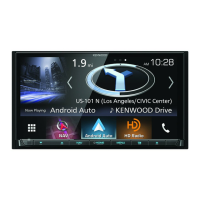
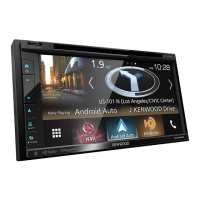
Kenwood DNX8160DABS - User Manual

Kenwood DNX8160DABS
125 pages
Print Icon
To Next Page IconTo Next Page
Loading...
im391_Ref_E_En_01 (E)© 2016 JVC KENWOOD Corporation
DNX8160DABS
DNX716WDABS
DNX5160DABS
DNX516DABS
DNX5160BTS
DNX3160BT
GPS NAVIGATION SYSTEM
INSTRUCTION MANUAL
Before reading this manual, click the button below to check the latest edition and the
modified pages.
http://manual.kenwood.com/edition/im391/
Check the latest edition

Table of Contents

Other manuals for Kenwood DNX8160DABS

Questions and Answers

  • F
    fullerkatherineAug 18, 2025
    Why is the Kenwood Gps navigation system radio reception poor?
    • N
      Nicholas MullenAug 18, 2025
      If you're experiencing poor radio reception with your Kenwood Gps navigation system, make sure the car antenna is fully extended. Also, verify that the antenna control wire is correctly connected, referring to the “Connection” section in the Quick Start Guide.
  • R
    Robin ClarkAug 20, 2025
    Why I cannot set up the equalizer on my Kenwood Gps navigation system?
    • A
      adrian43Aug 20, 2025
      If you cannot set up the equalizer on your Kenwood Gps navigation system, it might be because the dual zone function is enabled. To resolve this, set the dual zone function to off, referring to Zone Control (P.94).
  • B
    Brent SmithAug 23, 2025
    Why I cannot set up the crossover network on my Kenwood DNX8160DABS GPS navigation system?
    • J
      Joseph KeyAug 23, 2025
      If you cannot set up the crossover network on your Kenwood Gps navigation system, it might be because the dual zone function is enabled. To resolve this, set the dual zone function to off, referring to Zone Control (P.94).
  • L
    lisa44Aug 26, 2025
    What to do if I cannot select the output destination of the subsource in the dual zone on Kenwood DNX8160DABS navigation system?
    • A
      Aaron HammondAug 26, 2025
      If you're unable to select the output destination of the subsource in the dual zone on your Kenwood Gps navigation system, the dual zone function may be disabled. Enable the dual zone function by referring to Zone Control (P.94).
  • P
    Pam MartinezAug 28, 2025
    What to do if I cannot adjust the volume of the rear speakers on Kenwood Gps navigation system?
    • J
      Jane ClarkAug 28, 2025
      If you're unable to adjust the volume of the rear speakers on your Kenwood Gps navigation system, the dual zone function might be disabled. Enable the dual zone function by referring to Zone Control (P.94).
  • B
    Bobby DiazAug 30, 2025
    What to do if there is no output from the subwoofer of Kenwood DNX8160DABS GPS navigation system?
    • J
      Jeffrey CooperAug 30, 2025
      If there is no output from the subwoofer of your Kenwood Gps navigation system, it might be because the subwoofer is not set to on. To resolve this, set the subwoofer to on, referring to Speaker/ X’over setup (P.88).
  • K
    kmartinezSep 1, 2025
    Why is the radio reception poor on my Kenwood GPS?
    • D
      daviscatherineSep 2, 2025
      Poor radio reception on your Kenwood GPS can be caused by a couple of things. First, make sure the car antenna is fully extended. If that's not the issue, check that the antenna control wire is correctly connected.
  • T
    Tara DeanSep 4, 2025
    What to do if there is no output from the Kenwood GPS subwoofer?
    • C
      Carlos GordonSep 4, 2025
      If there's no output from the subwoofer, the likely cause is that the subwoofer setting is not turned on. To resolve this, ensure the subwoofer is set to the 'on' position.
  • T
    Timothy WilcoxSep 7, 2025
    Why can't I set up the equalizer on my Kenwood GPS?
    • M
      Melissa KrauseSep 7, 2025
      If you're unable to set up the equalizer, it's likely because the dual zone function is currently enabled. To adjust the equalizer, you'll need to turn the dual zone function off.
  • M
    morganamandaSep 9, 2025
    Why can't I set up the crossover network on my Kenwood GPS?
    • K
      Kayla GambleSep 9, 2025
      If you're unable to set up the crossover network, it's likely because the dual zone function is enabled. To resolve this, turn the dual zone function off.

Summary

Before Use

Safety Precautions

Essential precautions to prevent injury, fire, and damage during operation.

Disc Handling and Unit Care

Guidelines for handling discs and cleaning the unit.

Lens Fogging

Explanation and solution for lens fogging in the disc player.

How to Read this Manual

Manual Navigation Elements

Explains how to interpret manual elements like notes, screen shots, and procedures.

Basic Operations

Front Panel Button Functions

Details the functions of the unit's front panel buttons.

Unit Power and Initial Setup

How to turn the unit on/off and perform initial setup.

Media Playback and Connectivity

How to play media from various sources and connect devices.

Screen and HOME Screen Navigation

How to detach the front panel and navigate the HOME screen.

DVD;Video CD (VCD) Operations

Basic Playback Control

How to control DVD/VCD playback using the screen interface.

DVD Setup Options

Configuring DVD playback settings like language and screen ratio.

Media and Device Connectivity

Music and Disc Media Playback

Instructions for playing music CDs and other disc media.

USB, SD Card, and iPod Operations

How to connect and play files from USB devices, SD cards, and iPods.

App Integration

How to use applications like Spotify, Mirroring, Apple CarPlay, and Android Auto.

Radio Operations

Basic Radio Reception

Tuning, band switching, and basic controls for radio reception.

Digital Radio (DAB) Features

How to use digital radio services, including station lists and information.

Station Memory and Selection

Storing and selecting radio stations using memory and search functions.

Bluetooth Connectivity and Control

Registering and Connecting Bluetooth Devices

Steps for pairing and connecting Bluetooth phones and audio players.

Hands-Free Phone Operations

Making, receiving calls, and managing the phonebook via Bluetooth.

Bluetooth Audio Playback

How to stream and control audio playback from Bluetooth devices.

System Setup and Configuration

Monitor and Display Settings

Adjusting monitor image quality, colors, and background.

Camera and Parking Guideline Setup

Configuring camera inputs, mirror image, and parking guidelines.

Navigation and AV Settings

Setting up navigation voice guidance and AV input/output parameters.

Audio and Sound Control

Speaker Setup and Crossover

Adjusting speaker positions, types, sizes, and crossover frequencies.

Fader, Balance, and Volume Offset

Controlling audio balance and fine-tuning volume levels between sources.

Equalizer and Sound Effects

Adjusting audio equalization and applying various sound effects.

Remote Control Operation

Battery Installation and Button Functions

Installing remote batteries and understanding button operations.

Direct Search Mode

Using the remote to directly search for content by number.

Troubleshooting Common Issues

Problem Resolution Guide

Solutions for common problems related to settings and audio operations.

Error Message Explanations

Explains unit error messages and provides solutions.

Appendix and Specifications

Playable Media and File Formats

Lists supported disc types and audio/video file formats.

Device Compatibility and Technical Details

Details compatible devices and technical specifications for the unit.

Detailed Unit Specifications

Comprehensive technical specifications for various unit components.

Kenwood DNX8160DABS Specifications

General IconGeneral
MP3 playbackYes
Audio formats supportedAAC, FLAC, MP3, WAV, WMA
Image formats supportedBMP, JPEG XR, PNG
Video formats supportedH.264, MKV, MPEG1, MPEG2, MPEG4, WMV
FM band range87.5 - 108 MHz
Supported radio bandsAM, DAB, DAB+, FM, LW, MW
Preset stations quantity20
DIN size2 DIN
Output power200 W
RDS featuresAF, TP
Product colorBlack
Volume controlDigital
DVD region code2
Frequency range20 - 44000 Hz
Disc types supportedCD, CD-DA, CD-R, CD-RW, DVD, DVD+R, DVD+RW, DVD-R, DVD-RW
Equalizer bands quantity13
Signal-to-Noise Ratio (SNR)100 dB
Mobile operating systems supportedAndroid, iOS
Package weight3700 g
File format systemFAT32/NTFS
Number of optical discs1 discs
Display typeLCD
Display diagonal7 \
Display resolution800 x 480 pixels
Number of OSD languages21
On Screen Display (OSD) languagesARA, CHI (SIMPL), CZE, DEU, DUT, ENG, ESP, FRE, GRE, HEB, HUN, IND, ITA, KOR, MSA, PER, POL, POR, RUS, THA, TUR
USB version2.0
Bluetooth version3.0+HS
Bluetooth profilesAVRCP, GAP, HID, SPP, SSP
Line outputs (RCA)3
Bluetooth functionsAudiostreaming, Handsfree calling
Compatible memory cardsSD, SDHC
Cables includedAV, DC
Operating temperature (T-T)-10 - 60 °C

Related product manuals