EasyManua.ls Logo

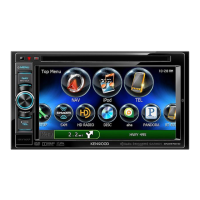
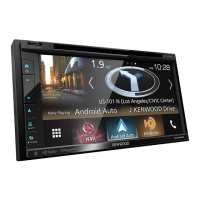
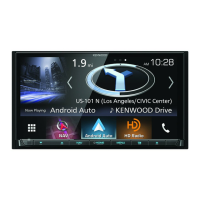
Kenwood DNX8160S - User Manual

Kenwood DNX8160S
117 pages
Print Icon
To Next Page IconTo Next Page
Loading...
im391_Ref_M_En_01 (M/M2/X)© 2016 JVC KENWOOD Corporation
DNX8160S
DNX8160SM
DNX8160DABS
GPS NAVIGATION SYSTEM
INSTRUCTION MANUAL
Before reading this manual, click the button below to check the latest edition and the
modified pages.
http://manual.kenwood.com/edition/im391/
Check the latest edition

Table of Contents

Other manuals for Kenwood DNX8160S

Questions and Answers

  • C
    Cheryl FloresAug 17, 2025
    Why is the Kenwood DNX8160S GPS navigation system radio reception poor?
    • T
      Terrence DavisAug 17, 2025
      If you're experiencing poor radio reception with your Kenwood Gps navigation system, make sure the car antenna is fully extended. Also, verify that the antenna control wire is correctly connected, referring to the “Connection” section in the Quick Start Guide.
  • M
    Michael RichardsAug 20, 2025
    Why I cannot set up the equalizer on my Kenwood DNX8160S GPS navigation system?
    • D
      Donna PhillipsAug 20, 2025
      If you cannot set up the equalizer on your Kenwood Gps navigation system, it might be because the dual zone function is enabled. To resolve this, set the dual zone function to off, referring to Zone Control (P.94).
  • R
    Rebecca MeyerAug 23, 2025
    Why I cannot set up the crossover network on my Kenwood DNX8160S GPS navigation system?
    • C
      Christina FoxAug 23, 2025
      If you cannot set up the crossover network on your Kenwood Gps navigation system, it might be because the dual zone function is enabled. To resolve this, set the dual zone function to off, referring to Zone Control (P.94).
  • H
    Heather ColonAug 26, 2025
    What to do if I cannot select the output destination of the subsource in the dual zone on Kenwood DNX8160S navigation system?
    • S
      shawnbarronAug 26, 2025
      If you're unable to select the output destination of the subsource in the dual zone on your Kenwood Gps navigation system, the dual zone function may be disabled. Enable the dual zone function by referring to Zone Control (P.94).
  • T
    Tracy GuzmanAug 28, 2025
    What to do if I cannot adjust the volume of the rear speakers on Kenwood DNX8160S GPS navigation system?
    • H
      Heather HoltAug 28, 2025
      If you're unable to adjust the volume of the rear speakers on your Kenwood Gps navigation system, the dual zone function might be disabled. Enable the dual zone function by referring to Zone Control (P.94).
  • U
    uallenAug 30, 2025
    What to do if there is no output from the subwoofer of Kenwood DNX8160S GPS navigation system?
    • L
      Luke HillAug 30, 2025
      If there is no output from the subwoofer of your Kenwood Gps navigation system, it might be because the subwoofer is not set to on. To resolve this, set the subwoofer to on, referring to Speaker/ X’over setup (P.88).
  • C
    Cindy WellsSep 1, 2025
    Why is the radio reception poor on my Kenwood GPS?
    • J
      jesse29Sep 1, 2025
      Poor radio reception on your Kenwood GPS can be caused by a couple of things. First, make sure the car antenna is fully extended. If that's not the issue, check that the antenna control wire is correctly connected.
  • J
    Jamie SnyderSep 4, 2025
    What to do if there is no output from the Kenwood GPS subwoofer?
    • R
      Russell FosterSep 4, 2025
      If there's no output from the subwoofer, the likely cause is that the subwoofer setting is not turned on. To resolve this, ensure the subwoofer is set to the 'on' position.
  • R
    Rebecca DunnSep 6, 2025
    Why can't I set up the equalizer on my Kenwood GPS?
    • R
      Robert MontgomerySep 7, 2025
      If you're unable to set up the equalizer, it's likely because the dual zone function is currently enabled. To adjust the equalizer, you'll need to turn the dual zone function off.
  • W
    Wyatt ClarkSep 9, 2025
    Why can't I set up the crossover network on my Kenwood GPS?
    • A
      Allison ArnoldSep 9, 2025
      If you're unable to set up the crossover network, it's likely because the dual zone function is enabled. To resolve this, turn the dual zone function off.

Kenwood DNX8160S Specifications

General IconGeneral
Display Size6.8 inches
Resolution800 x 480 pixels
BluetoothYes
Apple CarPlayYes
Android AutoYes
TouchscreenYes
HD RadioYes
SiriusXM ReadyYes
DVD PlayerYes
Satellite RadioYes
CD PlaybackYes
AM/FM TunerYes
Voice ControlYes
Steering Wheel ControlYes
Backup Camera InputYes
iPod/iPhone ControlYes
Android ControlYes
Audio Formats SupportedMP3, WMA, AAC, WAV, FLAC
NavigationBuilt-in GPS navigation

Related product manuals