EasyManua.ls Logo

Kenwood DNX9990HD - User Manual

Kenwood DNX9990HD
123 pages
Print Icon
To Next Page IconTo Next Page
Loading...
KENWOOD
DNX9990HD
GPS
NAVIGATION
SYSTEM
Quick
Start
Guide
SYSTEME
DE
NAVIGATION
GPS
Guide de demarrage rapide
SISTEMA
DE
NAVEGACION
GPS
Guia
de
inicio rapido
JVC
KENWOOD
Corporation
Take the
time
to read through this instruction
manual.
Familiarity
with installation
and operation procedures
will help
you obtain
the
best performance from your new
GPS
Navigation System.
For your records
Record the
serial
number, found on the back
of
the unit,
in
the spaces designated on the warranty card, and
in
the space
provided
below.
Refer
to
the model
and serial
numbers whenever you
call upon your Kenwood
dealer
for information or
service on the product.
Model
DNX9990HD
Ser
i
al
number
______
_
©
2012
JVC
KENWOOD
Corporation 859-2108-00/00
(K)

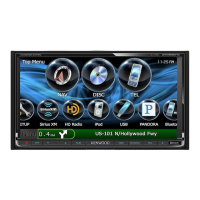
Table of Contents

Other manuals for Kenwood DNX9990HD

Questions and Answers

  • L
    Lindsey WeberAug 14, 2025
    What to do if I cannot select the output destination of the subsource in the dual zone on my Kenwood GPS?
    • D
      Daniel ReyesAug 14, 2025
      If you cannot select the output destination of the subsource in the dual zone on your Kenwood GPS, it might be because the dual zone function is disabled. To resolve this, set the dual zone function to 'on'.
  • J
    jamesguerraAug 17, 2025
    What to do if I cannot adjust the volume of the rear speakers on my Kenwood DNX9990HD GPS?
    • Q
      qnelsonAug 17, 2025
      If you cannot adjust the volume of the rear speakers on your Kenwood GPS, it might be because the dual zone function is disabled. To resolve this, set the dual zone function to 'on'.
  • T
    thompsonjohnAug 20, 2025
    What to do if I cannot set up the equalizer on my Kenwood GPS?
    • D
      Dylan TuckerAug 21, 2025
      If you are unable to set up the equalizer on your Kenwood GPS, it might be because the dual zone function is enabled. Set the dual zone function to 'off' to resolve this.
  • R
    rayaustinAug 25, 2025
    What to do if I cannot set up the crossover network on my Kenwood DNX9990HD?
    • R
      Rebecca MeyerAug 25, 2025
      If you are unable to set up the crossover network on your Kenwood GPS, it might be because the dual zone function is enabled. Set the dual zone function to 'off' to resolve this.
  • E
    elizabethbullockAug 27, 2025
    What to do if there is no output from the subwoofer on my Kenwood DNX9990HD?
    • J
      Joan CohenAug 27, 2025
      If there is no output from the subwoofer connected to your Kenwood GPS, the subwoofer may not be set to 'on'. Ensure that the subwoofer is set to 'on'.
  • A
    Ashlee HerreraAug 30, 2025
    What to do if I cannot set up the low pass filter on my Kenwood DNX9990HD?
    • R
      reynoldsjasonAug 30, 2025
      If you cannot set up the low pass filter on your Kenwood GPS, it might be because the subwoofer is not set to 'on'. Set the subwoofer to 'on' to resolve this.
  • K
    Karen HuffmanSep 3, 2025
    What to do if I cannot set up the high pass filter on my Kenwood GPS?
    • O
      ounderwoodSep 3, 2025
      If you cannot set up the high pass filter on your Kenwood GPS, it might be because the subwoofer is not set to 'on'. Set the subwoofer to 'on' to resolve this.
  • A
    Ashley GilbertSep 6, 2025
    What to do if I cannot set up subwoofer phase on my Kenwood DNX9990HD GPS?
    • O
      omar19Sep 6, 2025
      If you cannot set up the subwoofer phase on your Kenwood GPS, it might be because the subwoofer is not set to 'on'. Set the subwoofer to 'on' to resolve this.
  • M
    Mark WarrenSep 9, 2025
    Why doesn’t the Touch Sensor Tone sound on my Kenwood DNX9990HD?
    • K
      katherineedwardsSep 9, 2025
      The Touch Sensor Tone cannot be output from the preout jack; this is why the Touch Sensor Tone might not be audible on your Kenwood GPS if the preout jack is in use.

Kenwood DNX9990HD Specifications

General IconGeneral
Display Size6.95 inches
Resolution800 x 480 pixels
GPS NavigationYes
BluetoothYes
USB Ports2
HD RadioYes
SiriusXM ReadyYes
TouchscreenYes
USB PortYes
AUX InputYes
DVD PlaybackYes
CD PlaybackYes
Video InputYes
Steering Wheel Control CompatibleYes
Audio Formats SupportedMP3, WMA, AAC, WAV
Video Formats SupportedMPEG-1, MPEG-2, MPEG-4
Apple CarPlayYes
Android AutoYes

Related product manuals