18
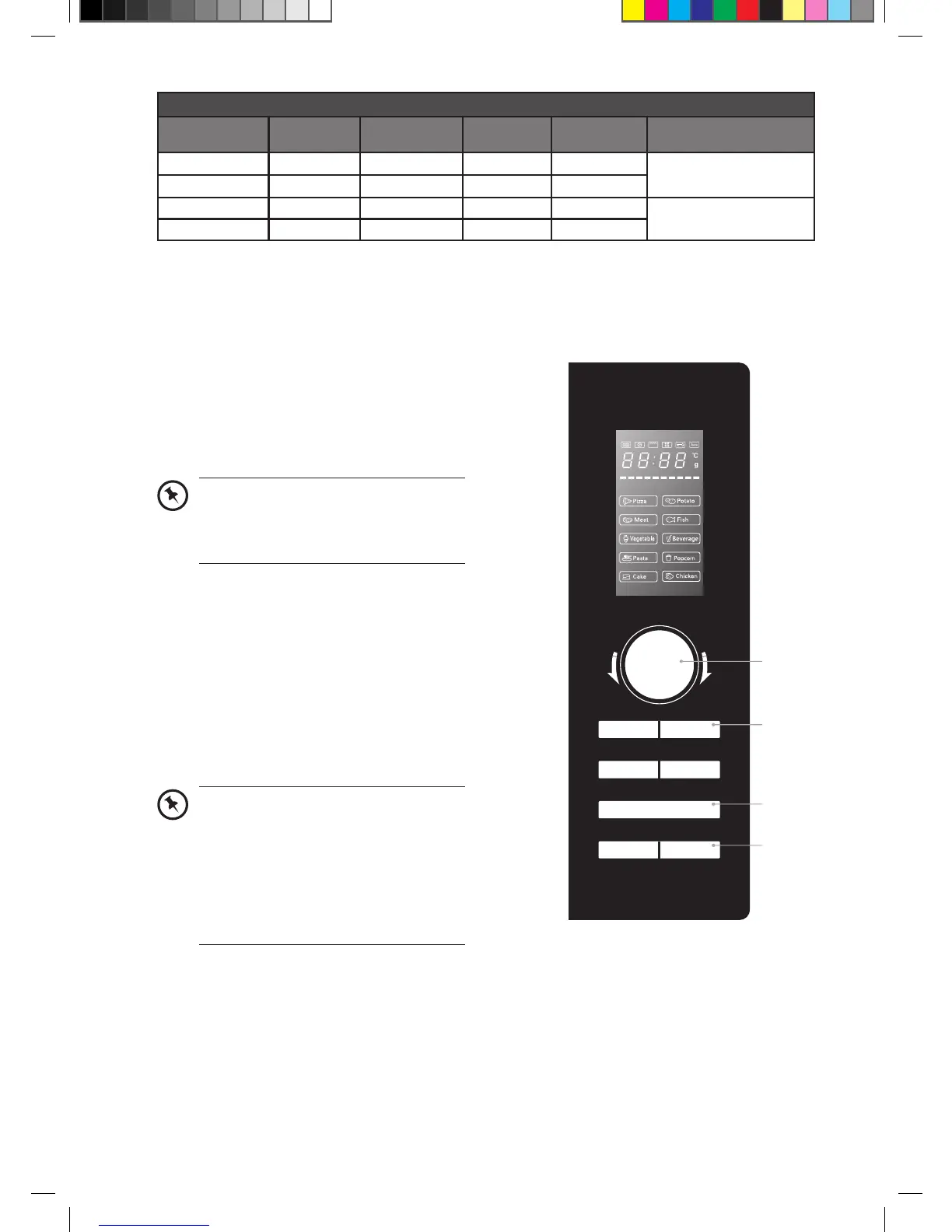
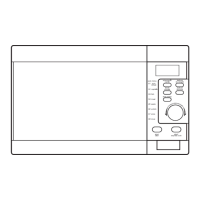
grill/combination button control
press button
frequency
LED
display
microwave
power
grill power
convection
power
cavity temperature
1 C-1 50% - 50%
Keeping at approximately
160°C
2 C-2 50% 50% -
3 C-3 - 100% 100%
Keeping at approximately
180°C
4 C-4 30% 70% 70%
Please note that there are only 4 modes of Combination Cooking and their Microwave, Grill and
Convection Powers are shown on the table above.
For instance: If you want 50% microwave power and 50% grill power cooking (C-2) for 10 minutes,
please follow the steps below.
1. Press the grill/combination button three
times and the LED display will show “C-2”.
2. Press the start/+30sec/confirm button to
confirm the cooking setting.
3. Turn the timer/weight/auto menu dial
to adjust the cooking time until the LED
display shows “10:00”.
4. Press the start/+30sec/confirm button to
confirm and start cooking.
5. Press the stop/clear button once to stop
the cooking. Press the stop/clear button
again to cancel the setting.
Alternatively, after you press the grill/
combination button once, you can turn
the timer/weight/auto menu dial until
the LED display shows “C-2”.
In order to obtain better grilling
performance for your food, please turn
your food over periodically. Press the
stop/clear button once to stop cooking
and open the door. Then, turn your food
over and close the door.
Press the start/+30sec/confirm button
to continue cooking.
t
i
m
e
r
•
w
e
i
g
h
t
•
a
u
t
o
m
e
n
u
convection
weight/time
defrost
start/
+30sec/confirm
clock/
kitchen timer
stop/clear
microwave
grill/
combination
2, 4
1
3
5
K23CSS12_IB_ final_RC120531.indd 18 31/05/2012 10:42 AM


 To Next Page