28
checking the cooking function
This feature allows you to check and view the current cooking
settings.
to find out the current cooking setting
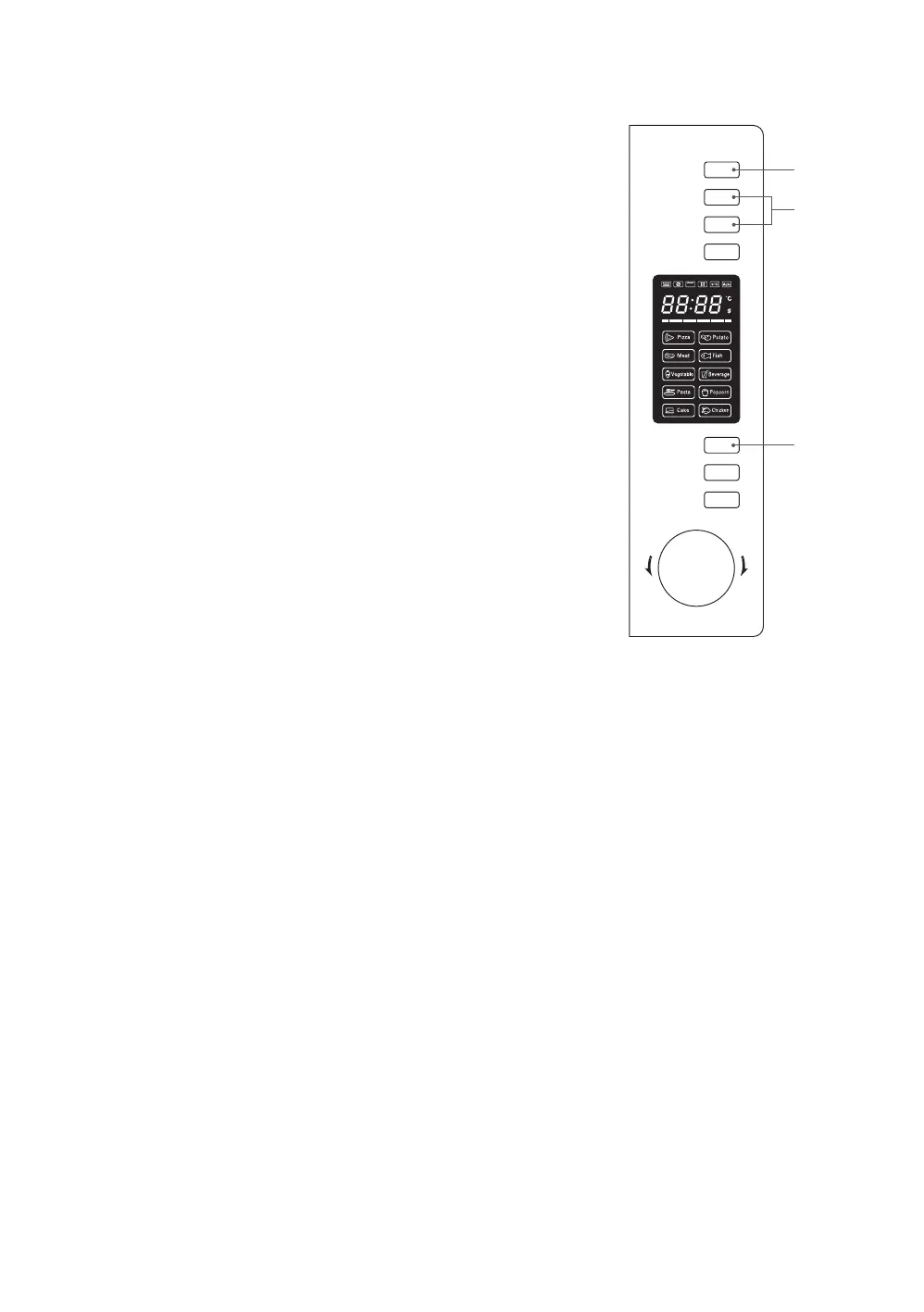
1. While the microwave is in operation, press the Clock/
Kitchen Timer button to check the current time. It will last
for 2-3 seconds then return to its original display, if you have
previously set the clock. If you have not set the clock, no
time will be displayed.
2. While the microwave is in operation, press the Microwave
or Grill/Combi. or Convection button to display the current
cooking setting. It will last for 2-3 seconds then return to its
original display.
Microwave
Grill/Combi.
Convection
W.T./Time
Defrost
Clock/
Kitchen Timer
Stop/Clear
Start/+30Sec.
/Confirm
T
i
m
e
r
•
W
e
i
g
h
t
•
A
u
t
o
M
e
n
u
1
2
2
K30CSS14_IB_Final140226.indd 28 26/02/2014 10:05 AM


 To Next Page