EasyManua.ls Logo

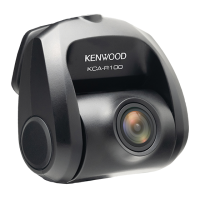
Kenwood KCA-R100 - User Manual

Kenwood KCA-R100
109 pages
Print Icon
To Next Page IconTo Next Page
Loading...
In store "130" you can find and buy almost all necessary goods for your auto in
Kyiv and other cities, delivery by ground and postal services. Our experienced
consultants will provide you with exhaustive information and help you to chose
the very particular thing. We are waiting for you at the address
https://130.com.ua
PHONES
0 (800) 800 130
(050) 462 0 130
(063) 462 0 130
(067) 462 0 130
Internet store of
autogoods
CAR RECEIVERS — Receivers • Media receivers and stations • Native receivers • CD/DVD changers • FM-modulators/USB adapters • Flash memory • Facia plates and adapters • Antennas • Accessories |
CAR AUDIO — Car audio speakers • Amplifiers • Subwoofers • Processors • Crossovers • Headphones • Accessories | TRIP COMPUTERS — Universal computers • Model computers • Accessories |
GPS NAVIGATORS — Portable GPS • Built-in GPS • GPS modules • GPS trackers • Antennas for GPS navigators • Accessories | VIDEO — DVR • TV sets and monitors • Car TV tuners • Cameras • Videomodules
• Transcoders • Car TV antennas • Accessories | SECURITY SYSTEMS — Car alarms • Bike alarms • Mechanical blockers • Immobilizers • Sensors • Accessories | OPTIC AND LIGHT — Xenon • Bixenon • Lamps
• LED • Stroboscopes • Optic and Headlights • Washers • Light, rain sensors • Accessories | PARKTRONICS AND MIRRORS — Rear parktronics • Front parktronics • Combined parktronics • Rear-view mirrors
• Accessories | HEATING AND COOLING — Seat heaters • Mirrors heaters • Screen-wipers heaters • Engine heaters • Auto-refrigerators • Air conditioning units • Accessories | TUNING — Vibro-isolation
• Noise-isolation • Tint films • Accessories | ACCESSORIES — Radar-detectors • Handsfree, Bluetooth • Windowlifters • Compressors • Beeps, loudspeakers • Measuring instruments • Cleaners • Carsits
• Miscellaneous | MOUNTING — Installation kits • Upholstery • Grilles • Tubes • Cable and wire • Tools • Miscellaneous | POWER — Batteries • Converters • Start-charging equipment • Capacitors
• Accessories | MARINE AUDIO AND ELECTRONICS — Marine receivers • Marine audio speakers • Marine subwoofers • Marine amplifiers • Accessories | CAR CARE PRODUCTS — Additives • Washer fluid •
Care accessories • Car polish • Flavors • Adhesives and sealants | LIQUID AND OIL — Motor oil • Transmission oil • Brake fluid • Antifreeze • Technical lubricant
SKYPE
km-130
Question and Answer IconNeed help?

Do you have a question about the Kenwood KCA-R100 and is the answer not in the manual?

Summary

Before Use

Disclaimer and Copyrights

Information regarding responsibilities and usage rights for the product.

Caring for Your Device

Guidance on maintaining the device to ensure proper operation and prevent damage.

Installation and Usage Precautions

Installation Guidelines

Advice on positioning the device and routing cables to avoid interference and ensure safety.

Operational Tips and Cleaning

Instructions on device operation, recording quality, and cleaning procedures.

Product Information

Accessories List

Check the package contents against the list of included accessories.

Parts Identification

Identification of the main components of the rear camera and its cable.

Installation and Connection Details

Recommended Placement and Wiring

Guidance on optimal device placement and safe wiring practices, including airbag considerations.

Installation Steps

Connecting to Mount

Attach the rear camera device to the adhesive mount for proper installation.

Connecting Camera Cable

Connect the rear camera cable connector to the cable connector securely.

Camera Connection and Positioning

Connecting to Dashboard Camera

Insert the CAM-IN connector into the compatible dashboard camera's CAM-IN port.

Final Position Adjustment

Power up the rear camera, enable Wireless Link, and use the app to adjust the installation position.

Mounting and Cable Routing

Applying the Adhesive Mount

Remove protective films, stick the mount on the windshield, and apply pressure.

Cable Management

Plan cable runs carefully and hide exposed cables using trim and rubber strips.

Specifications

Technical Details

Provides detailed technical specifications of the rear camera, including image sensor, resolution, and dimensions.

Safety and Environmental

Equipment Disposal Guidelines

Instructions for proper disposal of old electrical and electronic equipment.

Regulatory Compliance

FCC Warnings and Notes

Important information regarding FCC compliance, potential interference, and operation restrictions.

Industry Canada and Supplier Compliance

IC Notices and Supplier Declaration

Information regarding Industry Canada compliance, RF exposure, and supplier declaration of conformity.

Kenwood KCA-R100 Specifications

General IconGeneral
Product colorBlack
G-shock sensorNo
Number of cameras1
Main camera sensorCMOS
Maximum frame rate30 fps
Power cable length8 m
Aperture range (F-F)2 - 2
Main camera resolution1920 x 1080 pixels
Main camera sensor size1/2.8 \
Main camera viewing angle161 °
Video compression formatsH.264, MOV
Main camera sensor resolution2 MP
Audio recordingYes
Operating voltage5 V
Power source typeDC
Compatible memory cardsNot supported
Operating temperature (T-T)-10 - 60 °C
Weight and Dimensions IconWeight and Dimensions
Depth66 mm
Width63 mm
Height36 mm
Weight334 g

Related product manuals