EasyManua.ls Logo

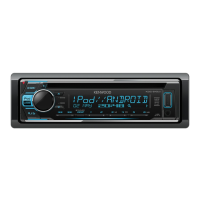
Kenwood KDC-210UI - User Manual

Kenwood KDC-210UI
80 pages
Print Icon
To Next Page IconTo Next Page
Loading...
Data Size: B6L (182 mm x 128 mm)
Book Size: B6L (182 mm x 128 mm)
B5A-1330-00 (EN/E2N)© 2016 JVC KENWOOD Corporation
KDC-110UG
KDC-110UR
KDC-11UR
KDC-210UI
KDC-151RY
KDC-110UB
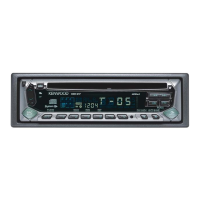
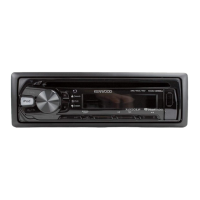
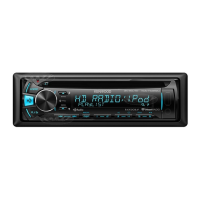
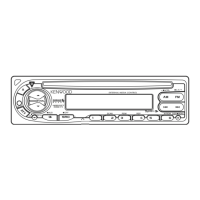
CD-RECEIVER
INSTRUCTION MANUAL
CD-RECEIVER
BEDIENUNGSANLEITUNG
SINTOLETTORE STEREO COMPACT DISC
ISTRUZIONI PER L’USO
CD-РЕСІВЕР
ІНСТРУКЦІЯ З ЕКСПЛУАТАЦІЇ
JS_KWD_KDC_210UI_ENE2N_C_2.indd 1JS_KWD_KDC_210UI_ENE2N_C_2.indd 1 29-Jul-16 3:57:15 PM29-Jul-16 3:57:15 PM

Table of Contents

Questions and Answers

  • K
    kevinmortonAug 15, 2025
    How to fix Kenwood KDC-210UI when no sound is heard?
    • R
      rpalmerAug 15, 2025
      If you cannot hear any sound from your Kenwood Car Receiver, first, adjust the volume to the desired level. If that doesn't work, check all the cords and connections to ensure they are properly connected.
  • C
    christianandersenAug 18, 2025
    What to do if my Kenwood KDC-210UI shows 'ANDROID ERROR' or 'NA DEVICE'?
    • C
      Candice MccannAug 18, 2025
      If your Kenwood Car Receiver displays 'ANDROID ERROR' or 'NA DEVICE', try reconnecting the Android device. If the issue persists, restart the Android device.
  • C
    Cathy SharpAug 22, 2025
    How to fix 'iPod ERROR' on Kenwood Car Receiver?
    • T
      Troy DiazAug 22, 2025
      If your Kenwood Car Receiver displays 'iPod ERROR', try reconnecting the iPod. If the error persists, reset the iPod.
  • C
    Charles OrtizAug 26, 2025
    How to resolve 'READ ERROR' on Kenwood Car Receiver?
    • J
      Joshua GomezAug 26, 2025
      If your Kenwood Car Receiver displays 'READ ERROR', copy the files and folders onto the USB device again. If the problem persists, reset the USB device or try using another USB device.
  • K
    Kendra JacksonAug 28, 2025
    Why does my Kenwood KDC-210UI Car Receiver say 'NO MUSIC'?
    • B
      Brandy MolinaAug 28, 2025
      If your Kenwood Car Receiver displays 'NO MUSIC', connect a USB device that contains playable audio files.
  • L
    Laura GayAug 31, 2025
    What does 'COPY PRO' mean on my Kenwood KDC-210UI Car Receiver?
    • C
      cookejessicaAug 31, 2025
      If your Kenwood Car Receiver displays 'COPY PRO', it means a copy-protected file is being played.
  • J
    Joseph HawkinsSep 4, 2025
    Why is the elapsed playing time incorrect on my Kenwood KDC-210UI Car Receiver?
    • M
      Mark DuncanSep 4, 2025
      If the elapsed playing time is not correct on your Kenwood Car Receiver, this is caused by how the tracks are recorded.
  • M
    Michelle DunlapSep 7, 2025
    Why does my Kenwood Car Receiver say 'NO DISC'?
    • A
      ashley31Sep 8, 2025
      If your Kenwood Car Receiver displays 'NO DISC', insert a playable disc into the loading slot.
  • G
    Glenn JonesSep 12, 2025
    How to fix 'TOC ERROR' on Kenwood KDC-210UI Car Receiver?
    • M
      Michael ValenciaSep 12, 2025
      If your Kenwood Car Receiver displays 'TOC ERROR', make sure the disc is clean and inserted properly.

Summary

Environmental and Disposal Information

Laser Product Safety

Declaration of Conformity

Getting Started and Basic Information

Before Use and Safety Guidelines

Essential safety warnings and important usage notes for the device.

Manual Navigation Guide

Instructions on how to effectively read and understand the manual's content and symbols.

Understanding Your Device Basics

Faceplate Controls and Indicators

Overview of the device's front panel buttons, knobs, and display elements.

Unit Attachment and Removal

Procedures for attaching and detaching the main unit from its mounting sleeve.

System Reset Procedure

Steps to perform a factory reset to restore default settings.

Getting Started and Initial Setup

Language, Clock, and Date Settings

Guide to setting the display language, clock format, and date.

System Configuration Options

Setting up display, tuner, system, source selection, and firmware updates.

Radio Operation

Tuning and Storing Stations

How to search for radio stations and save them to presets.

Radio Function Settings

Adjusting advanced radio features like seek modes, mono/stereo, and program type search.

Auxiliary Input and Playback

Connecting and Playing External Audio

Steps for connecting and playing audio from an external device via AUX.

Customizing AUX Input Name

How to rename the auxiliary input source for easier identification.

Media Playback: CD, USB, iPod, Android

CD Playback Operations

Instructions for playing audio CDs, including playback controls.

USB Device Operations

Connecting and managing USB storage devices for music playback.

iPod;iPhone Operations

Connecting and controlling iPod and iPhone devices for audio playback.

Android Device Operations

Connecting and controlling Android devices for audio playback.

Mobile Application Integration

Connecting and using streaming applications like TuneIn via USB.

USB Drive Management

Managing music drives and setting skip search ratios for USB devices.

Media Playback Navigation and Search

Control Modes and Music Source Selection

Switching between device control modes and selecting music drives.

Navigating Files and Folders

How to browse and select audio files and folders from connected devices.

Using Search Functions

Employing quick search, skip search, and alphabet search for efficient music finding.

Audio Settings

Adjusting Audio Levels

Fine-tuning subwoofer, bass, mid, and treble levels for desired sound.

Equalizer and Sound Enhancements

Configuring the equalizer and applying sound enhancement features.

Advanced Audio Customization

Adjusting preset EQs, bass boost, loudness, subwoofer, and sound reconstruction.

Fader, Balance, and Volume Offset

Controlling speaker balance and initial volume levels for different sources.

Display Settings

Color and Brightness Control

Customizing display colors and adjusting screen brightness levels.

Dimmer and Text Scroll Options

Configuring the display dimmer and text scrolling behavior.

Detailed Color Adjustment

Fine-tuning individual RGB color values for custom display themes.

Dimmer Time Configuration

Setting specific times for the display dimmer to activate and deactivate.

Troubleshooting Common Issues

General and Radio Troubleshooting

Resolving common audio, power, and radio reception problems.

Disc Playback Problems

Diagnosing and fixing issues related to CD playback and disc ejection.

CD;USB;iPod Connectivity Issues

Solving problems with connecting and playing media from CD, USB, iPod devices.

Android Device Connectivity Issues

Resolving issues related to connecting and playing media from Android devices.

Managing Phone Call Muting

Configuring how the audio system mutes during incoming phone calls.

References and Maintenance

Device Care and Cleaning

Instructions for cleaning the unit, faceplate, and connectors.

Disc Handling and Compatibility

Guidelines for handling discs and information on playable/unplayable media.

Device Compatibility Information

Details on compatibility with USB devices, iPod/iPhone, and Android OS.

Display Information Modes

Explains the information displayed for each audio source and playback status.

Installation and Connection

Safety Warnings and Precautions

Critical safety information and warnings before installing the unit.

Unit Mounting and Removal Procedures

Step-by-step guide for installing the unit into the dashboard and removing it.

Wiring Connections Guide

Detailed instructions for connecting power, speakers, and other wires.

Vehicle-Specific Wiring

Information on connecting to vehicle-specific wiring harnesses and adapters.

Technical Specifications

Tuner and CD Player Specs

Technical details for the FM/MW/LW tuner and CD player functions.

USB, Audio, and Auxiliary Specs

Specifications related to USB, audio processing, and auxiliary input.

General and Power Specs

General operating information, power consumption, and physical dimensions.

Kenwood KDC-210UI Specifications

General IconGeneral
Power Output50 W x 4
RMS Power Output22 W x 4
TunerFM/AM
CD PlaybackYes
USB InputYes
BluetoothNo
Aux InputYes
Display TypeLCD
Preout Voltage2.5 V
MP3 PlaybackYes
WMA PlaybackYes
FLAC PlaybackNo
Detachable FaceplateYes
Channels4
CD-R/RW PlaybackYes
Remote ControlOptional
Preset Stations24 (18 FM, 6 AM)

Related product manuals