Need help?
Do you have a question about the Kenwood KDC-252U and is the answer not in the manual?
General warnings, cautions, and handling advice for safe operation.
Procedures for attaching/detaching the faceplate and resetting the unit to factory settings.
How to select bands, tune stations, and adjust radio settings.
Steps to connect USB drives and Apple iPod/iPhone devices.
Alphabetical song search, App Control mode, and settings adjustments for iPod/iPhone.
Solutions for problems like no sound, unit not turning on, or poor radio reception.
Explains various error codes (e.g., "NO DISC", "ERROR 99", "iPod ERROR") and their remedies.
Steps for installing the unit, including wiring basics and safety warnings.
Explains the purpose and connection points for each wire in the harness.
Procedures for mounting the unit, including specific methods for Japanese cars.
This document describes a CD-receiver from Kenwood, available in several models: KDC-X396, KDC-352U, KDC-252U, KDC-202U, KDC-MP252U, KDC-MP152U, and KMR-350U. It functions as a CD-receiver, ampli-tuner, and reproductor de discos compactos (CD player/tuner). The manual provides instructions for installation, operation, and maintenance.
The Kenwood CD-receiver is designed to provide audio entertainment in a vehicle. It supports various audio sources including CDs, USB devices, iPods/iPhones, AM/FM radio, and external auxiliary components. For specific models (KDC-X396, KDC-352U, KDC-252U, KMR-350U), it also integrates with Pandora® internet radio.
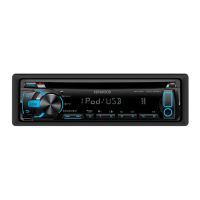
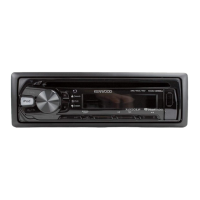
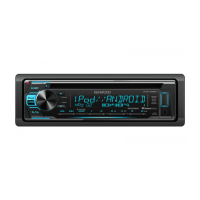
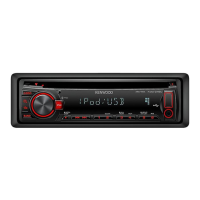
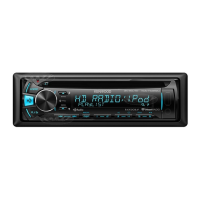
The unit features a display window that shows various information, including source, track/station details, and settings. A volume knob controls audio levels and serves as a multi-function button for menu navigation. Other buttons include SRC (source selection), Q (search/music search), O/BAND (band selection), and numbered preset buttons (1-6). The faceplate is detachable for security.
Pressing SRC turns the unit on. Pressing and holding SRC turns it off. For the KMR-350U model, the power automatically turns off after approximately 20 minutes in standby mode.
The SRC button cycles through available sources: TUNER, USB/iPod, PANDORA, CD, AUX, and STANDBY. Playback starts automatically once a source is selected and ready (e.g., disc loaded, USB device connected). Pandora® is selectable only when an iPhone or iPod touch with the Pandora® app is connected and the [PANDORA SRC] setting is enabled.
The volume knob adjusts the audio level.
Turning the volume knob selects items in menus, and pressing it confirms selections.
Press button 4 (REP) repeatedly to select repeat modes: TRACK/TRAC REPEAT, FILE REPEAT, FOLDER/FOLD REPEAT, or REPEAT OFF.
Press button 3 (ALL RDM) or X repeatedly to select random modes: DISC RANDOM, FOLDER/FOLD RANDOM, or RANDOM OFF. For MP3/WMA/iPod, holding button 3 (ALL RDM) or X selects "ALL RANDOM."
Access [FUNCTION] mode by pressing the volume knob. Navigate to [SETTINGS] or [AUDIO CONTROL]/[AUDIO CTRL] to adjust various audio and display parameters.
Connect the MUTE lead to your telephone using a commercial telephone accessory. When a call comes in, "CALL" appears, and audio pauses. Press SRC to resume audio during the call. Audio resumes automatically when the call ends.
Wipe the panel with a dry silicon or soft cloth. Avoid using solvents.
If the unit malfunctions due to dirty connectors between the unit and faceplate, detach the faceplate and gently clean the connector with a cotton swab. Be careful not to damage the connector.
If the unit fails to operate properly, press the reset button. This restores factory settings.
Instructions are provided for safely attaching and detaching the faceplate to prevent damage and ensure proper connection.
If the remote controller's effectiveness decreases, replace the CR2025 battery. Ensure correct polarity and dispose of used batteries promptly. Keep batteries out of reach of children.
The manual provides a detailed guide for installation, including:
 General
| MP3 playback | Yes |
|---|---|
| Playback disc formats | CD audio |
| Audio formats supported | MP3, WMA |
| AM band range | 530 - 1700 kHz |
| FM band range | 87.9 - 107.9 MHz |
| Supported radio bands | AM, FM |
| DIN size | 1 DIN |
| Impedance | 8 Ω |
| Product color | Black |
| Frequency range | 20 - 20000 Hz |
| CD changer capacity | 1 discs |
| Signal-to-Noise Ratio (SNR) | 105 dB |
| Display type | Fluorescent |
| Display number of lines | 1 lines |
| Filter | Low-Pass Filter |
| File format system | FAT 16/32 |
| Amplifier output power | 88 W |
 Weight and Dimensions
| Dimensions (WxDxH) | 182 x 158 x 53 mm |
|---|


 To Next Page