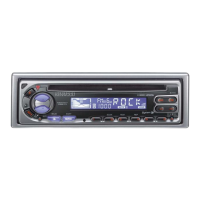
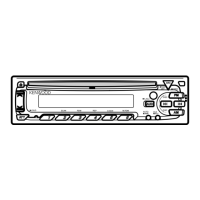
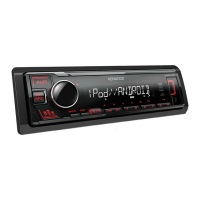
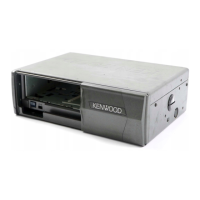
This document describes the Kenwood KDC-220UI, KDC-1030U, KDC-153UM, and KDC-120U CD-receivers, which are car audio systems designed to provide various entertainment and connectivity options. The manual serves as an instruction guide for proper use, installation, and troubleshooting of these devices.
Function Description:
The Kenwood CD-receivers are primarily designed as in-car audio systems. Their core function is to play audio from multiple sources, including CDs, USB devices, iPods/iPhones, Android devices, and radio broadcasts. They also offer connectivity with Pandora® (for KDC-220UI) for streaming music.
CD Playback:
The units can play standard music CDs (CD-DA) as well as audio file discs containing MP3, WMA, WAV, and FLAC files. The device automatically distinguishes between audio file discs and music CDs. Basic CD controls include play/pause, track skip, fast-forward/reverse, and repeat/random play modes. For MP3/WMA files, folder and file navigation is available.
USB Connectivity:
The CD-receivers feature a USB input terminal, allowing connection of USB mass storage class devices, iPods/iPhones, and Android devices. For USB devices, the units support MP3, WMA, WAV, and FLAC file playback. Users can navigate through folders and files, and control playback with options like repeat and random play.
iPod/iPhone and Android Device Integration:
When an iPod/iPhone or Android device is connected via USB, the unit allows for control and playback of music stored on these devices. For iPod/iPhone, users can control playback either from the unit itself (MODE OFF) or from the iPod/iPhone (MODE ON), with some basic controls still available on the unit. For Android devices, two modes are available: BROWSE MODE, which allows control via the KENWOOD MUSIC PLAY APP installed on the Android device, and HAND MODE, which allows control via other media player applications on the Android device. The unit also supports TuneIn Radio, TuneIn Radio Pro, and Aupeo applications when an iPod/iPhone is connected (for KDC-220UI).
Radio Tuner:
The units include an AM/FM tuner with multiple bands (FM1/FM2/FM3/AM, and SW1/SW2 for KDC-220UI/KDC-1030U/KDC-120U). Users can search for stations manually or automatically, and store preset stations. The tuner supports Radio Data System (RDS) functions such as Station Name, Radio Text, Program Type (PTY) search, Traffic Information (TI), News Program (NEWS SET), and Regional (REGIONAL) settings. The KDC-153UM model specifically supports FM stations for local seek and has default AF SET and REGIONAL settings enabled.
A built-in auxiliary input allows connection of portable audio players using a 3.5 mm stereo mini plug. This enables playback of audio from external devices through the car's speakers. The AUX input can be enabled or disabled in the system settings, and its name can be customized.
Pandora® Integration (for KDC-220UI):
The KDC-220UI model offers Pandora® integration, allowing users to stream music from their Pandora account. This requires the Pandora application to be installed on a connected iPhone/iPod touch. Users can create and save new stations based on artists or tracks, search for registered stations, and bookmark current song information. Thumbs up/down functionality is also available, with thumbs down skipping the current track.
Usage Features:
Basic Operation:
- Turning On/Off: Press SRC to turn on. Press and hold SRC to turn off.
- Volume Adjustment: Turn the volume knob on the faceplate or use VOL∧/VOLV on the remote control.
- Source Selection: Press SRC repeatedly to cycle through available sources (RADIO, CD, USB, iPod, ANDROID, PANDORA, AUX).
- Display Information: Press DISP repeatedly to change the information shown on the display (e.g., track title, artist, album, playing time, station name, frequency, clock).
Initial Setup:
Upon first power-on or after a reset, users are guided through initial settings:
- Display Language: Select the desired language (English, Turkish, Russian, Spanish).
- Demonstration Mode: Cancel the demonstration mode.
- Clock and Date: Set the current time and date, including the clock format (12H/24H) and date format (DD/MM/YY or MM/DD/YY).
- Initial Settings (FUNCTION menu): Access various system settings such as:
- AUDIO CONTROL: Configure speaker output (REAR/SUBWOOFER), speaker size (SP SELECT), and other audio parameters.
- TUNER SETTING: Adjust preset type (NORMAL/MIX), local seek, auto memory, mono set, news set, regional, and AF set.
- SYSTEM: Enable/disable key beep, TDF alarm (for KDC-220UI/KDC-1030U/KDC-120U), Pandora source (for KDC-220UI), built-in AUX, and power-off wait time (for KDC-153UM).
- CD READ: Select disc reading mode (auto-distinguish or force music CD).
- F/W UPDATE: Initiate firmware updates.
- CLOCK DISPLAY: Choose whether to display the clock when the unit is off.
- Display Language: Select the display language for the FUNCTION menu and music information.
Users can fine-tune audio characteristics:
- FADER/BALANCE: Adjust front/rear and left/right speaker output balance.
- VOLUME OFFSET: Preset initial volume levels for each source.
- SOUND RECNSTR: Enhance sound quality by compensating for high-frequency loss in compressed audio.
- SUBWOOFER SETTINGS: Adjust subwoofer output level (SUB-W LEVEL), enable/disable subwoofer output (SUBWOOFER SET), set low-pass filter frequency (LPF SUBWOOFER), and adjust subwoofer phase (SUB-W PHASE). These settings are dependent on the [SWITCH PREOUT] setting.
- EQ PRO (USER): Customize equalizer settings including bass center frequency (BASS CTR FRQ), bass level (BASS LEVEL), bass Q factor (BASS Q FACTOR), and bass extend (BASS EXTEND).
- PRESET EQ: Select from various preset equalizers (DRIVE EQ, TOP40, POWERFUL, ROCK, POPS, EASY, JAZZ, NATURAL) or a user-defined setting.
- BASS BOOST/LOUDNESS: Enhance bass and overall sound at low volumes.
- MID/TRE ADJUST: Adjust mid-range and treble center frequency, level, and Q factor.
- COLOR SELECT: Customize illumination colors for different zones (ZONE 1, ZONE 2, ALL ZONE) from preset colors or by setting custom R/G/B values.
- DIMMER: Turn the dimmer on/off or set specific on/off times.
- BRIGHTNESS: Adjust the brightness level for each zone.
- TEXT SCROLL: Choose whether display information scrolls automatically or only once.
Search Functions:
- Quick Search: Quickly browse through long lists of files/folders by turning the volume knob.
- Skip Search: Jump through files at a preset ratio (0.5%, 1%, 5%, 10%) for iPod/Android/USB sources.
- Alphabet Search: Search for files by their first character for iPod/Android sources.
- Direct Music Search (Remote Control): Directly enter track/file numbers for CD/USB sources.
Muting for Phone Calls:
The unit can be muted upon reception of a phone call by connecting the MUTE wire to a telephone accessory. "CALL" will appear on the display, and audio will pause. Users can choose to continue listening to audio during a call by pressing SRC.
Maintenance Features:
Cleaning the Unit:
- Faceplate: Wipe off dirt with a dry silicone or soft cloth.
- Connector: Detach the faceplate and gently clean the connector with a cotton swab, being careful not to damage it.
Handling Discs:
- Avoid touching the recording surface of discs.
- Do not stick tape or accessories on discs.
- Clean discs from the center outwards with a dry silicone or soft cloth; do not use solvents.
- Remove discs horizontally from the unit.
- Remove burrs from the center hole and disc edge before inserting.
Troubleshooting:
The manual provides a comprehensive troubleshooting guide for common issues such as:
- No sound.
- "MISWIRING CHECK WIRING THEN PWR ON" error.
- "PROTECTING SEND SERVICE" error.
- Unit not turning on or incorrect display information.
- Poor radio reception or static noise.
- Disc ejection problems.
- Noise generation during playback.
- Incorrect track playback order.
- "READING" flashing.
- Incorrect elapsed playing time.
- Incorrect character display.
- "NA FILE," "NO DISC," "TOC ERROR," "PLEASE EJECT" errors.
- "NO DEVICE," "COPY PRO," "NO MUSIC," "iPod ERROR" errors.
- Android device playback issues (e.g., "ANDROID ERROR," "NA DEVICE," intermittent playback, sound skips).
- Pandora-specific errors (e.g., "ADD ERROR," "CHECK DEVICE," "NO SKIPS," "NO STATIONS," "STATION LIMIT," "CONNECT ERROR," "RATING ERROR," "THUMBS N/A," "LICENSE ERROR").
Each issue is accompanied by a suggested remedy, ranging from simple checks (volume, connections, disc cleanliness) to resetting the unit or contacting a service center.
Installation/Connection:
The manual includes detailed instructions and diagrams for installing the unit, including:
- Safety Warnings: Emphasizing professional installation, disconnecting the battery, proper wiring insulation, and avoiding short circuits.
- Caution Notes: Advising against touching hot metal parts, connecting speaker wires to the car chassis, and ensuring proper mounting angle.
- Basic Procedure: Steps for disconnecting the battery, connecting wires, installing the unit (in-dash mounting or without mounting sleeve), and resetting the unit.
- Part List: Identification of components needed for installation (faceplate, trim plate, mounting sleeve, extraction key, wiring harness, and various screws).
- Wiring Connection Diagrams: Detailed diagrams for KDC-220UI/KDC-1030U/KDC-120U and KDC-153UM models, showing connections for power, speakers, antenna, mute control, and steering wheel remote control. Specific instructions are provided for connecting ISO connectors on certain car models (VW/Audi or Opel/Vauxhall).
Overall, the Kenwood CD-receivers are versatile car audio systems offering a wide range of features for music playback and connectivity, supported by a comprehensive manual for user guidance.



 To Next Page
 General