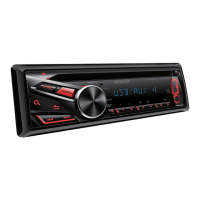
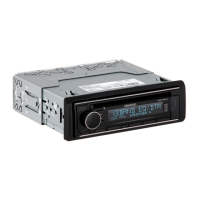
How to fix muting upon the reception of a phone call on my Kenwood KDC-172Y Car Stereo System?
- KKyle WalkerSep 23, 2025
To address muting upon receiving a phone call, connect the MUTE wire to your telephone using a commercial telephone accessory.
How to fix muting upon the reception of a phone call on my Kenwood KDC-172Y Car Stereo System?
To address muting upon receiving a phone call, connect the MUTE wire to your telephone using a commercial telephone accessory.
Why is my Kenwood KDC-172Y radio reception poor?
If the radio reception is poor, ensure the antenna is firmly connected.
What to do if my Kenwood KDC-172Y Car Stereo System disc cannot be ejected?
If the disc cannot be ejected, press and hold the M button to forcibly eject it. If that doesn't work, reset the unit.
What to do if my Kenwood Car Stereo System displays “PLEASE EJECT”?
If your Kenwood Car Stereo System displays “PLEASE EJECT”, reset the unit.
Why does my Kenwood KDC-172Y generate noise?
If noise is being generated, try skipping to another track or changing the disc.
Why can't I playback at [BROWSE MODE] on my Kenwood KDC-172Y?
If you cannot playback in [BROWSE MODE], make sure the KENWOOD MUSIC PLAY APP is installed on the Android device. Also, try reconnecting the Android device and selecting the appropriate control mode. If the problem continues, the connected Android device may not support [BROWSE MODE].
What to do if my Kenwood KDC-172Y displays “ANDROID ERROR”/ “NA DEVICE”?
If your Kenwood Car Stereo System displays “ANDROID ERROR” or “NA DEVICE”, try reconnecting the Android device and restarting it.
Why is there no sound coming from my Kenwood KDC-172Y Car Stereo System?
If there is no sound, try adjusting the volume to the desired level. Also, check the cords and connections to ensure they are properly connected.
What does “READING” keeps flashing mean on my Kenwood Car Stereo System?
If “READING” keeps flashing, do not use too many hierarchical levels or folders.
What does “TOC ERROR” mean on my Kenwood KDC-172Y Car Stereo System?
If your Kenwood Car Stereo System displays “TOC ERROR”, make sure the disc is clean and inserted properly.
Critical safety instructions regarding hazardous operations and battery handling.
Guide to selecting the display language and disabling the demo mode.
Steps to set the date format and specific date values.
Procedure for configuring the unit's internal clock and date settings.
Configuration options for display, tuner, system, source selection, and power saving.
Instructions for searching and tuning radio stations using different methods.
How to start playing music from connected media sources like CD, USB, iPod, or Android.
Details on pausing, fast-forwarding, track selection, repeat, and random play modes.
Adjusting sound levels, EQ presets, bass boost, loudness, and subwoofer settings.
Critical warnings and cautions regarding safe wiring and unit mounting.
Outline of the basic procedure for installing the unit in a vehicle.
Detailed steps for installing the unit into the dashboard and removing it.
Diagram and table detailing the unit's wiring harness connections.
Solutions for common audio and system operational problems.
| Tuner | FM/AM |
|---|---|
| CD Playback | Yes |
| MP3 Playback | Yes |
| WMA Playback | Yes |
| FLAC Playback | No |
| USB Input | Yes |
| Bluetooth | No |
| Preamp Outputs | 2-channel |
| Preout Voltage | 2.5V |
| Preout Level | 2.5V |
| AUX Input | Yes |
| Display Type | LCD |
| Display Color | White |
| Button Illumination | Red |
| Equalizer | 3-band |
| Detachable Faceplate | Yes |
| Power Output | 50W x 4 |
| RMS Power Output | 22W x 4 |
Loading...