EasyManua.ls Logo

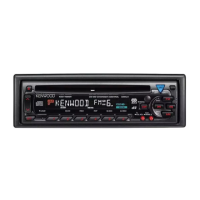
Kenwood KDC-4051UM - User Manual

Kenwood KDC-4051UM
19 pages
Print Icon
To Next Page IconTo Next Page
Loading...
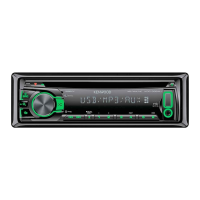
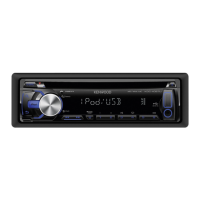
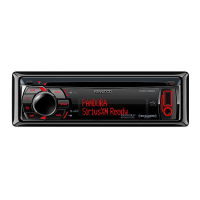
KDC-U449
KDC-U3049
KDC-U349
KDC-4051UM
CD-RECEIVER
INSTRUCTION MANUAL
GET0691-001A (MW/M2W/M0/M20)© 2010 Kenwood Corporation All Rights Reserved.
Declaration of Conformity with regard to the EMC Directive 2004/108/EC
Manufacturer:
Kenwood Corporation
2967-3 Ishikawa-machi, Hachioji-shi, Tokyo, 192-8525 Japan
EU Representative’s:
Kenwood Electronics Europe BV
Amsterdamseweg 37, 1422 AC UITHOORN, The Netherlands
About “KENWOOD Music Editor”
This unit supports the PC application “KENWOOD Music Editor Light ver1.0” or later.
When you use the audio file with database information added by the “KENWOOD Music Editor
Light ver1.0, you can search a file by title, album or artist name using Music Search.
In the Instruction manual, the term “USB device” is used to mean the device that contains audio
files with database information added with KENWOOD Music Editor.
“KENWOOD Music Editor Light ver1.0” is available from the following web site:
www.kenwood.com/cs/ce/
For further information on “KENWOOD Music Editor Light ver1.0, refer to the site above or the
application help.
About Audio file
Playable Audio file:
KDC-U449/ KDC-U3049/ KDC-U349:
MP3 (.mp3), WMA (.wma)
KDC-4051UM:
AAC-LC (.m4a),
MP3 (.mp3), WMA (.wma)
Playable disc media: CD-R/RW/ROM
Playable disc file format: ISO 9660 Level 1/2, Joliet, Romeo, Long file name.
Playable USB device file system: FAT16, FAT32
Although the audio files are complied with the standards listed above, the play maybe impossible
depending on the types or conditions of media or device.
For Turkey
Bu ürün 26891sayılı Resmi Gazetede yayımlanan Elektrikli ve Elektronik Eşyalarda Bazı Zararlı Maddelerin
Kullanımının Sınırlandırılmasına Dair Yönetmeliğe uygun olarak üretilmiştir.
This product complies with Directive, Number 26891 regarding “REGULATION ON THE RESTRICTION OF THE USE
OF CERTAIN HAZARDOUS SUBSTANCES IN ELECTRICAL AND ELECTRONIC EQUIPMENT.
“Made for iPod, and “Made for iPhone” mean that an electronic accessory has been designed to connect
specifically to iPod, or iPhone, respectively, and has been certified by the developer to meet Apple
performance standards. Apple is not responsible for the operation of this device or its compliance with safety
and regulatory standards. Please note that the use of this accessory with iPod or iPhone may affect wireless
performance.
iPhone, iPod, iPod classic, iPod nano, and iPod touch are trademarks of Apple Inc., registered in the U.S. and
other countries.
The AAC logo is a trademark of Dolby Laboratories.
This symbol mark indicates that Kenwood manufactured this product so as to decrease
harmful influence on the environment.
CoverRear_KDC-U449[M]4.indd 1-2CoverRear_KDC-U449[M]4.indd 1-2 9/7/10 10:26:53 AM9/7/10 10:26:53 AM


Other manuals for Kenwood KDC-4051UM

Questions and Answers

  • A
    Abigail RamirezSep 23, 2025
    Why is the number of songs different on my Kenwood Car Receiver vs iPod?
    • J
      Jason PhillipsSep 23, 2025
      Podcast files are not counted in this unit because this unit does not support the playback of podcast files, so the number of songs contained in the “SONGS” category of your Kenwood Car Receiver might be different from that contained in the “SONGS” category of iPod.
  • J
    Jean WilliamsAug 23, 2025
    Why is the radio reception poor on my Kenwood KDC-4051UM Car Receiver?
    • D
      Daniel PalmerAug 23, 2025
      If you're getting poor radio reception or static noise on your Kenwood Car Receiver, ensure the antenna is firmly connected and pull the antenna out completely.
  • D
    dana13Aug 25, 2025
    How to fix no sound on Kenwood Car Receiver?
    • H
      haleynguyenAug 26, 2025
      If there is no sound coming from the Kenwood Car Receiver, adjust the volume to a suitable level and check the cords and connections.
  • B
    Bryan WhiteAug 26, 2025
    What to do if “USB ERROR” appears on Kenwood KDC-4051UM?
    • N
      nicole90Aug 26, 2025
      If the Kenwood Car Receiver displays “USB ERROR”, first remove the USB device, turn the unit off, and then turn it back on. If the display doesn't change, try connecting a different USB device.
  • Z
    zquinnAug 27, 2025
    What to do if my Kenwood KDC-4051UM Car Receiver says “NO DISC”?
    • A
      Aaron RomeroAug 27, 2025
      If the Kenwood Car Receiver displays “NO DISC”, insert a playable disc into the loading slot.
  • J
    Joseph YoungSep 18, 2025
    Why is the elapsed playing time incorrect on my Kenwood KDC-4051UM Car Receiver?
    • J
      jeffery52Sep 18, 2025
      The elapsed playing time may not be correct on your Kenwood Car Receiver due to how the tracks were recorded.
  • A
    Adriana HallSep 15, 2025
    Why don't tracks play as intended on my Kenwood Car Receiver?
    • J
      jesus90Sep 15, 2025
      The playback order is determined when files are recorded, so tracks may not play back as intended on your Kenwood Car Receiver.
  • P
    paulmargaretSep 16, 2025
    Why does “READING” keep flashing on my Kenwood KDC-4051UM?
    • K
      Kaitlyn FowlerSep 17, 2025
      If “READING” keeps flashing on your Kenwood Car Receiver, it indicates that a longer readout time is required. Avoid using too many hierarchies and folders.
  • A
    Adam MooreSep 6, 2025
    Why won't my Kenwood KDC-4051UM play CD-R/CD-RW?
    • I
      iblackSep 6, 2025
      If your Kenwood Car Receiver won't play CD-R/CD-RW or skip tracks, make sure you insert a finalized CD-R/CD-RW, finalized with the component you used for recording.
  • C
    Carol GallowaySep 3, 2025
    What does “ERROR 99” mean on Kenwood Car Receiver?
    • R
      Regina BurnsSep 4, 2025
      If your Kenwood Car Receiver displays “ERROR 99”, the unit is malfunctioning. Press the reset button on the unit.

Kenwood KDC-4051UM Specifications

General IconGeneral
BrandKenwood
ModelKDC-4051UM
CategoryCar Receiver
LanguageEnglish

Related product manuals