EasyManua.ls Logo

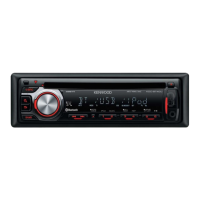
Kenwood KDC-BT730DAB - User Manual

Kenwood KDC-BT730DAB
124 pages
Print Icon
To Next Page IconTo Next Page
Loading...
Data Size: B6L (182 mm x 128 mm)
Book Size: B6L (182 mm x 128 mm)
B5A-2594-00 (EN)© 2018 JVC KENWOOD Corporation
KDC-BT730DAB
CD-RECEIVER
INSTRUCTION MANUAL
AMPLI-TUNER LECTEUR DE CD
MODE D’EMPLOI
CD-RECEIVER
BEDIENUNGSANLEITUNG
JS_KWD_KDC_BT730DAB_EN_C.indd 1JS_KWD_KDC_BT730DAB_EN_C.indd 1 8/21/2018 11:20:58 AM8/21/2018 11:20:58 AM

Other manuals for Kenwood KDC-BT730DAB

Questions and Answers

  • M
    Mark BarnettSep 18, 2025
    How to eject a disc that won't eject from Kenwood KDC-BT730DAB Car Stereo System?
    • S
      smithkevinSep 18, 2025
      If the disc cannot be ejected from your Kenwood Car Stereo System, press and hold to forcibly eject the disc. If this does not solve the problem, reset the unit.
  • A
    Andrea TaylorAug 25, 2025
    How to fix sound if no sound can be heard from Kenwood KDC-BT730DAB Car Stereo System?
    • K
      kevin87Aug 25, 2025
      If you are experiencing sound issues with your Kenwood Car Stereo System, start by adjusting the volume to the desired level. If that doesn't work, check all cords and connections to ensure they are properly connected.
  • B
    bobby28Aug 25, 2025
    What does “UNSUPPORTED DEVICE” mean on Kenwood Car Stereo System?
    • H
      Heidi MckenzieAug 26, 2025
      If your Kenwood Car Stereo System displays “UNSUPPORTED DEVICE”, verify that the connected USB device is compatible with the unit and that the file systems are in a supported format. If it is compatible, try reattaching the USB device.
  • H
    hgonzalezAug 27, 2025
    How to resolve “NO DEVICE” error on Kenwood KDC-BT730DAB?
    • H
      Heather MillerAug 27, 2025
      If your Kenwood Car Stereo System displays “NO DEVICE”, connect a device (USB), and change the source to USB again.
  • R
    rebeccajordanSep 22, 2025
    Why is playback order not as intended on Kenwood Car Stereo System?
    • A
      Andrew DavisSep 22, 2025
      The playback order on your Kenwood Car Stereo System is determined by the order in which files were recorded (disc) or the file name (USB).
  • M
    Michael RodriguezSep 23, 2025
    What to do if “MISWIRING CHECK WIRING TURN THE POWER OFF, THEN CHECK TO BE SURE THE TERMINALS OF THE SPEAKER WIRES ARE INSULATED PROPERLY. TURN THE POWER ON AGAIN” appears on Kenwood KDC-BT730DAB Car Stereo System?
    • J
      Joseph BellSep 23, 2025
      If the message “MISWIRING CHECK WIRING TURN THE POWER OFF, THEN CHECK TO BE SURE THE TERMINALS OF THE SPEAKER WIRES ARE INSULATED PROPERLY. TURN THE POWER ON AGAIN” appears on your Kenwood Car Stereo System, turn the power off. Check to be sure the terminals of the speaker wires are insulated properly, then turn the power on again.
  • M
    Malik ColemanSep 9, 2025
    Why the connected Bluetooth audio player cannot be controlled on Kenwood KDC-BT730DAB Car Stereo System?
    • D
      Derek BenitezSep 9, 2025
      If the connected Bluetooth audio player cannot be controlled via your Kenwood Car Stereo System, verify that the player supports Audio/Video Remote Control Profile (AVRCP). If it does, try disconnecting and reconnecting the Bluetooth player.
  • G
    Gabrielle WarnerSep 12, 2025
    Why does “LOADING” appear when searching on Kenwood Car Stereo System?
    • S
      Sarah DavenportSep 12, 2025
      If “LOADING” appears when you enter search mode on your Kenwood Car Stereo System, the unit is still preparing the iPod/iPhone music list. It may take some time to load, try again later.
  • A
    Amber HughesSep 3, 2025
    What does “NA FILE” mean on Kenwood KDC-BT730DAB Car Stereo System?
    • R
      Robert FrederickSep 3, 2025
      If your Kenwood Car Stereo System displays “NA FILE”, ensure the media (disc/USB) contains supported audio files.
  • S
    stephanie55Sep 1, 2025
    What does “DISCONNECTED” mean on Kenwood Car Stereo System?
    • S
      Shawn BrownSep 1, 2025
      If your Kenwood Car Stereo System displays “DISCONNECTED”, it means the USB is disconnected from the head unit. Ensure the device is properly connected through USB.

Kenwood KDC-BT730DAB Specifications

General IconGeneral
BrandKenwood
ModelKDC-BT730DAB
CategoryCar Stereo System
LanguageEnglish

Related product manuals