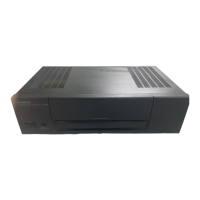
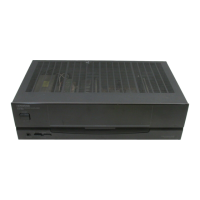
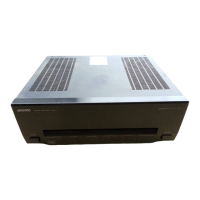
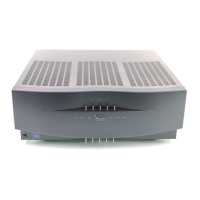
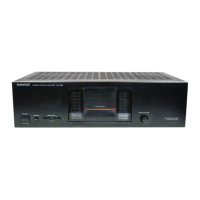
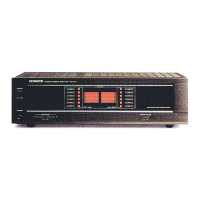
This document is an instruction manual for the Kenwood Stereo Power Amplifiers KM-896 and KM-996.
Function Description
The KM-896 and KM-996 are stereo power amplifiers designed specifically for use with a center speaker and subwoofer within a surround sound system, typically in conjunction with the Kenwood KA-996 or KR-896. Their primary function is to enhance the surround sound experience.
Key operational differences between KM-896 and KM-996:
- KM-896: Functions as a subwoofer and center speaker amplifier. It includes a "SPEAKER ON/OFF" switch to control the output to these speakers.
- KM-996: Can also function as an amplifier for a second set of "B" speakers when used with the KA-996. It features a "Speaker mode switch" on the front panel, allowing selection between "STEREO (SPEAKER B)" and "SUBWOOFER/SURROUND" modes. This allows for flexible use, either amplifying a second pair of stereo speakers or serving as a subwoofer/surround amplifier.
Both models feature a volume control specifically for the subwoofer, enabling users to achieve a balanced sound output within their surround system.
Important Technical Specifications
Audio Section:
- Rated Power Output:
- STEREO (KM-996 only): 100 watts per channel minimum RMS, both channels driven, at 8Ω, 1 kHz with no more than 0.09% total harmonic distortion. (EIAJ) 1kHz, 10% T.H.D., at 8Ω: 140W.
- CENTER: 100 watts minimum RMS, at 8Ω, 1 kHz with no more than 0.09% total harmonic distortion. (EIAJ) 1kHz, 10% T.H.D., at 8Ω: 140W.
- SUBWOOFER: 100 watts minimum RMS, at 8Ω, 45 Hz with no more than 0.09% total harmonic distortion. (EIAJ) 45 Hz, 10% T.H.D., at 8Ω: 135W.
- Total Harmonic Distortion:
- STEREO (KM-996 only): 0.01% (1kHz, 50 W, 8 Ω)
- CENTER: 0.01% (1kHz, 50 W, 8 Ω)
- SUBWOOFER: 0.01% (45Hz, 50 W, 8 Ω)
- Frequency Response:
- STEREO (MAIN IN) (KM-996 only): 10 Hz ~ 65 kHz, +0 dB, -3 dB
- CENTER (MAIN IN): 10 Hz ~ 65 kHz, +0 dB, -3 dB
- SUBWOOFER (MAIN IN): 20 Hz ~ 100 Hz, +0 dB, -3 dB
- Signal to Noise Ratio (IHF'66): MAIN IN: 103 dB
- Input Sensitivity/Impedance: MAIN IN: 150 mV/40 kΩ
General:
- Power Consumption: 2.3 A
- AC Outlet: UNSWITCHED: 30 W max.
- Dimensions:
- W: 440 mm (17-5/16")
- H: 133 mm (5-1/4")
- D: 263 mm (10-3/8")
- Weight (Net): 6.4 kg (14.1 lb)
Power Requirements:
- Canada: AC 120 V only
- Australia: AC 240 V only
- Other countries: AC 110-120/220/230-240 V switchable (via an AC voltage selector switch on the rear panel). Users must ensure this switch matches their local line voltage to prevent damage.
Usage Features
Connections:
- Speaker Connections: The manual provides detailed instructions for connecting speaker cords, emphasizing pushing a lever, inserting the cord, and locking the lever for secure connections.
- Audio Connections: Audio cords are used to connect the amplifier to the main system components (e.g., KA-996 or KR-896).
- AC Outlet: An unswitched AC outlet is provided on the rear panel, allowing other components to be powered regardless of the amplifier's main power switch. Users are cautioned not to connect power sources larger than indicated.
Operating Modes:
- Surround Play:
- Switch the power on (power indicator lights up).
- Select the speaker mode:
- KM-996: Set to "SUBWOOFER/SURROUND".
- KM-896: Set to "SPEAKER ON".
- Play a surround music source from the connected KA-996 or KR-896.
- Adjust the SUB WOOFER VOLUME control (MIN to MAX) for desired sound balance.
- Sound Play Through Speakers B (KM-996 only):
- Set the speaker mode switch to "STEREO (SPEAKER B)".
- Play music through the KA-996.
- Switching the Center and Subwoofer Speaker Sound Off (KM-896 only):
- Set the speaker mode switch to "SPEAKER OFF".
Safety Precautions:
- WARNING: To prevent fire or electric shock, the appliance should not be exposed to rain or moisture.
- CAUTION (Electric Shock): Do not remove the cover (or back) as there are no user-serviceable parts inside. Refer servicing to qualified personnel. The lightning flash symbol indicates dangerous voltage within the enclosure.
- CAUTION (Operating Instructions): The exclamation point symbol indicates important operating and maintenance instructions in the accompanying literature.
- Connection Safety: Always connect all cords firmly to prevent sound loss or noise. When plugging/unplugging connection cords, always remove the power cord from the AC outlet first to prevent malfunctions or damage.
Maintenance Features
Troubleshooting Guide:
The manual includes a "In case of difficulty" section to help users diagnose and resolve common issues before seeking professional help.
- Power is on but no sound (indicator is off):
- Cause: Poor connection at wall outlet, power outlet inactive.
- Remedy: Check outlet with a lamp or other appliance (outlet may be controlled by a wall switch).
- Sound is not output (indicator lights):
- Cause: Protection circuitry operating, speaker cords disconnected, VOLUME set to minimum (KA-996 or KR-996), speaker switched to other position (KM-996 only), speaker cords short-circuited, audio cords short-circuited, SPEAKER switch set to OFF (KM-896 only).
- Remedy: Turn power OFF, identify and remove the cause, then turn power ON again. Connect cords properly. Adjust amplifier volume to a proper level. Check speaker switch (KM-996 only). Turn power OFF, eliminate short circuiting, then turn ON again. Set SPEAKER switch to ON (KM-896 only).
- Sound is not output from one of the speakers:
- Cause: Speaker cord disconnected, BALANCE control set to an extreme position (KA-996).
- Remedy: Connect speaker cord properly. Adjust Left/Right balance (KA-996).
Cleaning:
- Note: Do not use contact cleaners, especially those containing oil, as they may deform plastic components.
General:
- Users are advised to retain the original carton and packing materials for future transport or shipping.
- Kenwood reserves the right to change specifications without notice due to continuous advancements in development.

 Need help?

 To Next Page
 General