EasyManua.ls Logo

Kenwood KMM-101RY - User Manual

Kenwood KMM-101RY
46 pages
Print Icon
To Next Page IconTo Next Page
Loading...
Data Size: B6L (182 mm x 128 mm)
Book Size: B6L (182 mm x 128 mm)
KMM-264
KMM-101RY
KMM-101GY
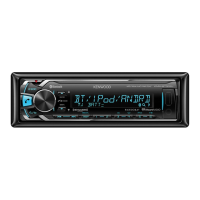
DIGITAL MEDIA RECEIVER
INSTRUCTION MANUAL
ЦИФРОВОЙ МЕДИА-РЕСИВЕР
ИHCTPУKЦИЯ ПO ЭKCПЛУATAЦИИ
ЦИФРОВИЙ МЕДІА-РЕСИВЕР
ІНСТРУКЦІЯ З ЕКСПЛУАТАЦІЇ
B5A-0163-00 (EN/E2N)© 2014 JVC KENWOOD Corporation
KMM-101AY
KMM-121Y
JS_KWD_KMM_264_EN_C00_1.indd 1JS_KWD_KMM_264_EN_C00_1.indd 1 30/7/2014 1:51:10 PM30/7/2014 1:51:10 PM

Questions and Answers

  • L
    Leah VargasAug 15, 2025
    How to fix Kenwood KMM-101RY when sound cannot be heard?
    • K
      Kristina HerreraAug 15, 2025
      If you cannot hear any sound from your Kenwood Receiver, try these steps: First, adjust the volume to the optimal level. Then, check all cords and connections to ensure they are properly connected. Finally, clean the connectors to remove any dirt or debris that may be interfering with the signal.
  • K
    Kayla LambAug 18, 2025
    What does 'NA DEVICE' mean on Kenwood KMM-101RY Receiver and how to fix it?
    • C
      Christopher RobbinsAug 18, 2025
      If your Kenwood Receiver displays “NA DEVICE”, connect a supported USB device and check the connections.
  • A
    Austin ContrerasAug 21, 2025
    Why is the radio reception poor on my Kenwood Receiver?
    • M
      Miranda JacksonAug 22, 2025
      If you're experiencing poor radio reception on your Kenwood Receiver: Ensure the antenna is firmly connected. Also, make sure to pull the antenna out completely.
  • K
    Kelly JenkinsAug 25, 2025
    What to do if my Kenwood Receiver unit does not work at all?
    • A
      Autumn JohnsonAug 26, 2025
      If your Kenwood Receiver unit isn't working, try resetting it.
  • W
    William KruegerAug 28, 2025
    What does 'iPod ERROR' mean on my Kenwood KMM-101RY Receiver and how to fix it?
    • D
      David HillAug 28, 2025
      If your Kenwood Receiver displays “iPod ERROR”, try the following: Reconnect the iPod. If the issue persists, reset the iPod.
  • J
    Johnathan CarlsonSep 1, 2025
    What does 'NO MUSIC' mean on Kenwood KMM-101RY and how to fix it?
    • P
      Patrick ReynoldsSep 1, 2025
      If your Kenwood Receiver displays “NO MUSIC”, connect a USB device that contains playable audio files.
  • K
    Katelyn HerringSep 3, 2025
    What does 'NA FILE' mean on Kenwood Receiver and how to resolve it?
    • L
      Lauren CastanedaSep 4, 2025
      If your Kenwood Receiver displays “NA FILE”, ensure that the media contains supported audio files.
  • K
    Kristin PatelSep 7, 2025
    What does 'READ ERROR' mean on Kenwood KMM-101RY and how to fix it?
    • Z
      zgonzalesSep 7, 2025
      If your Kenwood Receiver displays “READ ERROR”, copy the files and folders onto the USB device again. If this does not solve the problem, reset the USB device or use another USB device.
  • K
    kmitchellSep 12, 2025
    What does 'COPY PRO' mean on Kenwood KMM-101RY Receiver?
    • M
      mloveSep 12, 2025
      If your Kenwood Receiver displays “COPY PRO”, it means a copy-protected file is being played.

Summary

Environmental and Compliance Information

Disposal of Old Equipment and Batteries

Guidelines for recycling old electrical and electronic equipment and batteries.

Country-Specific Disposal Notes

Disposal instructions tailored for specific countries like Turkey and Israel.

Declaration of Conformity (CE)

Compliance statements for EMC and RoHS directives.

Basics and Faceplate Overview

Unit Faceplate Description

Identifies key components and controls on the unit's faceplate.

Getting Started - Initial Setup

Language and Demonstration Settings

Steps to select display language and cancel the demonstration mode.

Clock Configuration

Procedure for setting the unit's internal clock.

Getting Started - System Configuration

Initial Settings and System Options

Configuring display, tuner presets, key beep, source select, and audio control.

Firmware Updates and Clock Display

Information on updating firmware and controlling the clock display.

Radio Operation

Searching for Radio Stations

Instructions for finding and selecting radio stations using various search methods.

Tuner Settings and Program Types

Customizing tuner behavior like local seek, mono, AF, TI, and PTY search.

Time Synchronization

Synchronizing the unit's time with Radio Data System station time.

USB, iPod, and Android Connectivity

Playback and File Selection

How to play music from USB, iPod, or Android devices and select files or folders.

Repeat and Random Play Modes

Using repeat and random play functions for music playback.

Control Modes and Music Drive Selection

Setting up control modes for iPod/Android and selecting music drives.

USB;iPod;Android File Management

File Browsing and Quick Search

Methods for browsing folders, selecting files, and using quick search features.

Android Setup and USB Drive Settings

Configuring Android device connection and USB drive settings.

TuneIn Radio and Other Settings

Using TuneIn Radio and accessing other advanced settings.

Auxiliary Input (AUX)

Connecting and Starting AUX Playback

How to connect a portable audio player via AUX and begin playback.

Setting the AUX Source Name

Customizing the name displayed for the AUX input source.

Display Settings

Color and Brightness Adjustment

Adjusting display and button illumination colors and brightness.

Text Scroll Behavior

Configuring how text information is displayed and scrolled.

Audio Settings and Sound Customization

Equalizer, Bass Boost, and Loudness

Selecting preset EQs, adjusting bass boost, and loudness levels.

Subwoofer and Speaker Configuration

Configuring subwoofer output, crossover frequencies, and speaker settings.

Fader, Balance, and Volume Offset

Adjusting speaker balance, fader, and source volume offsets.

Sound Reconstruction Feature

Using sound reconstruction to improve audio quality.

Troubleshooting Common Issues

General and Radio Troubleshooting

Resolving issues related to sound, unit operation, and radio reception.

USB;iPod and Android Device Issues

Solutions for problems with USB, iPod, and Android device connections and playback.

Additional Information and Resources

Playable Files and USB Device Compatibility

Details on supported audio file formats and USB device compatibility.

KENWOOD Music Software and iPod;iPhone Support

Information on music management software and iPod/iPhone compatibility.

Android Compatibility and Phone Call Handling

Notes on Android compatibility and muting audio during phone calls.

Installation and Connection Guide

Safety Warnings and Installation Precautions

Safety precautions and warnings before installing the unit.

Basic Installation Procedure

Step-by-step guide for installing the unit into the vehicle's dashboard.

Unit Removal Instructions

Instructions on how to detach the unit from the dashboard.

Wiring Connections Explained

External Amplifier and ISO Wiring

Diagrams and instructions for connecting to external amplifiers and ISO connectors.

Wiring Harness and Parts List

Details on wiring harness connections and identification of installation parts.

Technical Specifications

Tuner and USB Specifications

Detailed technical data for FM, MW, LW tuners, and USB connectivity.

Audio, Auxiliary, and General Specs

Specifications for audio output, auxiliary input, general operating parameters, and dimensions.

Legal and Licensing Information

iPod;iPhone Compatibility and Trademarks

Notes on 'Made for iPod/iPhone' certification and trademarks.

libFLAC Software License Terms

Copyright and redistribution terms for the libFLAC software.

Kenwood KMM-101RY Specifications

General IconGeneral
TypeDigital Media Receiver
DIN Size1 DIN
RMS Power Output per Channel22W
Peak Power Output per Channel50W
TunerFM/AM
BluetoothNo
USB PortYes
AUX InputYes
Display TypeLCD
Button IlluminationRed
MP3 PlaybackYes
WMA PlaybackYes
FLAC PlaybackNo
Radio TunerYes
Built-in AmplifierYes
Compatible with AndroidYes
Compatible with iPhoneYes
CD Changer ControlNo
iPod Direct ControlYes
Steering Wheel Remote ReadyYes
Power Output50W x 4
RMS Power Output22W x 4
Peak Output50W x 4
USB InputYes, Front
Preamp Outputs1 Pair
Preamp Voltage2.5 volts

Related product manuals