EasyManua.ls Logo

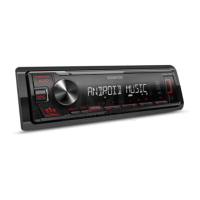
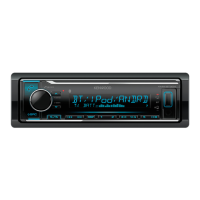
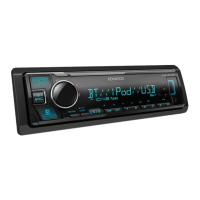
Kenwood KMM-121Y - User Manual

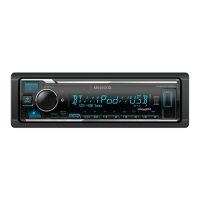
Kenwood KMM-121Y
46 pages
Print Icon
To Next Page IconTo Next Page
Loading...
Data Size: B6L (182 mm x 128 mm)
Book Size: B6L (182 mm x 128 mm)
KMM-264
KMM-101RY
KMM-101GY
DIGITAL MEDIA RECEIVER
INSTRUCTION MANUAL
ЦИФРОВОЙ МЕДИА-РЕСИВЕР
ИHCTPУKЦИЯ ПO ЭKCПЛУATAЦИИ
ЦИФРОВИЙ МЕДІА-РЕСИВЕР
ІНСТРУКЦІЯ З ЕКСПЛУАТАЦІЇ
B5A-0163-00 (EN/E2N)© 2014 JVC KENWOOD Corporation
KMM-101AY
KMM-121Y
JS_KWD_KMM_264_EN_C00_1.indd 1JS_KWD_KMM_264_EN_C00_1.indd 1 30/7/2014 1:51:10 PM30/7/2014 1:51:10 PM

Questions and Answers

  • G
    George HenryAug 14, 2025
    How to fix Kenwood KMM-121Y when sound cannot be heard?
    • R
      Ronald WellsAug 14, 2025
      If you cannot hear any sound from your Kenwood Receiver, try these steps: First, adjust the volume to the optimal level. Then, check all cords and connections to ensure they are properly connected. Finally, clean the connectors to remove any dirt or debris that may be interfering with the signal.
  • D
    Diane FisherAug 17, 2025
    What does 'NA DEVICE' mean on Kenwood KMM-121Y Receiver and how to fix it?
    • S
      Samantha TaylorAug 17, 2025
      If your Kenwood Receiver displays “NA DEVICE”, connect a supported USB device and check the connections.
  • E
    ebonylunaAug 21, 2025
    Why is the radio reception poor on my Kenwood Receiver?
    • D
      Dr. Pamela WashingtonAug 21, 2025
      If you're experiencing poor radio reception on your Kenwood Receiver: Ensure the antenna is firmly connected. Also, make sure to pull the antenna out completely.
  • B
    Brenda LiAug 25, 2025
    What to do if my Kenwood Receiver unit does not work at all?
    • K
      Kathleen DavisAug 25, 2025
      If your Kenwood Receiver unit isn't working, try resetting it.
  • J
    Joseph PerryAug 27, 2025
    What does 'iPod ERROR' mean on my Kenwood Receiver and how to fix it?
    • M
      Michael GregoryAug 28, 2025
      If your Kenwood Receiver displays “iPod ERROR”, try the following: Reconnect the iPod. If the issue persists, reset the iPod.
  • T
    Troy CarpenterAug 30, 2025
    What does 'NO MUSIC' mean on Kenwood KMM-121Y and how to fix it?
    • L
      Linda WangAug 31, 2025
      If your Kenwood Receiver displays “NO MUSIC”, connect a USB device that contains playable audio files.
  • C
    Charles HarveySep 3, 2025
    What does 'NA FILE' mean on Kenwood KMM-121Y and how to resolve it?
    • M
      Marie Mooney MDSep 3, 2025
      If your Kenwood Receiver displays “NA FILE”, ensure that the media contains supported audio files.
  • X
    xjacksonSep 6, 2025
    What does 'READ ERROR' mean on Kenwood KMM-121Y Receiver and how to fix it?
    • D
      Devon ScottSep 6, 2025
      If your Kenwood Receiver displays “READ ERROR”, copy the files and folders onto the USB device again. If this does not solve the problem, reset the USB device or use another USB device.
  • J
    Jeremy AndersonSep 10, 2025
    What does 'COPY PRO' mean on Kenwood KMM-121Y?
    • R
      Ryan HillSep 10, 2025
      If your Kenwood Receiver displays “COPY PRO”, it means a copy-protected file is being played.

Summary

Health and Environmental Precautions

Proper Disposal of Electronics and Batteries

Guidance on recycling old electrical equipment and batteries according to regulations.

Regulatory Compliance Declarations

Statements confirming adherence to EMC and RoHS directives.

Product Information and Declarations

Manufacturing Date and Service Life

Information on product production date and its expected service life.

Ukrainian Compliance Statements

Official declarations of conformity with Ukrainian regulations.

Before Using the Unit

Driving Safety Warnings

Critical advice to avoid distracting the driver and ensure road safety.

Operational Cautions and Tips

Guidelines on volume settings and general usage to prevent accidents and damage.

Unit Basics and Getting Started

Faceplate Layout and Basic Operations

Identification of unit controls and basic functions like attaching/detaching.

Initial Setup and Clock Configuration

Steps for selecting the display language and setting the current time.

Initial Setup and System Configuration

Display and System Settings

Configuration options for display, key beep, source selection, and firmware updates.

Audio Control and Clock Display Options

Adjusting audio output parameters and how the clock is displayed.

Radio Tuning and Settings

Searching and Selecting Radio Stations

Instructions for finding and tuning to desired FM/MW/LW stations.

Advanced Radio Functionality

Customizing tuner behavior with settings like Local Seek and PTY Search.

USB, iPod, and Android Connectivity

Connecting and Playing Media Devices

Guide for connecting iPod, iPhone, and Android devices for playback.

Navigating Media Files and Playback

How to select files, folders, and manage playback modes like repeat and random.

USB;iPod;Android Device Management

Efficient File Searching

Techniques for quickly finding specific files on connected devices.

Device Connection and Mode Settings

Configuring Android connection modes and selecting USB drives.

AUX Input and Display Customization

Connecting and Using External Audio Players

Steps to connect and play audio from portable devices via AUX.

Customizing Display Appearance

Adjusting display color, brightness, and text scrolling behavior.

Audio Settings and Sound Tuning

Equalizer Presets and Bass;Treble Adjustment

Fine-tuning sound with equalizer presets and boost levels.

Subwoofer and Speaker Output Settings

Configuring subwoofer output levels, phase, and speaker settings.

Troubleshooting Common Issues

General and Radio System Problems

Solutions for sound issues, wiring errors, and poor radio reception.

Device Connection and Playback Errors

Troubleshooting problems with USB, iPod, and Android device connectivity.

Additional Information and Compatibility

Supported Media Formats and Devices

Lists of compatible audio file types and device models.

Software and OS Compatibility Notes

Information on compatible software, Android OS versions, and iPod/iPhone models.

Installing and Connecting the Unit

Installation Safety and Precautions

Essential safety warnings and recommendations before installing the unit.

Step-by-Step Mounting Guide

Detailed instructions for physically installing the unit into the vehicle dashboard.

Wiring Diagrams and Connections

External Amplifier and ISO Wiring

Wiring instructions for external amplifiers and ISO connectors.

Unit Harness Connections

Explanation of power, speaker, and control wire connections.

Technical Specifications

Tuner and USB Performance Specs

Detailed technical data for the tuner and USB interface.

Audio, Auxiliary, and General Unit Specs

Specifications for audio output, auxiliary input, power, and physical dimensions.

Kenwood KMM-121Y Specifications

General IconGeneral
MP3 playbackYes
CD-R playbackNo
Audio formats supportedFLAC, MP3, WAV, WMA
FM band range87.5 - 108 MHz
Supported radio bandsFM, LW, MW
Preset stations quantity24
Display typeLCD
Display number of lines13 lines
USB version2.0
Line outputs (RCA)2
USB ports quantity1
DIN size1 DIN
Output power120 W
Product colorBlack
Operating temperature (T-T)0 - 40 °C
Weight and Dimensions IconWeight and Dimensions
Weight540 g
Dimensions (WxDxH)182 x 107 x 53 mm

Related product manuals