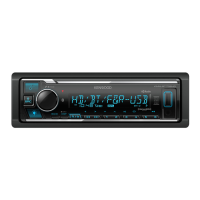
Do you have a question about the Kenwood KMM-BT732HD and is the answer not in the manual?
| Brand | Kenwood |
|---|---|
| Model | KMM-BT732HD |
| Category | Media Player |
| Language | English |
Explains how to interpret symbols and references in the manual.
Key safety and operational guidelines before using the product.
Critical safety warnings, including battery hazards.
Diagram and identification of front panel controls and display.
Instructions to reset the unit after faceplate removal.
Using the optional remote for basic functions.
Setting display language and disabling the demonstration mode.
Steps to set the unit's time and date.
Configuring date display format and entering the date.
Accessing and configuring additional unit settings.
Searching for HD Radio stations via scan or direct access.
Tuning into additional HD Radio programming streams.
How the unit receives and displays emergency alerts.
Accessing and managing received emergency alert messages.
Accessing further tuner configurations via FUNCTION menu.
Steps to connect USB storage devices for playback.
Instructions for connecting iPod and iPhone.
Controls for playback, selection, and repeat modes.
Choosing the active USB drive when multiple are connected.
Using the remote control to search for music files.
Configuring how Apple devices are accessed via USB or Bluetooth.
Methods for browsing and selecting audio files from lists or folders.
Adjusting the ratio for skipping through audio lists.
Searching for files by their first character.
Connecting tuner, checking ID, and activating subscription.
Steps to select SiriusXM and tune channels.
Using the remote control for direct channel tuning.
Setting up parental controls to limit access to channels.
Switching between channel and replay modes for SiriusXM.
Saving and previewing favorite channels and songs.
Previewing songs from favorite channels or current station.
Accessing various configuration options for SiriusXM.
Enabling AUX source and connecting external audio players.
Installing the app and preparing the smartphone.
Steps to launch and connect the remote application.
Settings for using the remote app with different devices.
Supported profiles and codecs for Bluetooth connectivity.
Instructions for connecting the external microphone for calls.
Steps for first-time pairing of Bluetooth devices.
Managing calls and phone features via Bluetooth.
How the unit handles incoming calls.
Optimizing call audio with mic gain and noise reduction.
Configuring automatic answer time for incoming calls.
Initiating calls using call history or phonebook.
Using voice commands to make calls.
Saving phone numbers to memory buttons for quick access.
Accessing various configurations within Bluetooth mode.
Verifying connectivity between the unit and Bluetooth devices.
Listening to music via Bluetooth connection.
Playing music from iPod/iPhone via Bluetooth.
Steps to prepare for installing and setting up the Alexa app.
First-time configuration process for the Alexa voice assistant.
Setting up Alexa using a URL or QR code.
Setting up Alexa via manual pairing in the app.
General usage of the Alexa voice assistant.
Turning the microphone on or off for Alexa.
Initiating Alexa commands during music playback.
Adjusting audio output levels, EQ, and subwoofer settings.
Setting speaker delays for optimal sound staging.
Guide to auto-calculating speaker distances for time alignment.
Turning the display illumination on or off.
Adjusting colors, brightness, and text scrolling.
Inventory of components included for unit installation.
General steps for installing the unit in a vehicle.
Steps for mounting the unit into a dashboard slot.
Alternative mounting method without a sleeve.
Procedures for detaching the unit from the dashboard.
Diagram and explanation of all necessary wiring connections.
Instructions for connecting microphones, USB, and tuners.
Guidelines for cleaning the unit and its connectors.
Links for firmware updates, compatible items, and playable files.
Compatibility details for iPod/iPhone, Alexa, and HD Radio.
How to change information displayed on the unit.
Common problems and their remedies for the unit.
Solutions for errors related to USB and iPod/iPhone connections.
Resolving issues with SiriusXM reception and subscription.
Solutions for Bluetooth connection and audio quality problems.
Solutions for Alexa connection and response errors.
Technical details for FM and AM radio reception.
Technical details for USB connectivity and file playback.
Technical details of the Bluetooth module and profiles.
Technical details for the auxiliary audio input.
Power output, impedance, and tone control specifications.
Dimensions, weight, and operating voltage of the unit.
Loading...