EasyManua.ls Logo

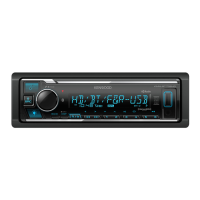
Kenwood KMM-X705 - User Manual

Kenwood KMM-X705
124 pages
Print Icon
To Next Page IconTo Next Page
Loading...
Data Size: B6L (182 mm x 128 mm)
Book Size: B6L (182 mm x 128 mm)
For your records
Record the serial number, found on the back of the unit, in the spaces designated on the warranty card, and in the space provided below. Refer to the model and serial
numbers whenever you call upon your Kenwood dealer for information or service on the product.
Model KMM-BT732HD/KMM-X705
Serial number
US Residents Only
Register Online
Register your Kenwood product at https://www.kenwood.com/usa/
B5A-3896-00 [KN]© 2022 JVCKENWOOD Corporation
KMM-BT732HD
KMM-X705
DIGITAL MEDIA RECEIVER
INSTRUCTION MANUAL
RÉCEPTEUR MULTIMÉDIA NUMÉRIQUE
MODE D’EMPLOI
RECEPTOR DE MEDIOS DIGITALES
MANUAL DE INSTRUCCIONES
KMM-BT732HD_K_B5A-3896-00_Cover_1st Draft.indd 1KMM-BT732HD_K_B5A-3896-00_Cover_1st Draft.indd 1 8/2/2021 2:41:15 PM8/2/2021 2:41:15 PM


Table of Contents

Other manuals for Kenwood KMM-X705

Questions and Answers

Summary

Before Use

IMPORTANT

Crucial instructions for proper product use and manual safety.

CAUTION

Important notes regarding volume and general operation.

Getting Started

Select the display language and cancel the demonstration

Initial setup for language and demo mode.

Set the clock and date

Procedure to set the unit's clock and date.

HD Radio Tuner

Search for a station or channel

How to tune into HD Radio stations.

USB;iPod

AUX

KENWOOD Remote Application

Bluetooth

Pair and connect a Bluetooth device for the first time

Initial pairing process for Bluetooth devices.

AMAZON ALEXA

Installation;Connection

WARNING

Critical safety precautions for unit installation.

Basic procedure

Step-by-step guide for installing the unit.

Wiring connection

Diagram and explanation of unit wiring.

Troubleshooting

General

Common issues and remedies for the unit.

USB;iPod

Troubleshooting specific to USB and iPod connections.

Bluetooth

Solutions for Bluetooth connectivity and audio issues.

Kenwood KMM-X705 Specifications

General IconGeneral
TypeDigital Media Receiver
Max Power Output50W x 4
Equalizer13-band Graphic EQ
Audio Formats SupportedMP3, WMA, AAC, WAV, FLAC
Display ColorVariable color illumination
Android CompatibilityYes
iPhone CompatibilityYes
Steering Wheel Control ReadyYes
Radio TunerAM/FM
BluetoothYes
USB Ports1 Front
AUX InputFront AUX Input
Preamp Outputs3 (Front, Rear, Subwoofer)
Display1.5 line wide LCD display

Related product manuals