EasyManua.ls Logo

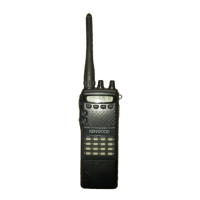
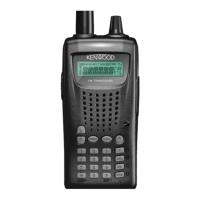
Kenwood TH-255A - User Manual

Kenwood TH-255A
88 pages
Print Icon
To Next Page IconTo Next Page
Loading...
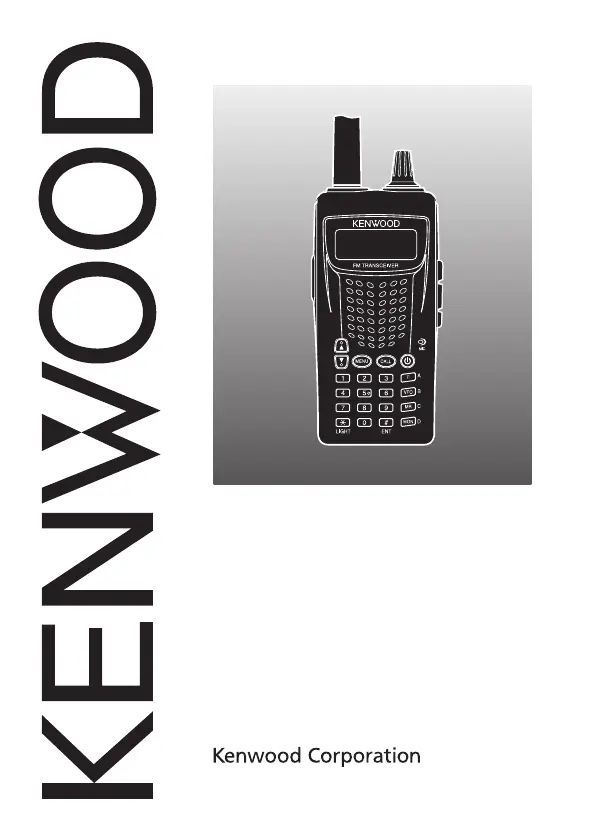
INSTRUCTION MANUAL
© B62-1981-00 (K, M)
09 08 07 06 05 04 03 02 01 00
144 MHz FM TRANSCEIVER
TH-255A

Table of Contents

Questions and Answers

  • P
    Paul RodriguezAug 13, 2025
    Why can't I transmit when pressing PTT on my Kenwood Transceiver?
    • L
      lesliegonzalesAug 13, 2025
      There could be several reasons why you cannot transmit. It could be that you've selected a frequency outside the allowable range, or a transmit offset that places the transmit frequency outside the limit. Alternatively, TX inhibit might be ON; access Menu No. 14 (TXI) and select “OFF”. Finally, the battery pack voltage might be too low; change or replace the battery.
  • M
    melissadominguezAug 16, 2025
    Why don't most keys and the selector work on my Kenwood TH-255A?
    • J
      Jasmine ColeAug 16, 2025
      If most keys and the selector do not function, the Transceiver Lock function may be ON (the “ ” icon is visible). Press [F], [MUNU] to turn OFF Transceiver Lock. Also, try pressing [PTT] + [MR] + Power ON to exit Channel Display Mode.
  • D
    Dr. Dana GrantAug 20, 2025
    Why does my Kenwood Transceiver keep switching off?
    • M
      Michael HendersonAug 20, 2025
      If the transceiver switches OFF for no apparent reason, the Automatic Power OFF (APO) function is likely ON. Access Menu No. 8 (APO) and select your desired time length or “OFF”.
  • A
    Andrea MorrisonAug 25, 2025
    What to do if nothing appears on the Kenwood TH-255A display?
    • S
      Susan HarrisAug 25, 2025
      If nothing appears on the display or the display is blinking, the battery pack is likely discharged. Recharge the battery pack or replace the batteries.
  • D
    Donna CollinsAug 28, 2025
    Why can't I select the desired frequency on my Kenwood TH-255A Transceiver?
    • J
      Jerome JonesAug 28, 2025
      If you cannot select the exact desired frequency, the current frequency step size may not allow it. Select an appropriate frequency step size by pressing [F], [3] to change the frequency step size. Also, the programmable VFO frequency range might be too narrow; expand the frequency range in Menu No. 1 (P.VFO).
  • N
    Nathan CrawfordAug 31, 2025
    Why does my Kenwood TH-255A return to Reception Mode during a long transmission?
    • J
      John PierceAug 31, 2025
      If the transceiver returns to Reception Mode during a long transmission, the transmission time exceeded the programmed TOT time. Access Menu No. 12 (TOT) to select your desired transmission length. Note that the TOT cannot be turned OFF, as it protects the transceiver from thermal damage.
  • A
    Angela BonillaSep 4, 2025
    How to fix DTMF tone not transmitting on Kenwood TH-255A?
    • K
      Kenneth HillSep 4, 2025
      If the DTMF tone cannot be transmitted, DTMF Lock may be ON. Access Menu No. 23 (DT.L) and select “OFF”.
  • C
    Christopher CalhounSep 8, 2025
    Why doesn't the scan function resume on my Kenwood TH-255A?
    • M
      Matthew MarshallSep 8, 2025
      If the Scan function does not resume scanning after the transceiver detects a signal, you may have selected “SE” (SEEK) for Menu No. 3 (SCAN). Select either “TO” (Time-Operated) or “CO” (Carrier-Operated) for Menu No. 3 (SCAN).

Summary

Notices to the User

Precautions

Lists safety and handling precautions for the transceiver to prevent damage or injury.

Getting Acquainted

Keys and Controls

Identifies and explains the function of each key and control on the transceiver.

Basic Operation

Switching the Power On;Off

Instructions for turning the transceiver's power on and off.

Selecting a Frequency

Methods for choosing operating frequencies using VFO or MHz tuning modes.

Transmitting

Steps for initiating a transmission, speaking into the microphone, and releasing.

Menu Setup

Menu Access

Explains how to enter and navigate the transceiver's menu system.

Menu Functions

Details various functions and parameters configurable through the menu system.

Operating Through Repeaters

Memory Channels

Number of Memory Channels

Configures the transceiver for 50 or 100 memory channels, affecting name storage.

Storing Simplex Frequencies or Standard Repeater Frequencies

Instructions for saving simplex or standard repeater frequencies and related data.

Recalling a Memory Channel

How to retrieve stored frequencies and data from memory channels using the selector or keypad.

Scan

Program Scan

Scans within specified frequency ranges stored in memory channel pairs.

Memory Scan

Scans through all frequencies stored in the transceiver's memory channels.

Priority Scan

Checks activities on a priority channel every few seconds while monitoring other frequencies.

Selective Call

Continuous Tone Coded Squelch System (CTCSS)

Filters calls by matching subaudible tone frequencies to hear only specific group members.

Digital Coded Squelch (DCS)

Filters calls using digital codes, similar to CTCSS, with a wider selection of codes.

DTMF Functions

Manual Dialing

Sending DTMF tones by pressing keys on the transceiver's keypad.

Auxiliary Functions

APO (Auto Power Off)

Automatically turns off the transceiver after a set period of inactivity.

Battery Saver

Extends battery life by reducing receiver power consumption during idle periods.

Lock Function

Disables most keys to prevent accidental operation or changes to settings.

Programmable VFO

Sets limits for the VFO frequency range to restrict tuning to specific bands.

Emergency Siren

Activates an audible siren from the transceiver's speaker at various volume levels.

Power On Password

Requires a password entry upon power-on to prevent unauthorized operation.

Maintenance

Microprocessor Reset

Resets transceiver parameters to factory defaults, potentially including memory data.

Troubleshooting

Specifications

Transmitter Specifications

Technical details of the transceiver's transmission capabilities, including output power and modulation.

Receiver Specifications

Technical details of the transceiver's reception capabilities, including sensitivity and selectivity.

Kenwood TH-255A Specifications

General IconGeneral
Frequency Range144-148 MHz
ModulationFM
Power Output5 W (High), 0.5 W (Low)
Dimensions54(W) x 143(H) x 32(D) mm
Weight0.9 kg
Supply voltage13.8 V DC
Receiver Sensitivity0.16 µV for 12 dB SINAD

Related product manuals