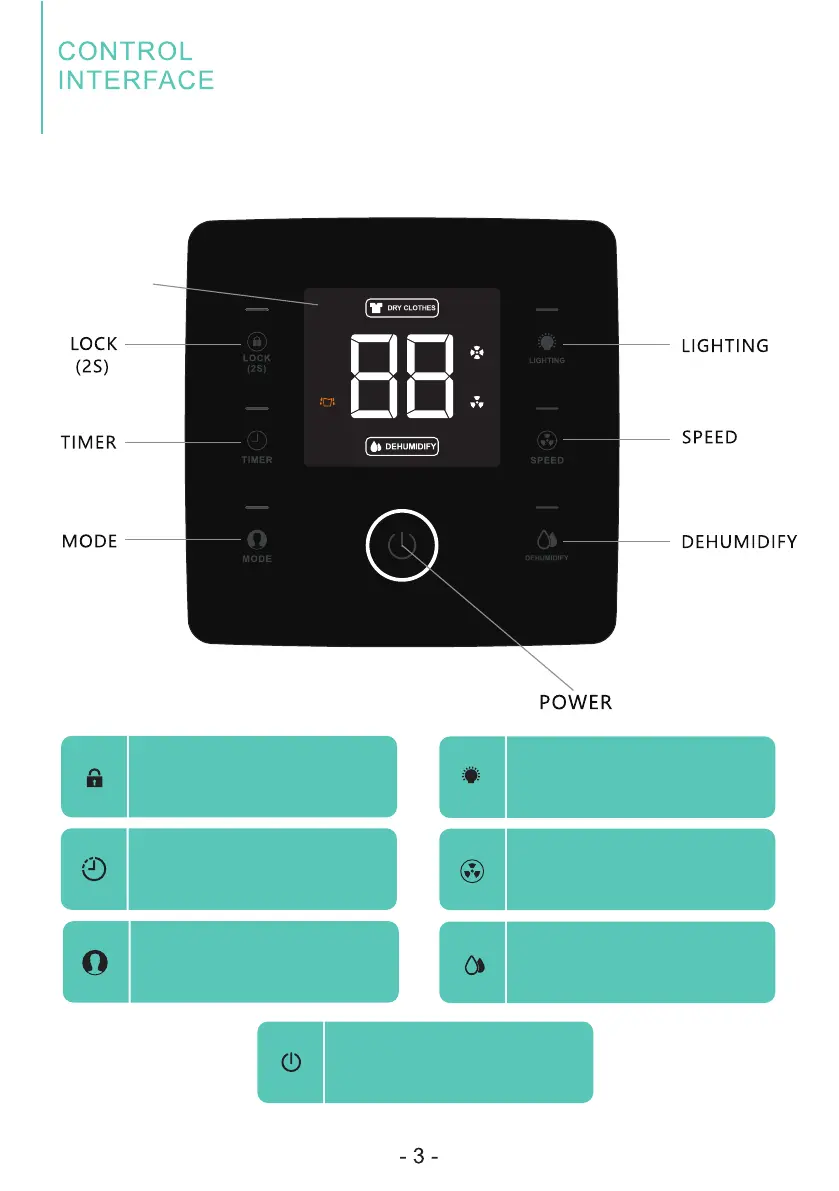
Child Lock
Press the button and hold for 2
seconds, the control panel will
be locked.
Timer Button
Press to initiate the auto-start
or auto-stop feature.
1.Control Panel
Display Area
Mode Button
Press mode button to choose
"DRY CLOTHES" function.
Dehumidify Button
Press to set up/down the
humidity value.
Lighting Button
Control the LED panel's light
on/off.
Speed Button
Control the fan speec.
Power Button
Press to turn the dehumidifier
on and off


 To Next Page