EasyManua.ls Logo

Kessil A360X Refugium - User Manual

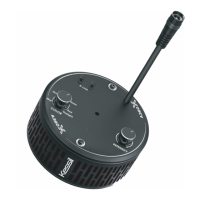
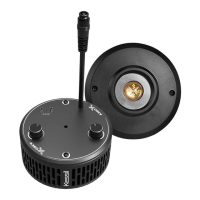
Kessil A360X Refugium
2 pages
Print Icon
To Next Page IconTo Next Page
Loading...
A360X Refugium x 1
AC Adapter Cable (6 feet) x 1
DC Power Extension Cable (6 feet) x 1
Narrow Reflector x 1
Power Adapter x 1 Hanging Bracket x 2 Hanging Ring x 1
Screw Hook x 2
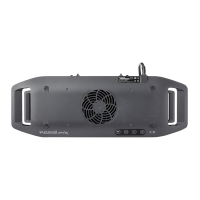
Inside the Box Parts Diagram Safety Instructions
Instructions de Securite
Power Cord
Intensity Tuning Knob
Screw Hook
Hanging Ring
Hanging Bracket
Color Tuning Knob
K-Link Ports
Venting Holes
Lens
A
B
C
D
E
F
G
H
I
1. DO NOT use a power adapter that is out of the
specifications. This is a fire hazard and may
lead to unit failure.
2. DO NOT use outdoors. This unit is intended for
indoor use only.
3. DO NOT expose unit to an extremely humid
environment or submerse unit in water. This may
lead to unit failure.
4. DO NOT place working illuminator in close
contact with any objects. This may cause
objects to heat up and the unit to overheat.
5. KEEP Lens (I) away from sharp objects. Sharp
objects may break the lens and lead to unit
failure.
6. DO NOT cover or place objects on the power
adapter. Power adapter should not be contained
in an airtight space.
1. N'utilisez PAS une source d'alimentation qui est en
dehors des spécifications. Ceci constitue un risque
d'incendie et peut entraîner une défaillance de
l'unité.
2. NE PAS utiliser à l'extérieur. Cette unité est
destinée à une utilisation en intérieur uniquement.
3. NE PAS exposer l'appareil à un environnement
extrêmement humide ou immerger l'appareil dans
l'eau. Cela peut entraîner une défaillance de
l'unité.
4. NE placez PAS l'illuminateur de travail en contact
étroit avec des objets. Cela peut provoquer un
échauffement des objets et une surchauffe de
l'appareil.
5. GARDEZ l'objectif (I) à l'écart des objets pointus.
Des objets pointus peuvent casser l'objectif et
entraîner une défaillance de l'unité.
6. NE PAS couvrir ou placer d'objets sur
l'alimentation électrique. L'alimentation ne doit pas
être contenue dans un espace étanche à l'air.
LED Aquarium Lighting
Refugium
A
G
H
B E
I
C D F
210914A2
Question and Answer IconNeed help?

Do you have a question about the Kessil A360X Refugium and is the answer not in the manual?

Summary

Parts Diagram

Component Identification

Identifies various components of the A360X Refugium unit and accessories.

Safety Instructions

General Safety Precautions

Essential safety guidelines for using the A360X Refugium to prevent hazards and unit failure.

Getting Started

Step 1 Power

Connect the A360X to the power adapter and plug into a wall outlet to turn on.

Step 2 Control

Adjust brightness and color, or connect for advanced control using Kessil Spectral Controller X.

Step 3 Controlling Multiple A360 X

Connect and control multiple A360X lights together using K-Link Cables or external controllers.

Step 4 Mounting

Instructions for mounting the A360X Refugium using hanging rings and brackets.

Step 5 Narrow Reflector

Utilize the Narrow Reflector to focus light and increase intensity for algae growth.

Maintenance

Cleaning and Care

Guidelines for cleaning air intake, lens, and keeping K-Link ports covered.

Troubleshooting Guide

Common Issues and Solutions

Addresses problems like the unit not turning on or flickering, providing potential causes and fixes.

Product Specification

Technical Details

Lists power consumption, input voltage for the illuminator, and specifications for the power adapter.

Kessil A360X Refugium Specifications

General IconGeneral
Power Consumption90W
LED ArrayDense Matrix LED
Dimensions4.3" x 2.1" (110mm x 53mm)
ControlKessil Logic
Weight0.8lb / 0.36kg
Power Supply100-240V AC (input)

Related product manuals