EasyManua.ls Logo

Keto-Mojo GKI - User Manual

Keto-Mojo GKI
31 pages
Print Icon
To Next Page IconTo Next Page
Loading...
i
Multi-function Monitoring System
Dear Keto-Mojo
TM
GKI System User,
Thank you for choosing the Keto-Mojo
TM
GKI System! Keto-Mojo
TM
GKI System
is designed for easy test of blood Glucose/blood Ketone and helps you keep them
under control.
Read this Users Manual carefully before you use your meter system. Please keep
your User’s Manual in a safe place; you may want to refer it in the future.
Thank you again for choosing the Keto-Mojo
TM
GKI System.
Principle and Intended Use
The Keto-Mojo
TM
GKI Multi-function Monitoring System is designed to
quantitatively measure the blood Glucose concentration in fresh
capillary/venous/arterial/neonatal whole blood, and the blood Ketone concentration
in fresh capillary whole blood. The Keto-Mojo
TM
GKI Multi-function Monitoring
System is based on measurement of electrical current caused by the reaction of
the Glucose/Ketone with the reagents on the electrode of the test strip. The blood
sample is pulled into the tip of the test strip through capillary action.
Glucose/Ketone in the sample reacts with the enzyme and the mediator. Electrons
are generated, producing a current that is positive correlation to the
Glucose/Ketone concentration in the sample. After the reaction time, the
Glucose/Ketone concentration in the sample is displayed. The meter is calibrated
to display plasma calibrated results.
The Keto-Mojo
TM
GKI Multi-function Monitoring System is intended for use outside
the body (in vitro diagnostic use) by people at home and healthcare professionals
in clinical setting, as an aid to monitor the effectiveness of diabetes control. The
system should not be used for diagnosis of diabetes. Professionals may also test
neonatal, venous and arterial blood samples.


Questions and Answers

Summary

Understanding Your Testing Tools

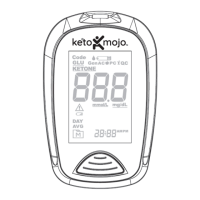
Your Meter System Overview

Overview of the Keto-Mojo GKI meter components, including the display, ports, and buttons.

Meter Display Symbols Explained

Detailed explanation of all icons and symbols appearing on the meter's display screen.

Meter Use and Safety Precautions

Essential guidelines for safe and effective operation, including handling and environmental considerations.

Crucial Safety Information

Critical safety warnings, including handling precautions and biohazard awareness.

Setting Up Your System

Configure Date and Time Settings

Step-by-step guide to set the correct date and time on your Keto-Mojo GKI meter.

Enable;Disable Audio Feedback

Instructions for managing the meter's beep sound feature for alerts and confirmations.

Set Test Reminder Alarms

How to configure up to five daily alarms to remind you to perform tests.

Manage Meal Markers

Setting up markers to log tests taken before or after meals for dietary analysis.

Configure Hypoglycemia Warnings

Setting up an alert for low blood glucose levels to manage hypoglycemia risks.

Activate Ketone Level Alerts

Instructions for setting up a warning for elevated ketone levels.

Pair Meter with Smartphone

Guide to connecting the Keto-Mojo GKI meter to a smartphone via Bluetooth.

Performing a Test

Prepare Test Strips

Steps for correctly preparing and inserting test strips into the meter.

Prepare Lancing Device

Instructions for assembling and setting the lancing device for blood collection.

Obtain Blood Sample

Detailed guide on how to get a sufficient blood drop from the fingertip.

Alternative Site Blood Sampling

Procedures for collecting blood samples from forearm or palm, excluding ketone tests.

Perform GKI Tests

Instructions for conducting simultaneous blood glucose and ketone tests for GKI.

Interpret GKI Results

Understanding the meaning and significance of your Glucose Ketone Index (GKI) readings.

Conduct Control Solution Tests

How to perform quality control tests to ensure meter and strip accuracy.

Analyze Control Test Outcomes

Comparing control test results against the specified ranges on the test strip packaging.

Access Meter Memory

Information on storing and retrieving up to 1000 test results with date and time.

View Test Results and Averages

How to review individual past test results and calculated 7, 14, and 30-day averages.

Maintenance and Troubleshooting

Replace Meter Batteries

Step-by-step instructions for safely replacing the batteries in the meter.

Meter and Lancing Device Care

Guidelines for cleaning and maintaining the meter and lancing device for optimal performance.

Troubleshooting Error Codes

A comprehensive guide to diagnosing and resolving common error messages (E1-E10, HI, LO).

Technical Information

System Specifications Overview

Technical details including measurement range, test time, power, and dimensions.

System Usage Limitations

Factors affecting accuracy, incompatible samples, and conditions for use.

Understanding Index of Symbols

Explanation of all symbols found on the meter packaging and within the manual.

Keto-Mojo GKI Specifications

General IconGeneral
BrandKeto-Mojo
ModelGKI
CategoryBlood Glucose Meter
LanguageEnglish

Related product manuals