EasyManua.ls Logo

Keto-Mojo TD-4279 - User Manual

Keto-Mojo TD-4279
41 pages
Print Icon
To Next Page IconTo Next Page
Loading...
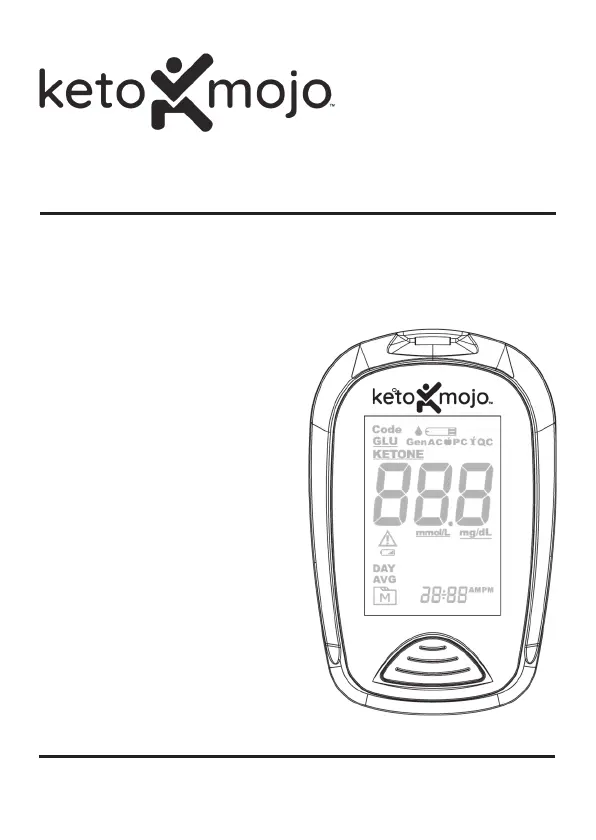
β-Ketone & Blood Glucose Monitoring System
Owners Manual

Questions and Answers

  • L
    lorialexanderAug 4, 2025
    What to do if Keto-Mojo Blood Glucose Meter test does not start after applying the sample?
    • J
      Jimmy JohnsonAug 4, 2025
      If your Keto-Mojo Blood Glucose Meter test doesn't start after applying the sample, it could be due to several reasons. You might not have used enough blood; in that case, try again with a new test strip and a larger blood sample. The test strip itself could be defective, so try a new one. Also, make sure you're applying the sample while the flashing symbol is on the display, as the meter automatically switches off after 3 minutes of inactivity. If none of these steps work, there might be a problem with the meter itself, and you should contact Keto-Mojo Customer Support.
  • A
    Andrew WilsonAug 14, 2025
    How to fix Keto-Mojo TD-4279 Blood Glucose Meter control solution testing result if it is out of range?
    • V
      vowensAug 15, 2025
      If the control solution testing result is out of range for your Keto-Mojo Blood Glucose Meter, first, carefully read the instructions and repeat the test. Ensure the control solution vial is shaken vigorously before testing. Check the expiration date of the control solution to make sure it hasn't expired. The control solution, meter, and test strips should be at room temperature (20°C to 25°C or 68°F to 77°F) before testing. Try repeating the test with a new test strip. If problems persist, contact Keto-Mojo Customer Support for assistance.
  • R
    Rachel HeathAug 23, 2025
    Why my Keto-Mojo Blood Glucose Meter does not display a message after inserting a test strip?
    • N
      nicholebenderAug 23, 2025
      If your Keto-Mojo Blood Glucose Meter isn't displaying anything after you insert a test strip, the batteries might be dead, so try replacing them. Also, make sure you're inserting the test strip correctly, with the contact bars facing up and going in first. If you've done both of those things and it's still not working, there could be something wrong with the meter or the test strips themselves, so contact Keto-Mojo Customer Support for help.

Summary

Intended Use

Important Safety Instructions

Read Before Use

Emphasizes single-patient use, biohazardous nature, and provides links for more info.

Before You Begin

Important Information

Provides advice on interpreting results, using fresh blood, and consulting professionals.

Limitations

Details specific patient groups or conditions for which the device is not intended.

Display Screen

Test Strip

Setting the Meter

The Measuring Modes

Before Testing

Calibration for ẞ-Ketone Test

Details the requirement to calibrate the meter for new ẞ-ketone test strips.

How to Code Your Meter

Provides instructions on how to set the meter with the correct code for ẞ-ketone strips.

Checking the Code Number

Explains how to verify that the displayed code matches the test strip vial.

Control Solution Testing

Testing With Blood Sample

Performing a Blood Glucose or ẞ-Ketone Test

Describes the main steps involved in conducting a blood glucose or ẞ-ketone test.

Obtaining a Blood Sample

Explains how to collect the appropriate volume of blood from the finger.

Apply the Sample

Guides users on how to apply the blood sample to the test strip correctly.

Read Your Result

Explains how to read and interpret the test results displayed on the meter.

Bluetooth Pairing

Maintenance

Caring for Your Test Strips

Important Control Solution Information

Measurement Results Readings

System Troubleshooting

Error Messages

Lists common error codes, their meanings, and recommended actions to resolve them.

Troubleshooting

Addresses common issues like no display or test not starting, with possible causes and solutions.

Keto-Mojo TD-4279 Specifications

General IconGeneral
BrandKeto-Mojo
ModelTD-4279
CategoryBlood Glucose Meter
LanguageEnglish

Related product manuals