AtfingerTechnologyCo.,Ltd.
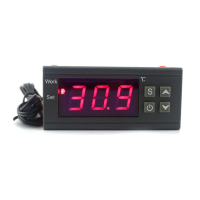
STC-1000 TemperatureController
OperatingManual
1. Overview
• Switchbetweenheatandcool.
• Supportdelaystartandtemperaturecalibration.
• Alarmwhentempexceedtemperaturelimitorsensorerror
• Allparameterssettingcanbesavedaftershortcircuit.
• Refrigeratingcontroloutputdelayprotection
• Canbeusedfordomesticfreezer,watertanks,refrigerator,
industrialchiller,steamer,industrialequipmentandother
temperature-controlledsystem.
2. Specifications
• PowerSupply:AC90~250V50/60HZ/DC12V/DC24V
• Temperaturecontrolrange:-50~99°C
• DifferenceSetValue:0.3~10°C
• Accuracy: ±1
℃
(-50
℃~
70
℃
) Resolution:0.1°C
• Sensorerrordelay:1minute
• Measuringinput:NTC(10K0.5%)Waterproofsensor1m
• Relaycontactcapacity:CoolHeat(10A/250VAC)
• Ambienttemperature:-20-70°C,humidity20%-85%RH
• Size:75mm(L)*34mm(W)*85mm(Depth)
• Mountingsize:71(L)*29(W)mm
• Powerconsumption: ≤3W
3. WiringDiagram
Connection1:Independentpowersupplyforload
Connection2:Samepowersupplyforload
4. KeyInstruction
:Setkey,Confirmthesettingvalue,EntryandSetparameter.
:powron/off,orquitthesetting.
:increasevalue
:
decreasevalue
Cool:cooloutputindicator
Heat:heatoutputindicator
Set:Settingindicator
5. KeyOperationInstruction
• Checkparameter:Innormalworkingstatus,thescreen
displayrealtimetemperature.press .itdispaythesetting
temperaturevalue.press .itdispaythedifferencevalue.
Press tobacktonormaldisplay.
• Setparameter:Innormalworkingstatus,press S for3sto
entersetparametermode.Press or toswitchfrom
F1-F4.(seemenucodetable).Press S todisplaythe
parametersetvalueofthecurrentcode.Pressandhold S
,
Press or againtoadjustupanddowntheparameter
settingvalueofthecurrentcode.Pressandholdboth S
and or simultaneouslytochooseandadjustthe
parametervalueofthecurrentmenuvaluepromptly.After
finishingthesetting,pressandrelease instantlytosave
theparametermodifiedvalueandreturntonormaldisplay.
Ifnokeyoperationwithin30seconds,systemwon’tsave
modified parameter, screen back to display normal
temperature.Screendisplay
“
Er
”
iferrorappearsduring
parametersaving,andbacktonormalworkingstatusin3
seconds.
• Restoresystemdata:Whenelectrified,systemwillcheck
itself,screenwilldisplay”Er”iferrorexit,pleasepressany
keyatthistime,anditrestoredefaultvalueandenterinto
normalworkingmode.itisadvisedtoresettheparameter
valueunderthiscondition.
6. OperationInstruction
• Innormalworkingstatus,hold for3secondstopower
off,hold for3secondstopoweron.
• Innormalworkingstatus,thescreendisplay RT(realtime
temperaturevalue).thecontrollercanalsoswitchthe
workingmodebetweenheatingandcooling.
•
①
Refrigeratingstartswhen RT
≥
ST (temperatureset
value)+F2 (differencevalue),therefrigeratingrelayis
connected.coolindicatorflashes.itindicatesthe
refrigeratingequipmentisundercompressordelayprotect
status;When RT≤ST,coolindicatorlightoff,
refrigeratingrelaydisconnects.coolerstopworking.
• ② Heatingstartswhen RT≤ST-F2,heatindicatorlight
on.heatrelayconnect.When RT≥ST,heatindicatorturn
off,heatrelaydisconnect,heaterstopworking.
• Forexample,set10 ℃ ,difference3℃,heaterworkwhen
RT≤7℃.heaterstopwhen RT≥10℃.Coolerworkwhen
RT
≥
13
℃
,Coolerstopwhen RT
≤
10
℃
.
Indicator Function Notes
Heatlight
On:Refrigerationstarts;
Off:Refrigerationstops;
Flash:compressordelay
Cool、Heatindicator
lightcannotbe “on”
statussimultaneously
Coollight
On:heatingstarts;
Off:heatingstops
Setlight On:parametersettingstatus
Code Function SetRange Default
F1 Temperaturesetvalue -50~99℃ 10℃
F2 ReturnDifference 1~10℃ 3℃
F3 Compressordelaytime 1
~
10minute 3minutes
F4 Temperaturecalibrationvalue -10℃~10℃ 0℃

 Need help?
 General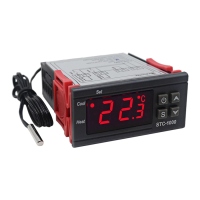

 To Next Page