KETRON • AUDYA 27
Master
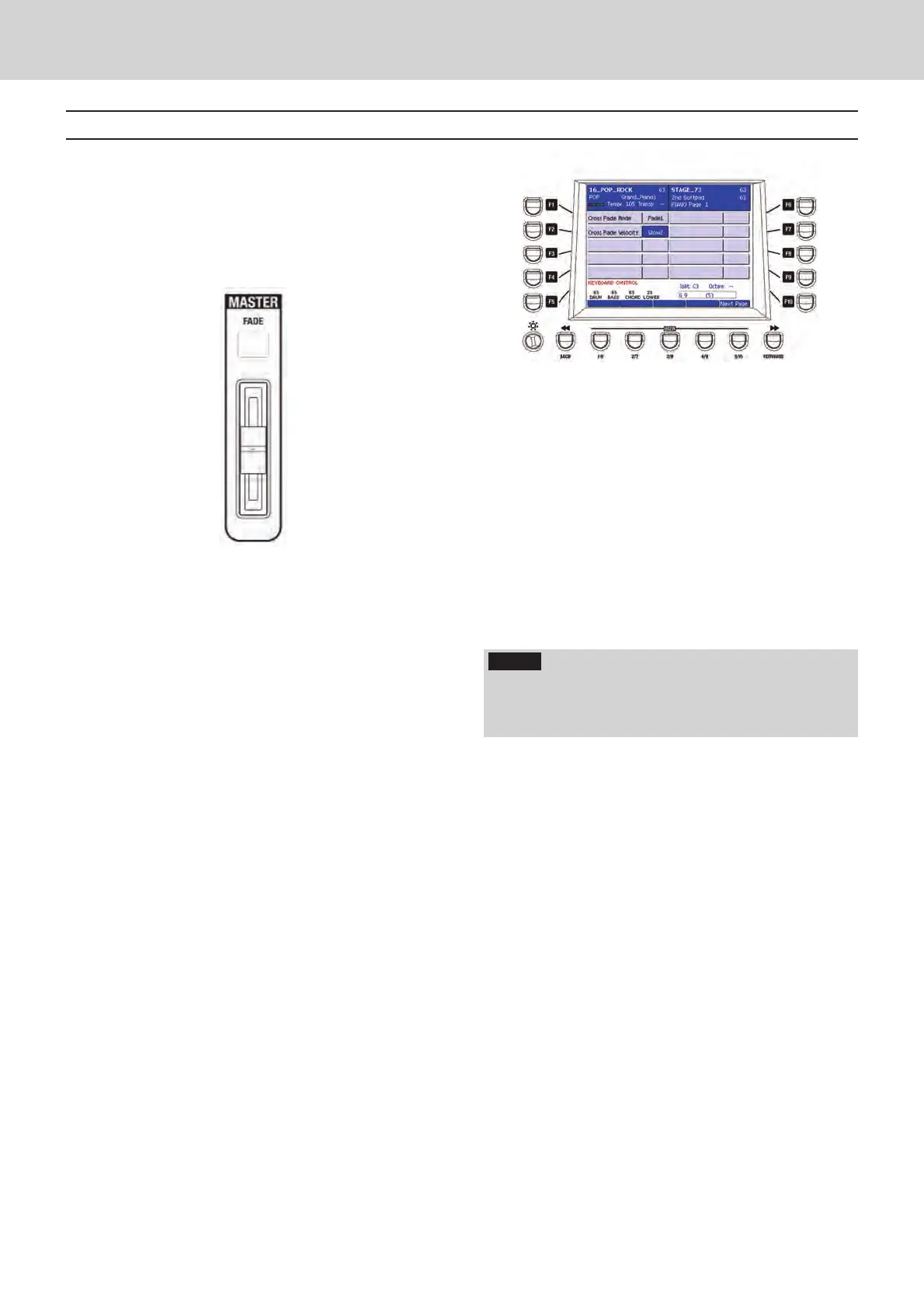
The Master fader is located at right of the
Voicetron section and adjusts the global volume
of the instrument. It features a FADE function
which enables an automatic fade-out during
playback, that is a gradual smooth volume
reduction to zero.
F A D E
▀
By pressing the FADE button, the LED flashes
and the volume will be reduced gradually,
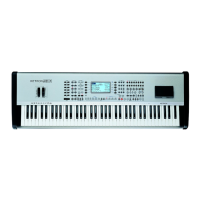
accordingly to the CROSSFADE settings. Please
see MENU > KEYBOARD CONTROL > UTILITY
> NEXT PAGE (Figure 34). Once the fade-out is
over, the LED of the FADE button turns off.
Note that the fade-out does not apply to the
microphone output. In this way, you will be able
to talk/sing during the fade-out.
Figure 34
Master
B
Voicetron
NOTE
THe FADE function works both as FADE Out and FADE
In. Just press the FADE button while the Arranger or
the Player are stopped.
E_Audya_PRINT.indd 27 14/07/2009 7.08.14



 To Next Page