Owner’s Manual DG100
79
Recording a Midi file
Everything that is played on the DG100, including the automatic accompaniment and the variations made on the control panel, can be record-
ed as a Midi file directly on Floppy Disk or Hard Disk. Everything recorded can be later modified using the built-in sequencer of the DG100 or
on software sequencers for PC/Mac. Considering that the accompaniment tracks use timbres in standard General MIDI, it is also possible to cre-
ate some arrangements very quickly and sufficiently compatible also with other GM modules. Some of the properties of the DG100 may how-
ever be lost if reproduced on GM modules, in particular the use of Live Drum, the response to the modulation of the timbres for the Right sec-
tion of the keyboard that are not compatible with the General MIDI Standard, the use of the audio samples and the Drawbars. While recording
you can also use RAM Styles provided that they are previously loaded in RAM and not called up directly from disk. The latter is already busy
recording the Midi file.
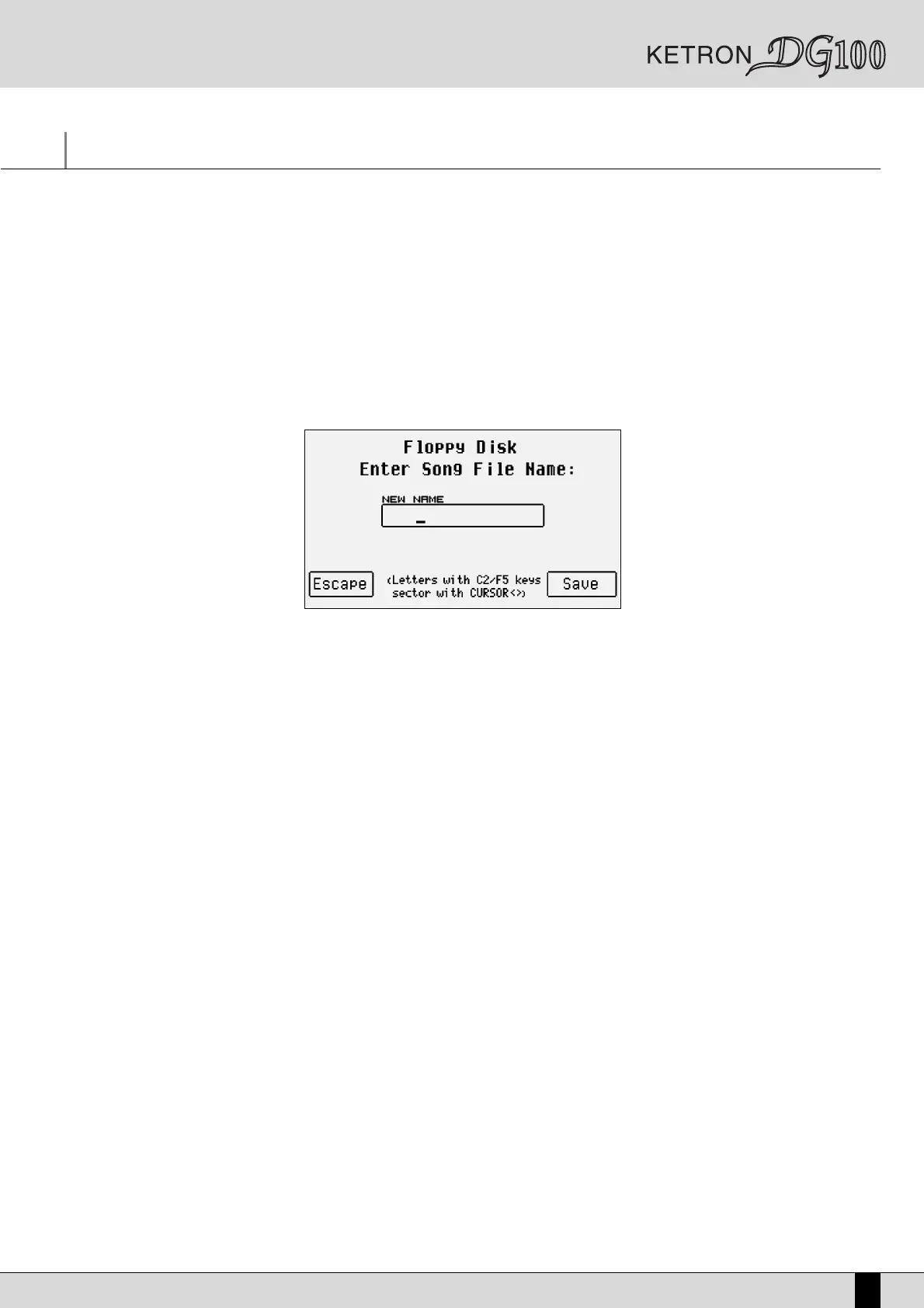
To start recording the Midi file press the SONG RECORD push button (the LED lights up). The page called up is used to enter the name of the
Midi file using the keyboard keys and the CURSOR +/- push buttons, to cancel the procedure using F5 Escape and to confirm the creation of
the Midi file using F10 Save.
Once creation has been confirmed, the display will show the F10 Start function. By pressing the relative function push button “Recording”
appears under the Tempo bar and the Midi is already recording, even with the Arranger disabled, thus enabling all the basic settings to be
recorded that will then go to the fist measure of the Midi file. The Tempo starts only if the Arranger is enabled.
Recording is not stopped by pressing the START push button once again but only by disabling SONG RECORD by pressing the relative push but-
ton again. Once Song Record is disabled, the DG100 sets itself ready to reproduce everything recorded in Song Play.


 To Next Page