SD5
81
number of files has been selected, you may skip the current file and go to the next one pressing
FF88 SSkkiipp
.
Pressing
FF99 CCooppyy AAllll
copies all the selected files which will maintain their original name.
Pressing
FF99 EEssccaappee
exits this page at any time, even if just some of the selected files have been copied.
COPYING FROM HARD DISK TO FLOPPY
Once you have inserted the Floppy Disk with sufficient free space in the Disk drive,
you may find the Folder from which the files are to be copied within the Hard Disk
using the following procedure:
Enable the
DDiisskk
menu using the dedicated push button.
Select the Folder by typing in its number using the numeric keypad (
SSTTYYLLEESS
push
buttons).
If you do not know the number associated with the Folder, press
FF88 FFoollddeerr
to
display the list of all the Folders stored in the Hard Disk, then choose that requi-
red using the numeric keypad and return to the previous page using
FF55 EEssccaappee
.
You can only select one type of file amongst those displayed using
FF55 FFiillee CChhooiiccee
and the relative function push buttons.
First of all, select the files to be copied using the following buttons:
●
DATA CURSOR (Up and Down) to go from one file to the next within those displayed.
●
DATA CURSOR (Left and Right) to go to the next group of files, if existent.
●
F10 Select to confirm the files to be copied, next to which an arrow appears to confirm that the selection has taken place.
Pressing both
DDAATTAA CCUURRSSOORR ((LLeefftt aanndd RRiigghhtt))
buttons at the same time selects all files contained in the folder.
Once you have selected the files to copy, press
FF44 CCooppyy
to start the operation. The page that appears now displays the original file (Copy) and
the final destination disk
((FFrroomm TToo))
and includes a number of options.
In the centre of the display the name of the first file selected appears. This can be modified using the keyboard keys and the
DDAATTAA CCUURRSSOORR
but-
tons.
You may copy each single file confirming the copy operation each time by pressing
FF1100 EExxeeccuuttee
. If you have not modified the name, the copied
file will have the same name as the original one. At the end of the copy operation, the next file among those selected will appear. If a number
of files has been selected, you may skip the current file and go to the next one pressing
FF88 SSkkiipp
.
Pressing
FF99 C
Cooppyy AAllll
copies all the selected files which will maintain their original name.
Pressing
FF99 EEssccaappee
exits this page at any time, even if just some of the selected files have been copied.
F5 Files Choice:
This is used to select the file type within the Folder currently in use. The options are the same as those indicated in
FF33 SSaavvee
.
F6 Delete: This cancels one or a number of files selected using
FF1100 SSeelleecctt
. Before completing the procedure the SD5 displays a warning
message with the following options:
F5 Escape: This cancels the procedure.
FF1100 EExxeecc::
This confirms the procedure.
F7 Rename: This is used to re-name the file selected or simply identified using the keyboard keys and the
DDAATTAA CCUURRSSOORR
push buttons. The
following remain enabled:
F5 Escape: This cancels the procedure.
FF1100 EExxeecc::
This confirms the procedure.
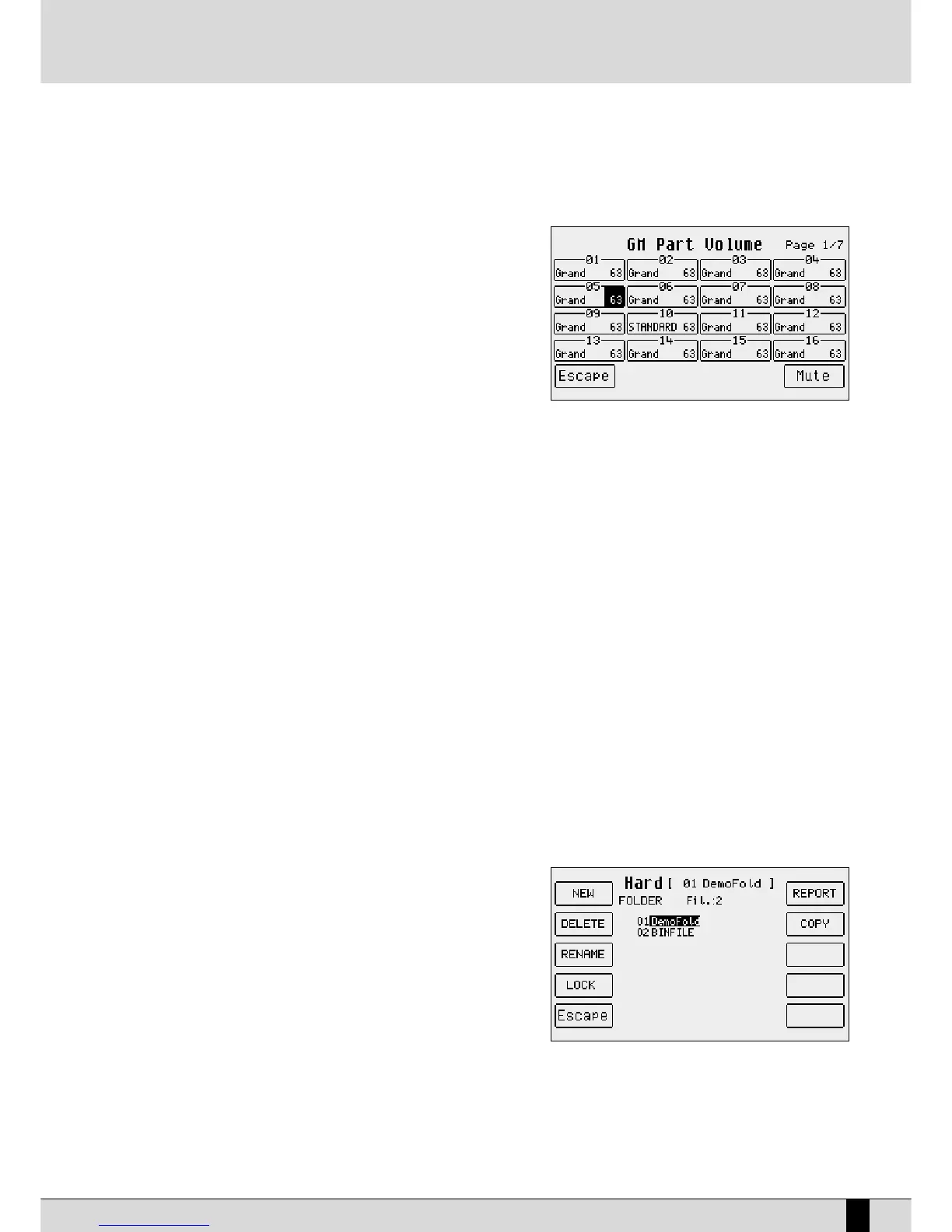
F8 Folder:
This is used to manage and organise the single Folders, selected by
entering the relative number using the numeric keypad (STYLES
push buttons), calling up a page with the following options:
F1 New: This is used to create a new Folder that will be
identified with the number following the last Folder crea-
ted and is used to enter the name using the keyboard keys
and the
DDAATTAA CCUURRSSOORR
push buttons. Once the name has
been entered, confirm the procedure using
FF1100 EExxeecc
, or
cancel it using
FF55 EEssccaappee
.
FF22 DDeelleettee::
This is used to cancel the Folder selected using
the pulsanti
DDAATTAA CCUURRSSOORR ((UUpp aanndd DDoowwnn))
push buttons or
by typing in the number and all the files within it. When
you confirm the cancelling procedure a warning message
will appear with the
FF55 EEssccaappee
or
FF1100 EExxeecc
options. If you confirm using
FF1100 EExxeecc
. A second message appears requesting
further confirmation to cancel with
FF1100 EExxeecc
, or to cancel the procedure using
FF55 EEssccaappee
.
FF33 RReennaammee::
This is used to re-name a Folder, selected using the
DDAATTAA CCUURRSSOORR ((UUpp aanndd DDoowwnn))
push buttons or by typing
in the number, writing the name using the keyboard keys and the
DDAATTAA CCUURRSSOORR
push buttons. Confirm the procedure
using F10 Exec or cancel it using
FF55 EEssccaappee
.
FF44 LLoocckk::
This protects the Folder from being Deleted or Re-named. To enable the lock function select the Folder using
DISK


 To Next Page
 Loading...








