SD5
87
EXECUTING A DJLOOP
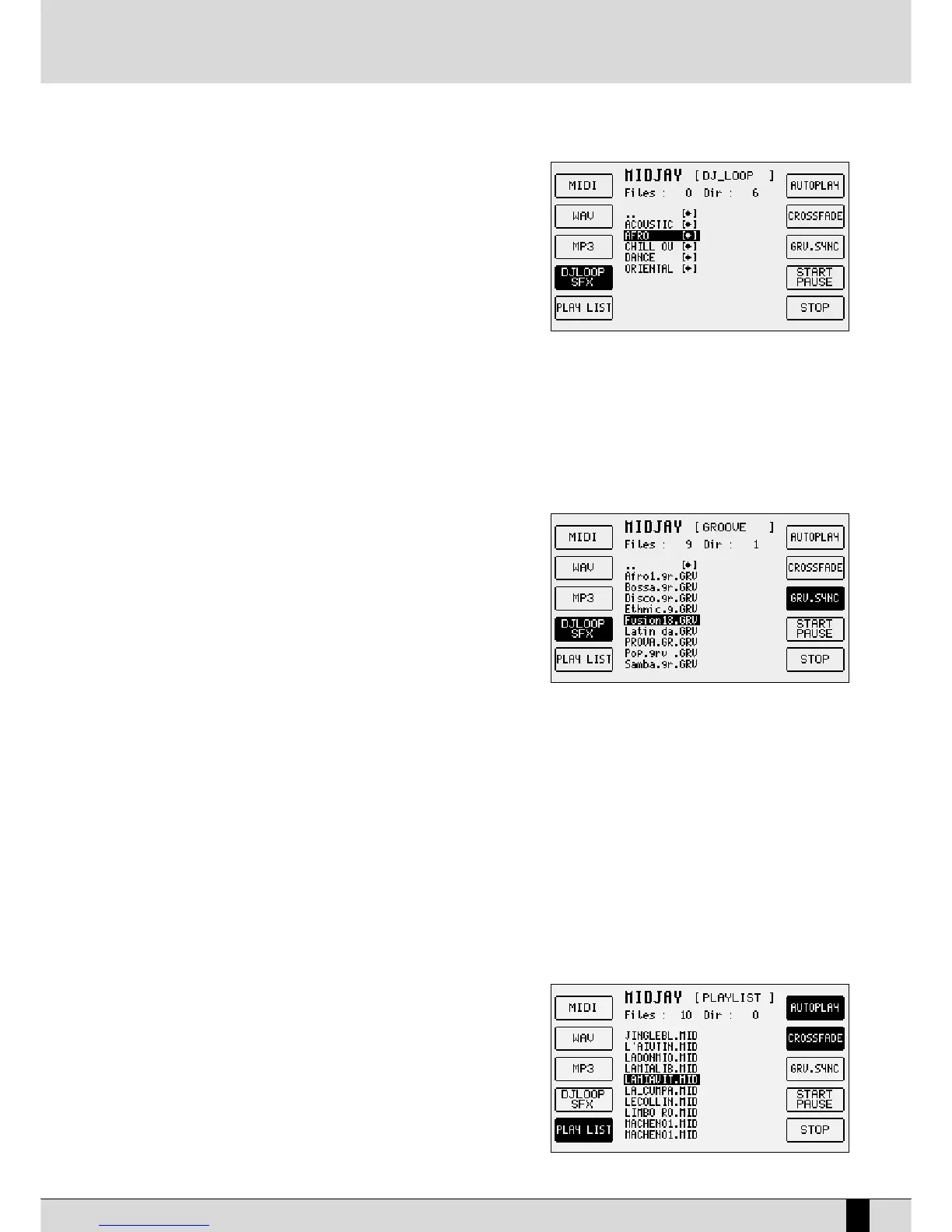
The DjLoops consists of a group of audio loops that the user can link in real time.
The MidJay avails of DjLoops with just drum or complete with harmony and
melody. The SD5 allows you to control the DjLoops directly from the panel of the
machine and you can therefore use it as a "base" when playing live.
To open a DjLoop, select the
GGrroooovvee//DDjjLLoooopp//SSffxx
section using function key
FF44
.
Select the
DDJJ__LLoooopp
folder and press
EENNTTEERR
. Choose the file that you wish to load
and activate it with the
EENNTTEERR
key. The LED of the
SSTTAARRTT//SSTTOOPP
key of the SD5 will
start to flash to point out that the Loop is ready to be played.
You can start playing in the following manners:
●
Press the
IInnttrroo//EEnnddiinngg 11
key if you wish to start from the intro of the DjLoop
●
Press one of the keys related to the arrangements
AArrrr..AA
,
AArrrr..BB
,
AArrrr..CC
,
AArrrr..DD
●
Press one of the
FFiillll
or
BBrreeaakk
keys.
While playing, you can alternate between one loop and another by pressing one of the above-mentioned keys, similar to what you do for nor-
mal styles.
If the Cross Fade function is activated, the loops switch immediately, otherwise the MidJay waits for the current loop to end before switching
to the one selected.
To stop playing, press key
FF1100 SSTTOOPP
.
To play another DjLoop, simply press the
EENNTTEERR
key once the new file has been selected.
PLAYING A GROOVE
Grooves are rhythmic/harmonic loops that have the great advantage of possibly
being synchronised with the metronomic tempo of the machine. Their selection
and management is similar to that seen with the DjLoops. The Grooves can be
played in synchronisation with the styles within the SD5 enabling the creation of
interesting sound combinations. In this way, you can exploit the built-in arranger
of the keyboard to play harmonic and melodic parts and the audio grooves on
MidJay to play to rhythmic parts. The two instruments are synchronised by acti-
vating the
GGRRVV..SSYYNNCC
function using function key
FF88
.
PLAYING A GROOVE IN SINCRONIZATION WITH AN INTERNAL STYLE
To load a groove, you need to open the
GGrroooovvee//DDjjLLoooopp//SSffxx
section using function key
FF44
. Select the GROOVE folder and press
EENNTTEERR
. Select
the file to be loaded and activate it with the ENTER key. The LED of the START/STOP key of the SD5 will start to flash to point out that the
GGRROOOO--
VVEE
is ready to be played.
Activate the
GGRRVV..SSYYNNCC
function using function key
FF88
(the relative box changes colour).
Select an internal style of the SD5, by first choosing the family using the numerical keys, then by selecting the style required using the func-
tion keys of the SD5.
Activate the reproduction of the style in one of the classic methods available (Start/Stop key, Intro Ending 1,2,3, etc.).
The groove of the Midjay simultaneously starts and you can adjust the volume using the dedicated slider on the panel of the Midjay.
While playing, you can modify the tempo using the
TTEEMMPPOO ++
and
TTEEMMPPOO --
keys or change the current style.
OPENING A PLAY LIST
The MidJay allows you to organise the various songs, whether they be MP3's, Waves or Midi's , in groups of ten songs each, called Play Lists. The
SD5 allows you to access the
PPllaayyLLiisstt
section of the MidJay using function key
FF55
PPLLAAYY LLIISSTT
. The contents of the folder are shown on the display of the instrument
in the same way as the other sections. To open a play list, simply select it with the
cursor and press
EENNTTEERR
. All the files stored will appear on the display of the
instrument and can be played in the usual manner.
ACTIVATING THE AUTOPLAY FOLDER
The Auto Play folder function of the MidJay allows you to play all the files within
the current folder one after the other. To activate this function, simply press key
FF66 AAUUTTOOPPLLAAYY
. The box turns black to point out that the function has been activa-
ted in which case at the end of the current song the next song will be played
without the user having to do anything.
MidJay Utility



 To Next Page