10
Brew a Café Beverage
Go to Café Creations in the app for access to a full
menu and easy, step-by-step instructions.
1. Froth Milk
Fill frother to the Min line for cappuccino or Max line
for latte. Attach lid and place on base.
Toggle the button to choose a setting.
Cold Froth
1, 2, 3 Hot Froth
The higher the number, the more froth. Filling to Min
will produce more froth than Max. The frother will also
retain the settings chosen from the previous usage.
Press the K to begin frothing. Frothing is complete
when the button is no longer illuminated.
CAUTION: Frother is not microwave or dishwasher safe.
NOTE: Do not under- or overfill frother. Do not operate
before adding milk.
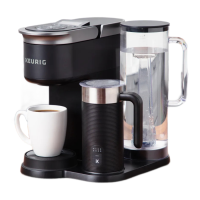
2. Queue Your Brewer
Press the SHOT button to choose a 2 oz or 4 oz shot,
then press the blinking BREW button. When frothing is
completed, the shot will automatically brew next.
NOTE: The brewer cannot brew coffee and froth milk
at the same time.
3. Create Your Café Beverage
When shot is complete, pour or spoon the frothed
milk over your shot of coffee.
NOTE: Clean frother immediately after use.




 To Next Page