Need help?
Do you have a question about the Kewtech KEW337 and is the answer not in the manual?
Conditions for meter operation: altitude, relative humidity, and operating ambient temperature.
Instructions for servicing, repairs by qualified personnel, and cleaning with a dry cloth.
Explanation of safety symbols such as CE marking and the use of specified replacement parts.
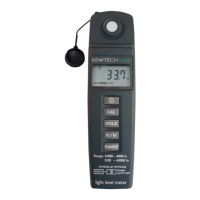
This document describes the KEW337 Light Meter, a device designed for measuring illuminance. The meter is engineered for ease of use, featuring automatic zero adjustment and automatic range selection to simplify operation.
The KEW337 Light Meter measures light levels in both lux (lx) and foot-candles (fc). It utilizes a silicon photodiode as its light detector, ensuring accurate readings. The device is capable of measuring a wide range of illuminance values, automatically adjusting its sensitivity to provide precise measurements across different lighting conditions.
A key feature of this light meter is its ability to perform automatic zero adjustment. When the device is powered on and its light-detecting surface is covered by the protective cap, it automatically enters a calibration mode. During this process, the LCD display will show "CAL" followed by "0.00," indicating that the meter has successfully adjusted its zero point. This ensures that subsequent measurements are accurate by eliminating any baseline offset.
The meter also incorporates an automatic range selection feature. This means the device will automatically choose the most appropriate measurement range for the detected light level, eliminating the need for manual range selection by the user. This simplifies operation and ensures that readings are always displayed with optimal resolution. However, users also have the option to manually select a specific range if desired, which can be beneficial for specific applications where a fixed range is preferred for quicker response times or consistent readings. The available manual ranges are clearly defined for both lux and foot-candle measurements.
The device includes a "HOLD" function, allowing users to freeze the current reading on the LCD display. This is particularly useful when taking measurements in challenging environments, such as dark places, where it might be difficult to read the display directly. Pressing the "HOLD" button once will capture and display the current value, and pressing it again will release the hold, allowing the display to update with live readings.
For convenience and battery conservation, the KEW337 Light Meter is equipped with an automatic power-off function. If no buttons are pressed for approximately 30 minutes, the meter will automatically shut down. This prevents the battery from draining unnecessarily if the user forgets to turn off the device. This auto-off feature can also be disabled by holding down the "HOLD" button while powering on the meter, which is indicated by the disappearance of a specific symbol on the LCD.
The meter's display provides clear indications of its operational status. It shows the measured illuminance value, the selected unit (fc or lx), and whether the automatic range mode is active. Additionally, it features an indicator for low battery voltage, alerting the user when the battery needs to be replaced. An "Err" message will appear if the protective cap is not properly placed during the initial power-on sequence, prompting the user to check the cap.
Operating the KEW337 Light Meter is straightforward. To begin, the user simply presses the power button to turn on the device. It is crucial to ensure that the light-detecting surface is covered by the protective cap during power-on. This allows the meter to perform its automatic zero adjustment. Once the display shows "0.00," the cap can be removed, and the meter is ready to take measurements.
The "fc/lx" selector button allows the user to switch between foot-candle and lux units, depending on their preference or the requirements of the task. The "RANGE" button provides the flexibility to toggle between automatic range selection and manual range selection. In manual mode, the user can cycle through predefined ranges to suit specific measurement needs, which can be advantageous for applications requiring a consistent measurement scale or faster response times within a known illuminance bracket.
The "CAL" button, when pressed during measurement, will auto-display the zero value, which is useful for quick checks or re-zeroing if needed.
The meter's design emphasizes user convenience, with a clear LCD display that is easy to read. The compact and lightweight form factor makes it portable and suitable for various applications, from industrial settings to environmental monitoring.
The KEW337 Light Meter is designed for durability and requires minimal maintenance. Users are advised to periodically wipe the case with a soft, dry cloth to keep it clean. It is important to avoid using abrasive materials or solvents, as these can damage the instrument's casing or display.
The light-detecting surface is a critical component for accurate measurements. If dirt or dust adheres to this surface, it can compromise the accuracy of the readings. Therefore, users should ensure that the light-detecting surface is kept clean by wiping it with a soft and dry cloth. The protective cap should always be used when the meter is not in use to shield the light detector from dust, dirt, and potential physical damage, as well as to prevent stray light from affecting the sensor.
Battery replacement is a simple process. When the low battery indicator appears on the LCD display, it signals that the 9V battery needs to be replaced. The battery cabinet cover can be easily accessed to facilitate this. Using the specified battery type (006P, IEC 6F22, or NEDA 1604 alkaline battery) is recommended to ensure optimal performance and battery life.
Any repairs or servicing not explicitly covered in the manual should only be performed by qualified personnel to ensure the safety and integrity of the device. The meter is designed to comply with EMC standards, and any replacement parts used during servicing should be specified to maintain this compliance. Adhering to these maintenance guidelines will help ensure the long-term accuracy and reliability of the KEW337 Light Meter.
 General
| Insulation Resistance Range | 0.01MΩ to 2000MΩ |
|---|---|
| Test Current | 1mA, 5mA, 10mA |
| Resistance Range | 0.01Ω to 2000Ω |
| Operating Temperature | -10°C to +50°C |
| Storage Temperature | -20°C to +60°C |
| Type | Digital Insulation and Continuity Tester |
| Display | LCD |
| Battery | 6 x 1.5V AA |
| AC Voltage Range | 0 to 600V |
| DC Voltage Range | 0 to 600V |
| Measurement Range | 0 to 2000MΩ |
| Resolution | 0.01MΩ |

 To Next Page