Need help?
Do you have a question about the Keychron K15 Pro and is the answer not in the manual?
Instructions for identifying and replacing keycaps for Mac and Windows layouts.
Ensures the system toggle matches your computer's operating system (Mac or Windows).
Steps to pair the keyboard with a device via Bluetooth, including device name.
Instructions for connecting the keyboard using the provided USB Type-C cable.
Guide to using the VIA online software for key remapping and customization.
Explanation of the four key layers and their activation for Mac and Windows systems.
Instructions on how to turn the keyboard backlight on or off.
How to increase or decrease the keyboard's backlight brightness.
Instructions for changing the speed of the keyboard backlight effects.
Suggestion to watch a video tutorial for keyboard assembly guidance.
Detailed steps to perform a factory reset on the keyboard.
Detailed specifications including key count, battery, charging, and connectivity.
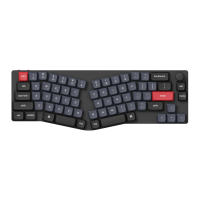
Diagrams and labels identifying key components like Bluetooth Indicator and Ports.
Shows the default key layout for Layer 0, activated with the Mac system toggle.
Details Layer 1, activated on Mac by pressing the Fn/MO(1) key.
Shows the default key layout for Layer 2, activated with the Windows system toggle.
Details Layer 3, activated on Windows by pressing the Fn/MO(3) key.
Explanation of various key descriptions and their functions, including media and special keys.
Explains the meaning of LED indicators for battery and Bluetooth status.
Instructions and details about charging the keyboard, including indicators and compatibility.
Instructions for connecting and using the keyboard in wired mode.
Steps for pairing and connecting the keyboard via Bluetooth.
Procedure for switching between multiple paired Bluetooth devices.
Steps to re-establish a Bluetooth connection with a previously paired device.
Instructions on how to turn the keyboard off.
Details on adjusting backlight on/off and switching lighting effects.
Guide to switching between Mac/iOS and Windows/Android operating systems.
Instructions for switching input methods on iOS and Android devices.
Guidance for resolving issues when unable to pair the keyboard with a device.
Troubleshooting steps for when the keyboard is not functioning correctly.
Advice on resolving Bluetooth connection issues, including range and interference.
Note on compatibility issues with third-party input tools.
Explanation for why certain multimedia or function keys might not work.
Important safety warnings regarding product handling, environment, and children.
Details for Keychron, Inc., including address, website, and support email.


 To Next Page
 General