5
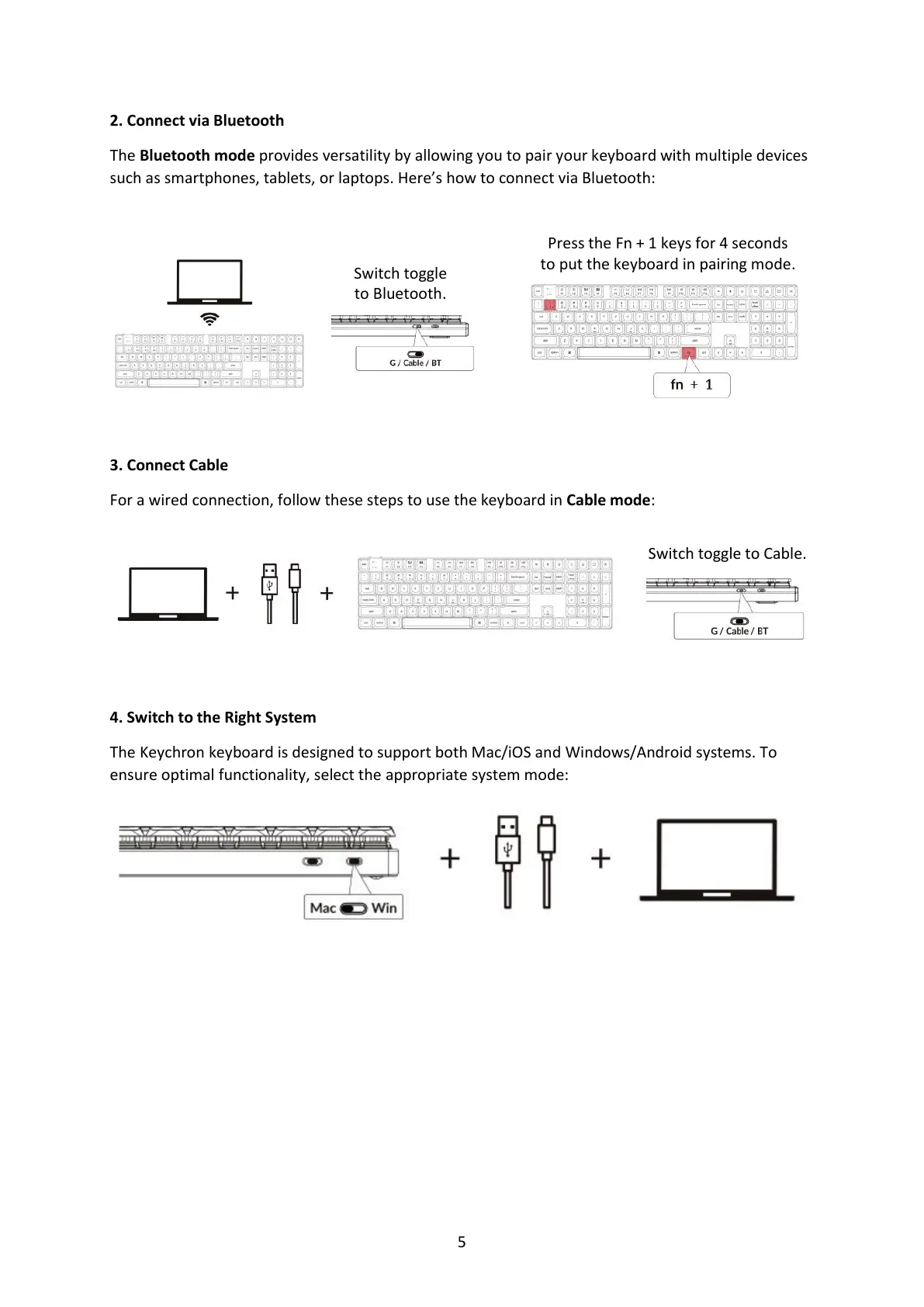
2. Connect via Bluetooth
The Bluetooth mode provides versatility by allowing you to pair your keyboard with multiple devices
such as smartphones, tablets, or laptops. Here’s how to connect via Bluetooth:
3. Connect Cable
For a wired connection, follow these steps to use the keyboard in Cable mode:
4. Switch to the Right System
The Keychron keyboard is designed to support both Mac/iOS and Windows/Android systems. To
ensure optimal functionality, select the appropriate system mode:
Switch toggle
to Bluetooth.
Press the Fn + 1 keys for 4 seconds
to put the keyboard in pairing mode.



 To Next Page