9
10. Factory Reset & Firmware Update
If you experience persistent issues or need to update your keyboard, you can perform a factory reset
or flash the firmware to resolve problems and enhance performance.
Factory Reset Your Keyboard:
• Pow er On the Keyboard: Ensure your keyboard is turned on and ready.
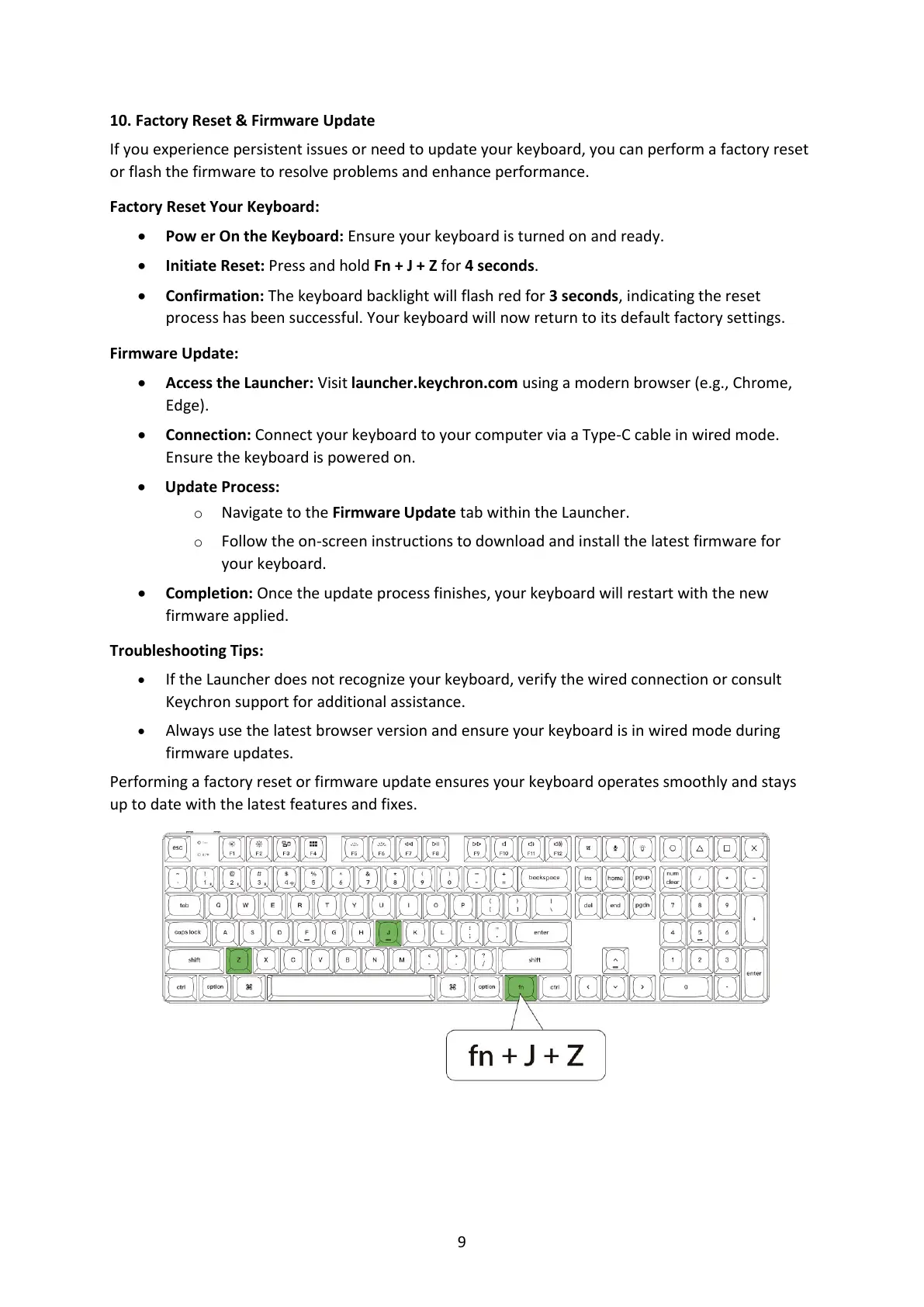
• Initiate Reset: Press and hold Fn + J + Z for 4 seconds.
• Confirmation: The keyboard backlight will flash red for 3 seconds, indicating the reset
process has been successful. Your keyboard will now return to its default factory settings.
Firmware Update:
• Access the Launcher: Visit launcher.keychron.com using a modern browser (e.g., Chrome,
Edge).
• Connection: Connect your keyboard to your computer via a Type-C cable in wired mode.
Ensure the keyboard is powered on.
• Update Process:
o Navigate to the Firmware Update tab within the Launcher.
o Follow the on-screen instructions to download and install the latest firmware for
your keyboard.
• Completion: Once the update process finishes, your keyboard will restart with the new
firmware applied.
Troubleshooting Tips:
• If the Launcher does not recognize your keyboard, verify the wired connection or consult
Keychron support for additional assistance.
• Always use the latest browser version and ensure your keyboard is in wired mode during
firmware updates.
Performing a factory reset or firmware update ensures your keyboard operates smoothly and stays
up to date with the latest features and fixes.



 To Next Page