EasyManua.ls Logo

Keychron K5 - Keyboard Specifications

Keychron K5
69 pages
Print Icon
To Next Page IconTo Next Page
To Previous Page IconTo Previous Page
Loading...
8
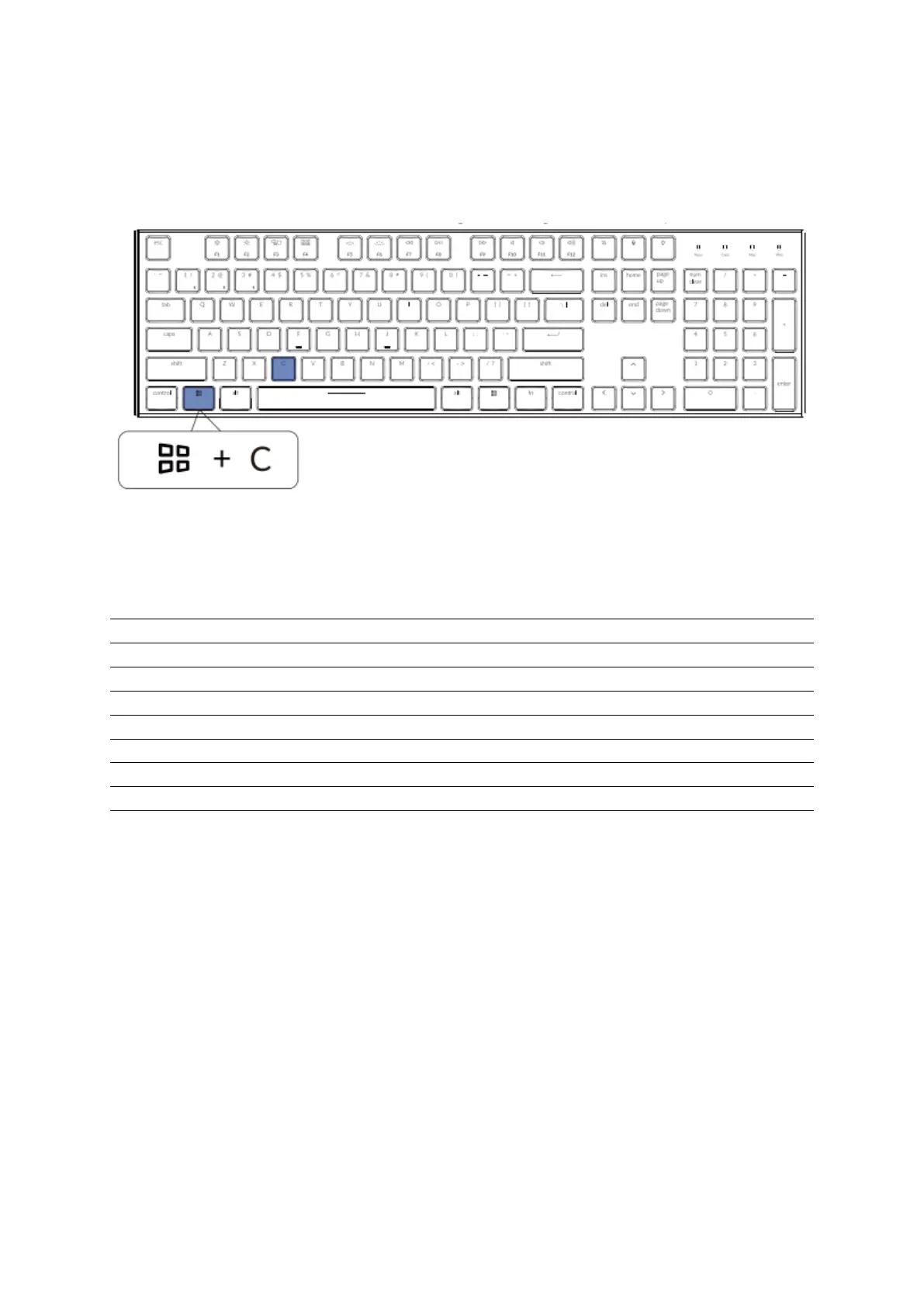
For Cortana on Windows: Select Start > Settings > Cortana and select the shortcut by
pressing Windows key + C key.
*Windows Cortana is only available for Windows 10 and above OS. Cortana is only
available in certain countries / regions and might and not work everywhere.
K5 Bluetooth Mechanical Keyboard Specifications
Number of keys
104 key
Switch type
Mechanical
Battery
2000mAh
Working time
Around 35 hours with the backlight on.
Charging time
Around 3 hours
Charging port
USB Type-C
Mode
Bluetooth/Wired
Bluetooth operating distance
Within 10 meters (open space)
Name of Bluetooth device
Keychron K5
Operating Environment
-10 to 50°C
Technical specifications can be subjected to change without notice we apologize for any
inconvenience caused.

Related product manuals