7
Quick Start Guide
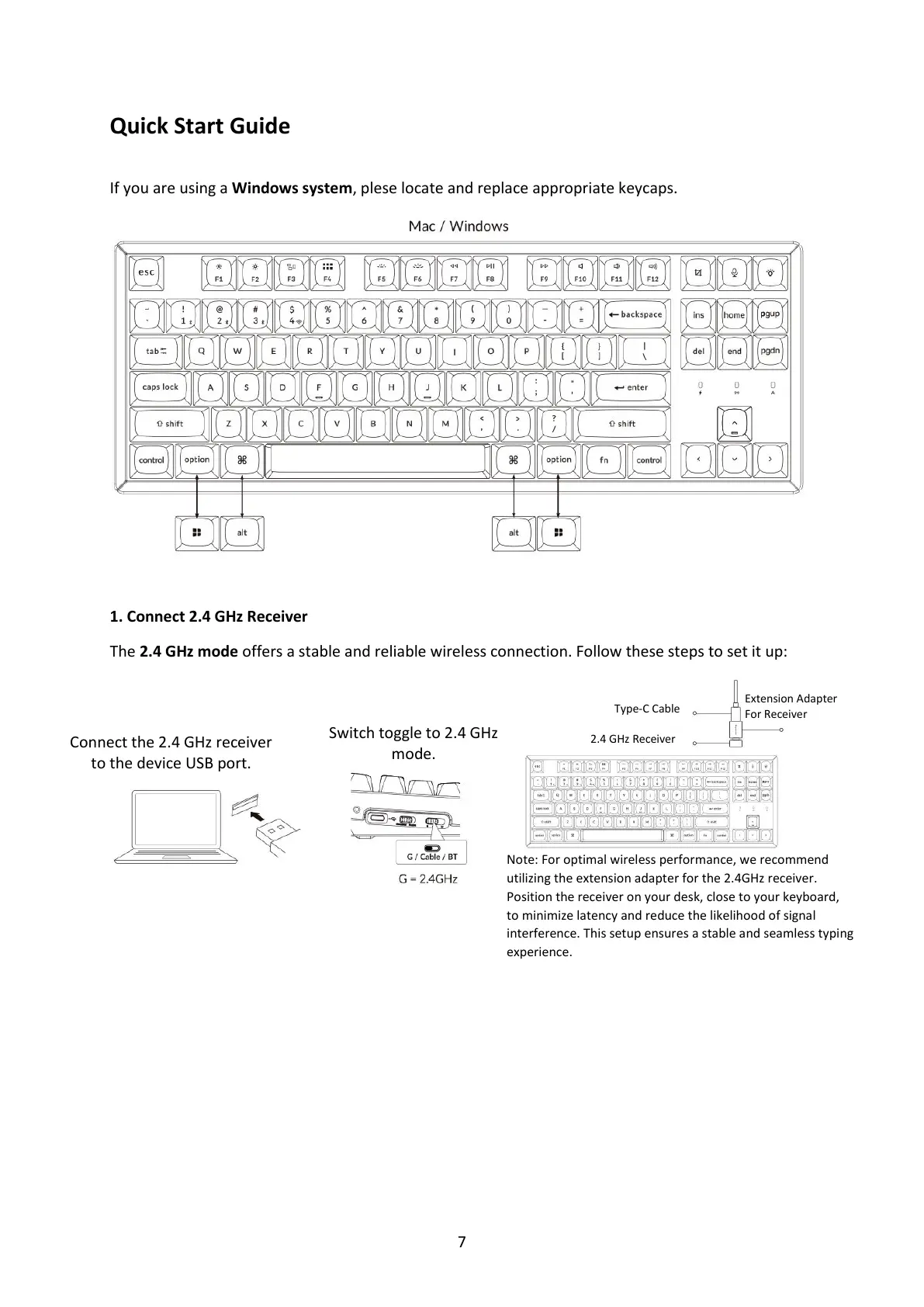
If you are using a Windows system, plese locate and replace appropriate keycaps.
1. Connect 2.4 GHz Receiver
The 2.4 GHz mode offers a stable and reliable wireless connection. Follow these steps to set it up:
Connect the 2.4 GHz receiver
to the device USB port.
Switch toggle to 2.4 GHz
mode.
Extension Adapter
For Receiver
Note: For optimal wireless performance, we recommend
utilizing the extension adapter for the 2.4GHz receiver.
Position the receiver on your desk, close to your keyboard,
to minimize latency and reduce the likelihood of signal
interference. This setup ensures a stable and seamless typing
experience.



 To Next Page