8
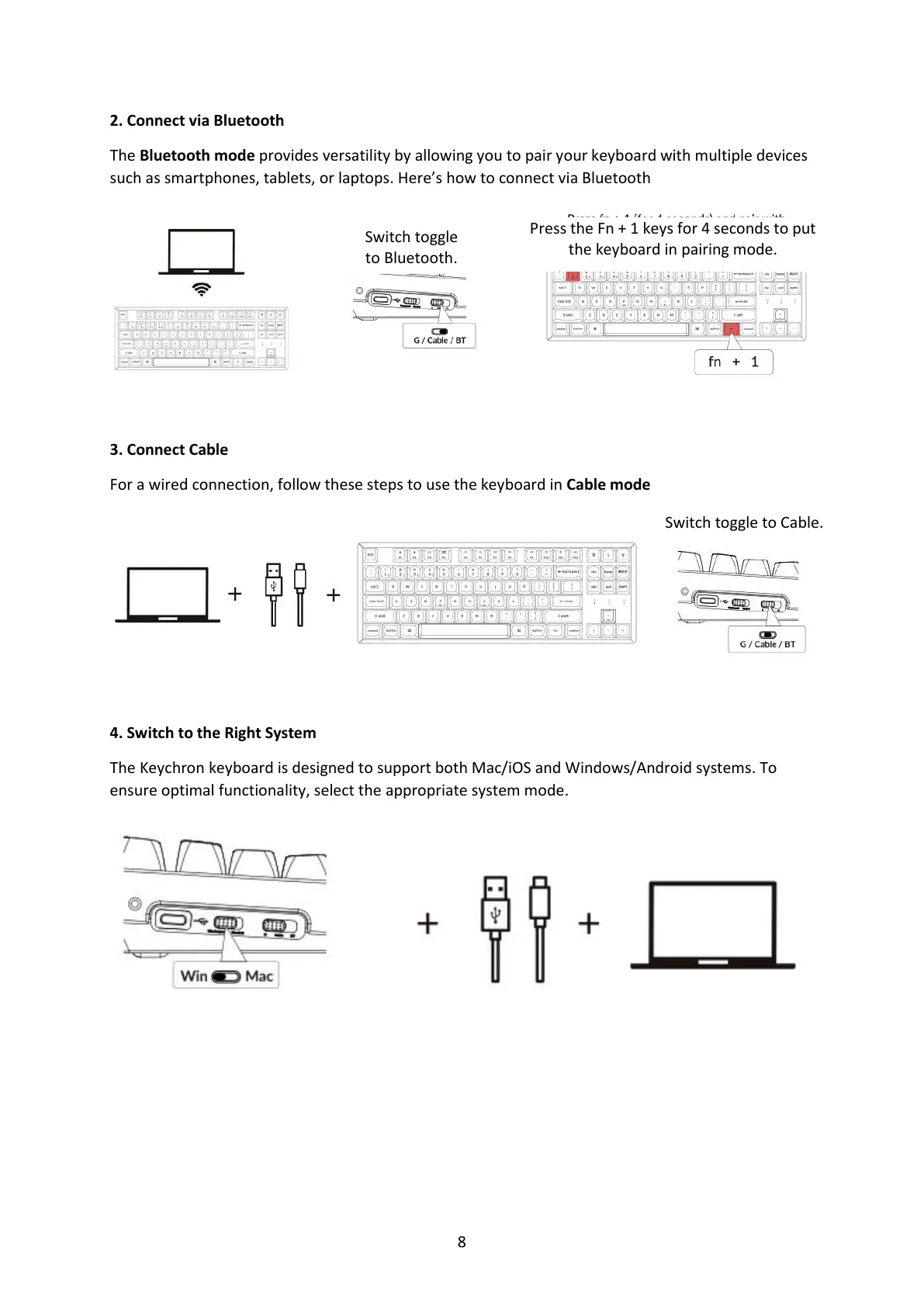
2. Connect via Bluetooth
The Bluetooth mode provides versatility by allowing you to pair your keyboard with multiple devices
such as smartphones, tablets, or laptops. Here’s how to connect via Bluetooth
3. Connect Cable
For a wired connection, follow these steps to use the keyboard in Cable mode
4. Switch to the Right System
The Keychron keyboard is designed to support both Mac/iOS and Windows/Android systems. To
ensure optimal functionality, select the appropriate system mode.
Switch toggle
to Bluetooth.
Press the Fn + 1 keys for 4 seconds to put
the keyboard in pairing mode.



 To Next Page