3 Modes of connection
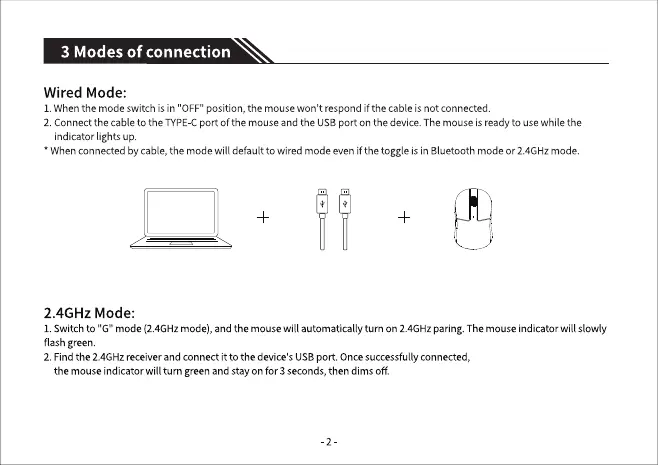
Wired Mode:
1.Whenthe mode switch is in "OFF"position,the mousewon't respondif the cable isnotconnected
2. Connectthecableto the TYPECport of the mouseandthe USBport on the device.Themouseis readyto usewhilethe
indicatorlightsup.
• Whenconnectedbycable,the modewill default to wired modeevenif the toggle is in Bluetoothmode or2.4GHzmode.
2.4GHz Mode:
1.Switchto "G" mode(2.4GHzmode),andthe mousewill automaticallyturn on 2.4GHzparing.Themouseindicatorwill slowly
flash green.
2. Find the 2.4GHz receiver and connect itto the device's USB port. Once successfully connected,
the mouse indicator will turn green and stay on for 3 seconds, then dims off.
-2


 To Next Page