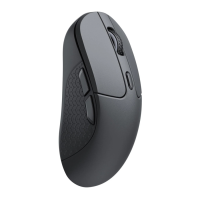
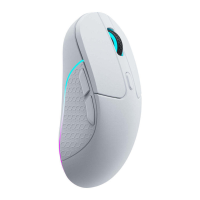
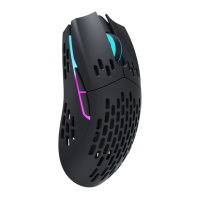
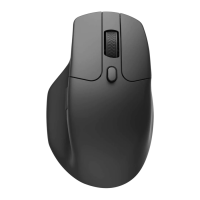
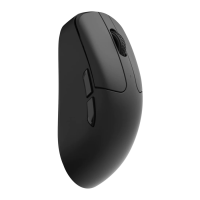
The Keychron M3 Mini 4K Wireless Mouse is a versatile and high-performance peripheral designed for a seamless user experience across multiple connection modes. This compact mouse offers wired, 2.4GHz wireless, and Bluetooth connectivity, catering to various user preferences and device compatibility.
Function Description:
The M3 Mini 4K Wireless Mouse features a standard mouse layout with essential buttons for navigation and control. It includes a Left Button, Right Button, Middle Wheel Button, Forward Button, and Backward Button for intuitive browsing and command execution. A Mouse Indicator provides visual feedback on the mouse's status, while dedicated DPI and Report Rate buttons allow for on-the-fly sensitivity and polling rate adjustments. The mouse also incorporates a Modes Toggle to switch between its different connection types and comes with a 4K wireless receiver for enhanced wireless performance.
Important Technical Specifications:
- Size: 120 x 65 x 39 mm
- Weight: 55 ± 3g
- Battery Capacity: 600mAh
- Sensor: PixArt 3395
- Resolution (DPI): 100 - 26000 DPI (Default: 1600 DPI)
- Mouse Micro Switches: Huano Micro Switch (80 million clicks life time)
- Connection Modes: 2.4GHz, Bluetooth, Wired
- Charging Port: USB Type-C
- Recharge Time: 2 Hours
- 2.4GHz / Bluetooth Connection Range: Approximately 10m of open space
- Report Rate (Polling Rate):
- 125Hz (Default in Bluetooth mode)
- 500Hz
- 1000Hz (Default in wired & 2.4GHz mode)
- 2000Hz (Requires 4K wireless receiver for setting)
- 4000Hz (Requires 4K wireless receiver for setting)
- Usage Duration:
- 135 Hours (at 1000Hz Report Rate)
- 40 Hours (at 4000Hz Report Rate)
- Device Name: Keychron M3 mini 4K
- Included in the Box: Mouse x 1, User Manual x 1, USB Type-C to Type-C cable x 1, 4K wireless receiver x 1, USB Type-A to Type-C adapter x 1
Usage Features:
The M3 Mini 4K offers three distinct modes of connection:
-
Wired Mode:
- To use, ensure the mode switch is in the "OFF" position.
- Connect the USB Type-C cable to the mouse and the USB port on your device.
- The mouse will be ready for use, and the indicator light will illuminate.
- When connected via cable, the mouse defaults to wired mode, even if the toggle is set to Bluetooth or 2.4GHz.
-
2.4GHz Mode:
- Switch the mode toggle to "G" (2.4GHz mode). The mouse indicator will slowly flash green, indicating it's in pairing mode.
- Connect the 4K wireless receiver to your device's USB/Type-C port.
- Upon successful connection, the mouse indicator will turn green and stay on for 3 seconds before dimming.
- Reconnection/Repairing: If the mouse doesn't connect within 3 minutes, the indicator turns off. To re-enter pairing mode, hold both the "Left button + Forward button" for 4 seconds.
- Repairing an existing connection: Unplug the 2.4GHz receiver, then hold "Left button + Forward button" for 4 seconds until the green light flashes. Plug the receiver back in to complete the pairing.
- Proximity Recommendation: For optimal pairing in 2.4GHz mode, keep the mouse within 20cm of the receiver.
-
Bluetooth Mode:
- Switch the mode toggle to "B" (Bluetooth mode). The mouse indicator will slowly flash blue, indicating Bluetooth pairing mode.
- On your device, open Bluetooth settings, search for "Keychron M3 mini 4K," and click "connect."
- If not connected within 3 minutes, the indicator turns off. To re-enter pairing mode, hold "Left button + Forward button" for 4 seconds; the indicator will slowly blink blue.
- Pairing with a new device: If the mouse is already in Bluetooth mode and needs to pair with a new device, hold "Left button + Forward button" for 4 seconds until the blue light flashes. Bluetooth will re-enter pairing mode, allowing connection to the new device.
DPI and Report Rate Adjustment:
- DPI Indicator: The mouse features a DPI button to cycle through different sensitivity levels, indicated by various light colors:
- White light: 400 DPI
- Green light: 800 DPI
- Blue light: 1600 DPI (default)
- Yellow light: 3200 DPI
- Red light: 5000 DPI
- Report Rate Indicator: A dedicated Report Rate button allows cycling through polling rates:
- White light: 125Hz (Default in Bluetooth mode)
- Blue light: 500Hz
- Red light: 1000Hz (Default in wired & 2.4GHz mode)
- Blue + Red light: 2000Hz
- White + Red light: 4000Hz
- Note: To adjust the report rate to 2000Hz or 4000Hz, the 4K wireless receiver must be connected.
Status Indicators:
- 2.4GHz Mode:
- Slowly blinks green: Ready to be paired.
- Quickly blinks green: Pairing with the previous device.
- Bluetooth Mode:
- Slowly blinks blue: Ready to be paired.
- Quickly blinks blue: Pairing with the previous device.
- Low Power: Slowly blinks red.
- Charging Indicator:
- When charging (and not paired): Stays RED.
- When fully charged: Stays GREEN.
- When charging or in use (and paired): The mouse indicator will stay GREEN when fully charged, and slowly blink RED when low on power.
Maintenance Features:
- Auto-Sleep Mode:
- Not active in wired mode.
- In 2.4GHz or Bluetooth mode, the mouse enters Auto-Sleep after 15 minutes of inactivity to conserve battery. Move or click the mouse to wake it up.
- Factory Reset:
- To perform a factory reset, hold down both the "DPI" button and the "Report Rate" button for 4 seconds.
- All LED lights on the mouse will blink three times to confirm a successful reset.
- Driver Software:
- The Keychron M3 Mini 4K mouse driver can be downloaded from www.keychron.com.
- If the driver software fails to connect, contact technical support.
- Charging Recommendations:
- The mouse is compatible with all USB ports.
- For optimal signal and charging speed, connecting to a USB 3.0 port is recommended when charging or in use.
- The product supports up to 5V charging voltage and 300 mA charging current. Improper recharging may cause problems, for which Keychron is not responsible.

 Need help?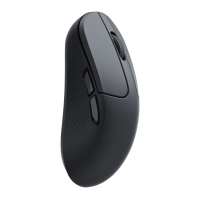

 To Next Page
 General