7
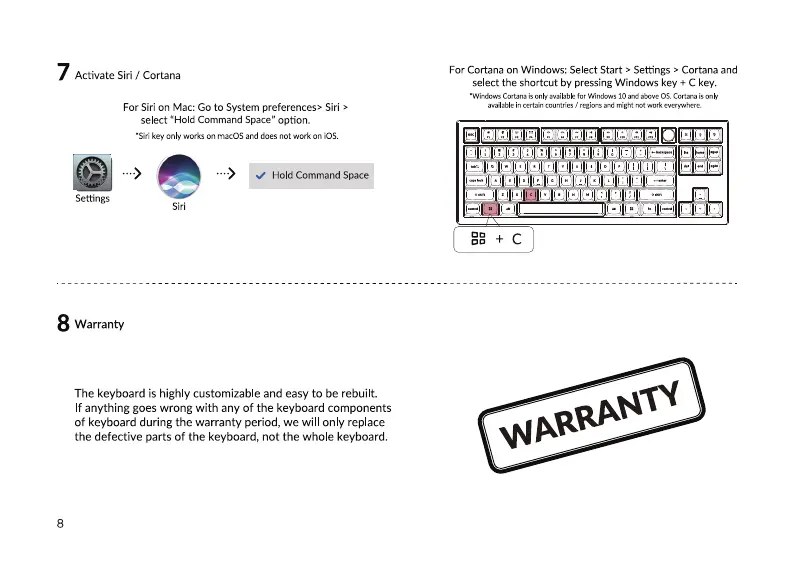
Activate Siri / Cortana
For Siri on Mac: Go to System preferences> Siri >
select "Hold Command Space" option.
•Siri key only works on macOS and does not work on iOS.
Hold Command Space
Settings
8 Warranty
The keyboard is highly customizable and easy to be rebuilt.
f anything goes wrong with any of the keyboard components
of keyboard during the warranty period, we will only replace
the defective parts of the keyboard, not the whole keyboard.
8
For Cortana on Windows: Select Start > Settings > Cortana and
select the shortcut by pressing Windows key + C key.
•Windcms Cortana is available far Windows and OS„Cortana is only
available in certain countries / regions and might not work everyohere.
—aaagggaaaggt—
IAI


 To Next Page