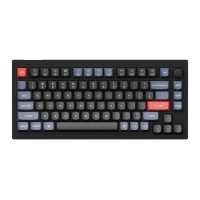
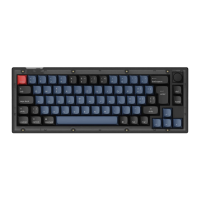
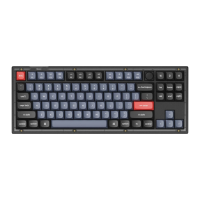
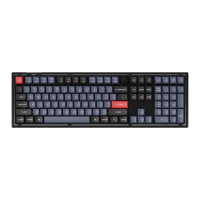
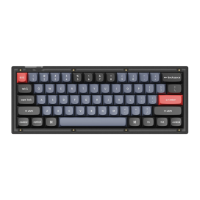
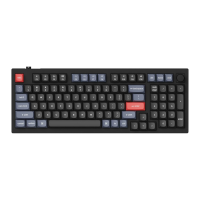
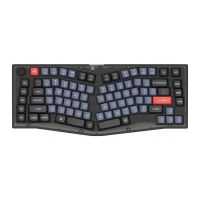
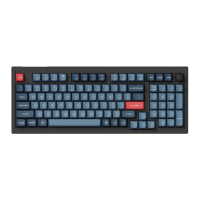
The Keychron V8 is a customizable mechanical keyboard available in both Fully Assembled and Barebone versions, designed for users who appreciate flexibility and personalization in their typing experience. This user manual provides comprehensive guidance on its features, specifications, and usage.
Function Description:
The Keychron V8 serves as a highly customizable keyboard, allowing users to remap keys, adjust backlighting, and switch between Mac and Windows operating systems seamlessly. It supports multiple layers of key settings, enabling complex key assignments and multimedia controls. The keyboard is designed for enthusiasts who want to fine-tune their input device to their specific needs and preferences. Its split ergonomic design aims to enhance typing comfort and reduce strain during prolonged use.
Important Technical Specifications:
- Layout: 65%
- Switch Type: Mechanical
- Width: 138 / 121.5 mm
- Length: 359.55 mm
- Front Height: 18.73 mm (without keycaps), 28.15 mm (with keycaps installed)
- Back Height: 26 mm (without keycaps), 36.73 mm (with keycaps installed)
- Keyboard Feet Height: 2 mm
- Angle: 3.5 / 7.99 / 11 degree
- Connectivity: Type-C Port
- Software Compatibility: VIA Key Remapping Software (downloadable from caniusevia.com)
- System Compatibility: Mac and Windows operating systems
- Layers: Five programmable layers (Layer 0 for Mac, Layer 1 for Windows, Layer 2 for Mac Multimedia, Layer 3 for Windows Multimedia, Layer 4 for Function keys)
- Keycaps (Fully Assembled Version): PBT Double-shot
Usage Features:
- System Toggle: A physical switch on the top center of the keyboard allows users to easily switch between Mac and Windows operating systems. This ensures proper key mapping and functionality for the selected OS.
- VIA Key Remapping Software: The keyboard is compatible with VIA software, which can be downloaded from caniusevia.com. This software enables users to remap keys, create custom macros, and configure keyboard layers. If the software doesn't recognize the keyboard, support resources are available for assistance.
- Layer Management: The V8 supports five distinct layers:
- Layer 0 (Mac System): Activated when the system toggle is set to Mac.
- Layer 1 (Windows System): Activated when the system toggle is set to Windows.
- Layer 2 (Mac Multimedia Keys): Activated when the system toggle is Mac and the fn1/MO(2) key is pressed. This layer includes controls for screen brightness, mission control, launchpad, backlight brightness, hue, saturation, and RGB speed.
- Layer 3 (Windows Multimedia Keys): Activated when the system toggle is Windows and the fn1/MO(3) key is pressed. This layer includes controls for screen brightness, task view, file explorer, backlight brightness, hue, saturation, and RGB speed.
- Layer 4 (Function Keys): Activated when the fn2/MO(4) key is pressed. This layer provides access to F1-F12 function keys, along with backlight brightness, hue, saturation, and RGB speed controls.
- Multimedia and Function Key Access: Multimedia keys (e.g., play/pause, volume control) are accessed by pressing fn1 + the corresponding key. Function keys (F1-F12) are accessed by pressing fn2 + the corresponding key.
- Backlight Control:
- Changing Lighting Effect: Press fn1 + Q.
- Turning Backlight On/Off: Press fn1 + tab.
- Increasing Backlight Brightness: Press fn1 + W.
- Decreasing Backlight Brightness: Press fn1 + S.
- Increasing Light Effect Speed: Press fn1 + T.
- Decreasing Light Effect Speed: Press fn1 + G.
- Factory Reset: To troubleshoot or reset the keyboard, users can perform a factory reset by pressing fn1 + J + Z for 4 seconds while the power cable is plugged in. A more advanced reset procedure involving QMK Toolbox and the reset button on the PCB is also detailed for firmware flashing.
- Building Tutorial: For first-time builders of the Barebone version, a building tutorial video is highly recommended and available on the Keychron website.
Maintenance Features:
- Customizability and Rebuildability: The keyboard is designed to be highly customizable and easy to rebuild. This modularity simplifies maintenance and repair.
- Warranty: The warranty covers the replacement of defective parts of the keyboard components, not the entire keyboard, reflecting its customizable nature.
- Safety Precautions:
- Keep the product, accessories, and packaging parts out of reach of children to prevent accidents and choking hazards.
- Keep the product dry to avoid corrosion.
- Avoid exposing the product to extreme temperatures (below -10°C/5°F or above 50°C/131°F) to preserve its lifespan.
- Compatibility Notes: Third-party input tools may not be compatible with the keyboard, and certain multimedia or function keys might be disabled due to compatibility issues with Windows/macOS versions, brands, and drivers. Users are advised to ensure their operating system and drivers are up to date.
Included Components:
Fully Assembled Version:
- 1x Fully Assembled Keyboard (including Case, PCB, Steel Plate, 5 Sets x Stabilizers, 1 Set x Keycaps (PBT Double-shot), 1 Set x Switches)
- 1x Type-C to Type-C Cable
- 1x Type-A to Type-C Adapter
- 1x Switch Puller
- 1x Keycap Puller
- 1x Screwdriver
- 1x Hex Key
Barebone Version:
- 1x Keyboard Kit (without Keycaps & Switches, but including Case, PCB, Steel Plate, 5 Sets x Stabilizers)
- 1x Type-C to Type-C Cable
- 1x Type-A to Type-C Adapter
- 1x Switch Puller
- 1x Keycap Puller
- 1x Screwdriver
- 1x Hex Key

 Need help?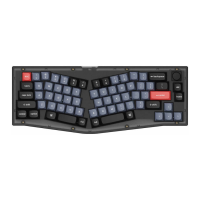

 To Next Page
 General