Keyestudio ISD1820 Voice Recording and Playback Module
Description
After the Keyestudio ISD1820 voice recording and playback module is connected
to an 8Ω 2W speaker, it can play the sound of the module.
The module uses 10 seconds of voice recording and playback, with loop playback,
jog playback, single-pass playback, high quality, natural voice reproduction, can
be used as a megaphone module.
When using it, we provide the DC 3-5V voltage to VCC GND, and use 3 buttons
and 2 DIP switches to set the module working state. At the same time, we can
connect the corresponding signal terminal to the single-chip microcomputer
through the pin header interface, and then use the code to control the working

 Need help?
 General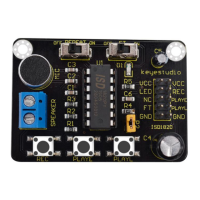

 To Next Page