www.KeyLlama.com
Copyright © 2009 KeyLlama
6
Manual Configuration:
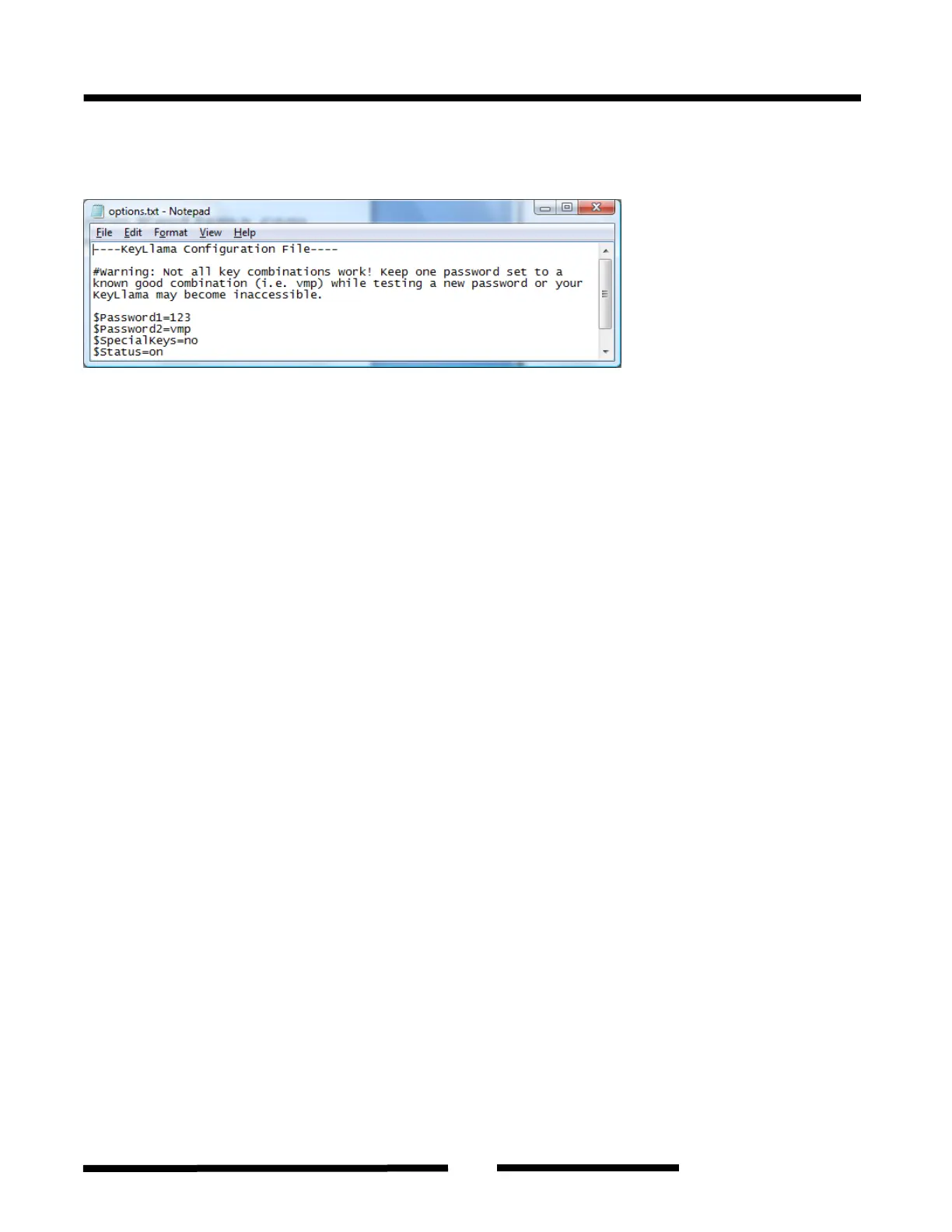
Basic changes may be configured through the file: options.txt. Use any text editor to change the
options.txt:
Be very careful – any errors can render the keylogger inoperable! Use the software configuration
option if you have any doubts.
$Password1 sets the 3 or 4-key combination for triggering Flash Drive mode. Default value is
vmp.
$Password2 sets the 3 or 4-key combination for triggering Flash Drive mode. Default value is
123.
IMPORTANT: Not all combinations work! Because of the way USB keyboards are designed, some
characters will cancel others out when both are held down. Keep one password as "vmp" until you
have tested to ensure the new is OK.
$SpecialKeys sets the logging level for special keys, such as Enter, Escape, F1...F12 etc. Special
keys are logged in brackets, i.e. [Ent]. Allowed values are No (only text is logged) and Yes (text
with all special keys are logged). Default value is No.
$Status allows you to to disable logging, however does not affect mode switching. Allowed values
are On (logging enabled) and Off (logging disabled). Default value is On.
Example configuration file settings:
$Password1=vmp
$Password2=xvp
$SpecialKeys=no
$Status=on
All KeyLlama products come with 1 year warranty against manufacturer defects. Defective products
must be shipped to KeyLlama by the customer. All warranty repairs and delivery to the customer
will be paid by KeyLlama.


 To Next Page