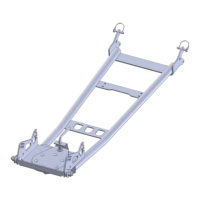
1
“Figure 4” Wide Bolt pattern Set-up
“Figure 3” 4.875” Standard Bolt pattern Set-up
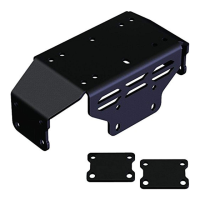
Kawasaki Teryx Winch Mount
Winch Mount PART # 100700
Kit Components:
Qty Part Description
1……………. Winch Mount
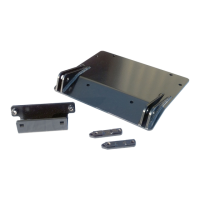
1……………. Wide Winch Plate
1……………. Reversible Fairlead Bracket
2……………. 3/8”x 1 1/4” Flange Bolt
4……………. 3/8”x 1” Carriage SN Bolt
6……………. 3/8” Nylock Nuts
6……………. 3/8” SAE Flat Washers
3……………. 5/16” x 1” Bolt
3……………. 5/16” Lock Washer
INSTALLATION INSTRUCTIONS:
1. Remove the front plastic bumper cover, by removing the (4)
screws as shown in Figure 1.
2. Remove the front bumper, by removing the (4) bolts as shown in
Figure 2.
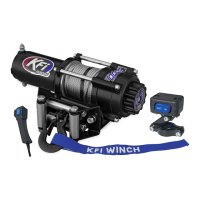
3. Assemble your fairlead to the fairlead bracket using the
appropriate hole pattern and the hardware that was supplied with
your winch as shown in Figure 3.
4. Skip to Step 5, if you are installing a wide 4k plus winch with a
3.00” x 6.60” bolt pattern. Assemble your winch to the winch
mount using the hardware that was supplied with your winch as
shown in Figure 3. Skip to Step 6.
5. Wide winch install instructions: (see Figure 4)
Assemble your winch to the Wide Winch Plate that was
supplied with your mount using the hardware that was
supplied with your winch.
Loosely install the winch mount to your Teryx using
the supplied 3/8” carriage bolts and hardware as shown
in Figure 5.
Assemble your winch and Wide Winch Plate to the
winch mount using the supplied (3) 5/16” bolts and
lock washer into the weld-nuts on the bracket. (you
may need to pull some cable out to get the bolts in)
(skip to Step 7)
“Figure 1”
Remove Front Plastic Bumper Cover
“Figure 2”
Remove the Front Bumper
NOTE: The
fairlead bracket
is reversible to
accommodate
the standard
4.875” bolt
pattern fairleads
and the larger
6.60” bolt
pattern fairlead
bracket found on
wide 4000lbs
plus winches.
Wide Winch Plate

 Need help?
 General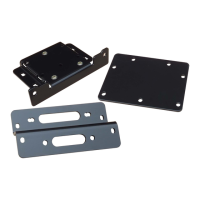

 To Next Page