www.kguardsecurity.com
All Rights Reserved
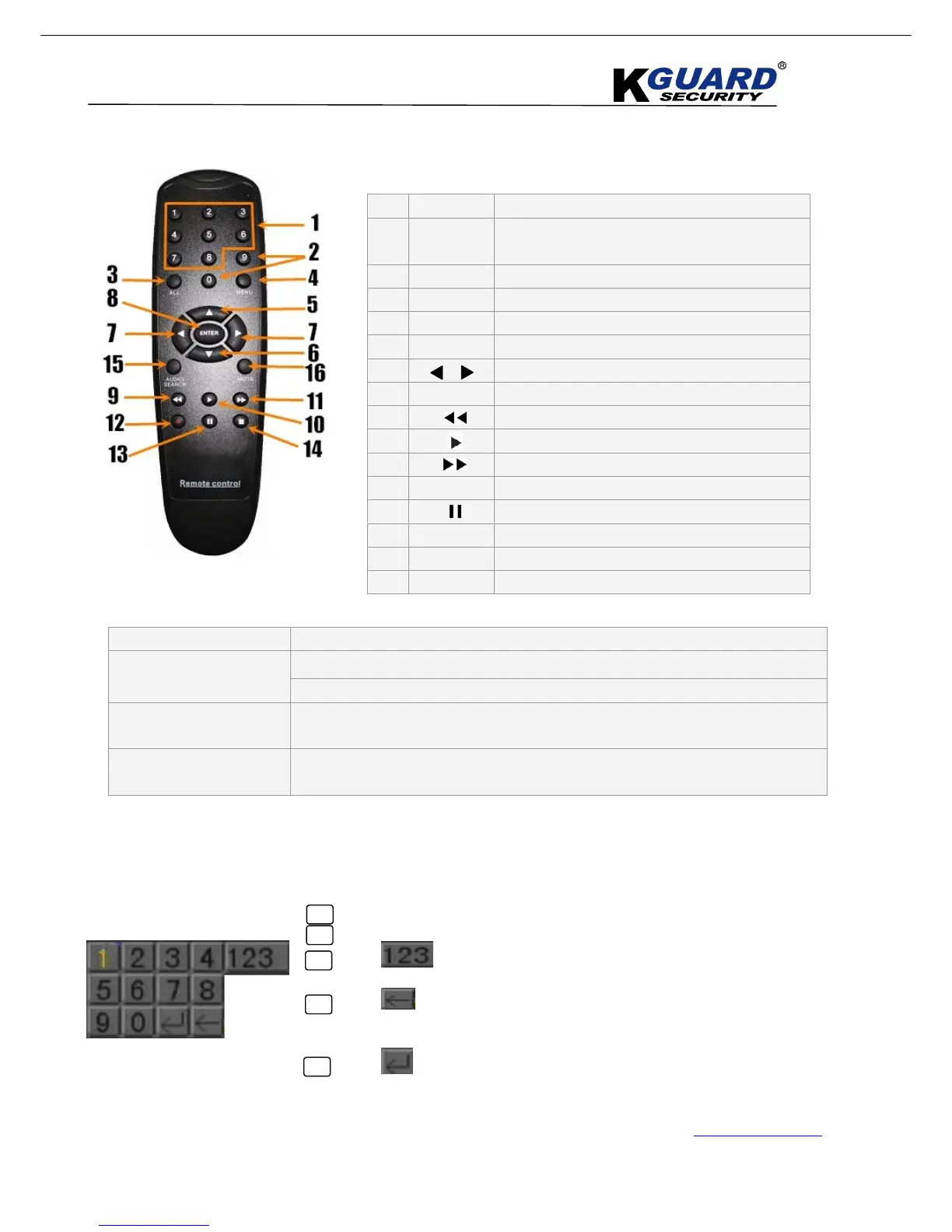
2.3. Remote Control
Mouse Operation
Virtual Keyboard (Mouse)
1 1-8
2
9、
、、
、0
(The numeric key”0” can be used
for switching OSD control panel)
3 ALL
4 Menu
5 ▲
▲▲
▲
6 ▼
7 Left / Right Key
8 SEL
9
10
11
12
●
13
14
■
15 Audio
16 Mute
1. Click on an option or field, such as the User ID and Password fields.
2. Click 0~9 to key-in the desired digit.
3. Click to switch between numerals, upper and lowercase letters, and
other characters (only for certain options)
4. Click to Backspace/Delete.
NOTE: The buttons will turn from orange to white when you select the
button with the mouse cursor.
5. Click to enter/confirm and close the Virtual Keyboard.



 To Next Page