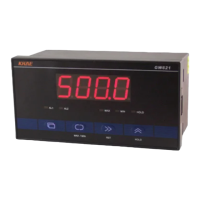
• Action menu: used to set parameters
that needs to be changed frequently. It
consists of 0 ~ 8 parameters selected
randomly in the engineer menu.
Push enter the action menu. Push
to select parameter. Press down in
the parameter selection state.
Exit to menu.
• Engineer menu: used to set the
measurement, control, display and other
parameters of the meter.
Push for 3 seconds to enter the
engineer menu. Push or to
choose parameters and then push to
select it. Push to go back.
• Configuration menu: used to set
parameters such as instrument function,
input signal range, etc., which are
usually not allowed to be modified after
instrument installation and debugging.
Push and at the same time for
3 seconds to enter configuration menu.
Push to select the parameters. Press
down in the parameter selection state.
Exit to menu.
• Parameter setting: after entering each
menu push to choose parameter.
Push to display the code value. It
will flash if it is available to be
changed. Use and to increase
or decrees the value. Press to save
new parameter value in the internal memory storage. Push again to finish the setting.
The meter will automatically return to normal mode if there is no button operation within 1 minute in
the setting mode. If the meter returns to normal mode during parameter setting, the parameter values
being modified are not stored.
US - 1 ~ US - 8 display most
be selected by the user.
Common parameters in the
configuration Menu UF - 1 ~
UF - 8 are in the Settings.


 To Next Page
 Loading...