Audio system
589
Phone Mode
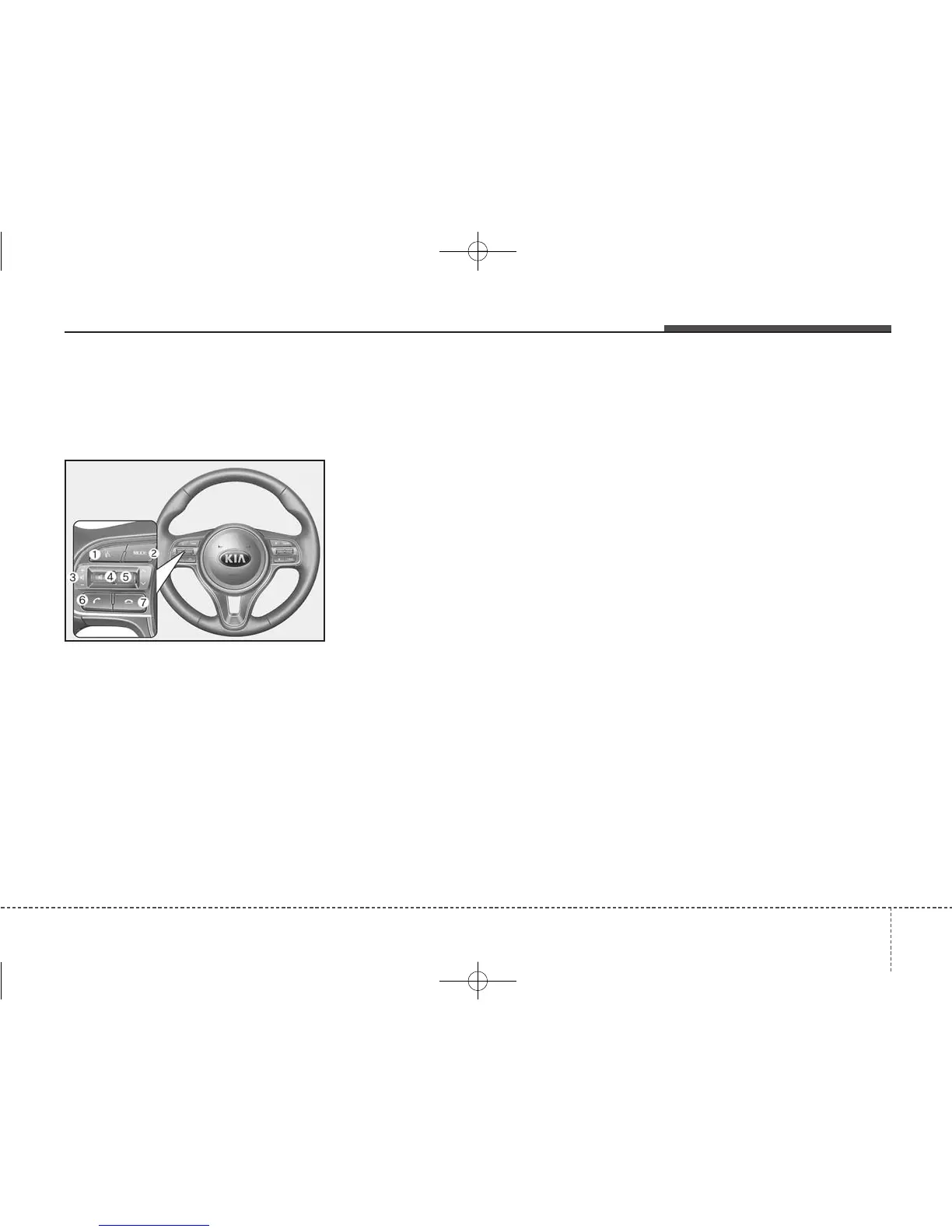
Making a call using the Steering
wheel controls
❈ The actual features in the vehicle
may differ from the illustration.
(1) When pressed shortly
- Starts voice recognition
- When selecting during a voice
prompt, stops the prompt and
converts to voice command wait-
ing state
When pressed and held
- Ends voice recognition
(2) Each time this button is pressed,
the mode is changed in order of
FM1 ➟ FM2 ➟ AM ➟ SAT1 ➟ SAT2
➟ SAT3 ➟ CD ➟ USB(iPod
®
) ➟
AUX ➟ My Music ➟ BT Audio
If the media is not connected or a
disc is not inserted, correspon-
ding modes will be disabled.
(3) Used to control volume.
(4) Mutes audio volume.
(5) When pressed shortly
- Radio mode : searches broad-
cast frequencies saved to pre-
sets.
- Media(CD/USB/iPod
®
/My Music/
BT Audio) modes : changes the
track, file or chapter.
When pressed and held
- Radio mode, automatically
searches broadcast frequencies
and channels
- Media(CD/USB/iPod
®
/My Music)
modes, rewinds or fast forwards
the track or song(file)
- BT Audio mode may not be sup-
ported in some mobile phones.
(6) When pressed shortly
- When pressed in the phone
screen, displays call history
screen
- When pressed in the dial screen,
makes a call
- When pressed in the incoming
call screen, answers the call
- When pressed during call wait-
ing, switches to waiting call (Call
Waiting)
When pressed and held
- When pressed in the
Bluetooth
®
Wireless Technology Handsfree
wait mode, redials the last call
- When pressed during a
Bluetooth
®
Wireless Technology Handsfree
call, switches call back to mobile
phone (Private)
- When pressed while calling on
the mobile phone, switches call
back to
Bluetooth
®
Wireless
Technology Handsfree
(Operates only when
Bluetooth
®
Wireless Technology Handsfree
is connected)
(7) Ends phone call



 To Next Page