5
ALWAYS CHECK THE OWNER’S MANUAL FOR COMPLETE OPERATING INFORMATION AND SAFETY WARNINGS.
*IF EQUIPPED
Trip Computer / Tripmeter
REMINDERS:
• Appearance of Tripmeter display may differ as equipped
• All stored driving information (except Odometer and Range)
is reset if the battery is disconnected
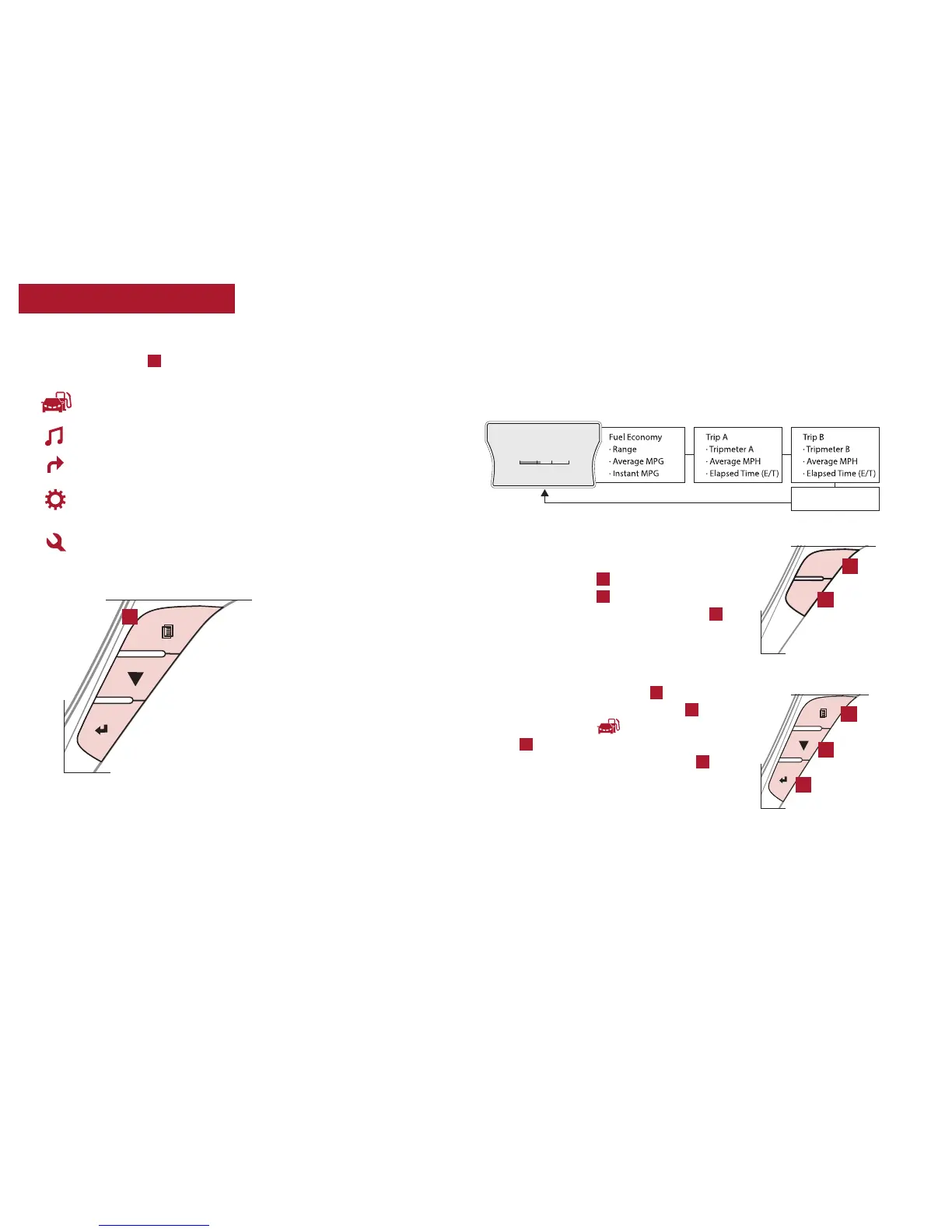
The Trip Computer is a driver information system that displays information
related to driving on the display when the ignition switch or the ENGINE
START/STOP button* is in the ON position.
(Located on Type B
steering wheel)
(Located on Type A
steering wheel)
TRIP
RESET
Instrument Cluster Type A – To toggle
through the different Trip Computer modes,
press the Trip button
B
. When in Tripmeter,
press the Trip button
B
again to select Trip A
or Trip B. Press and hold the Reset button
C
to
reset the Tripmeter to zero.
Instrument Cluster Type B/C – To scroll
through the different LCD Instrument Cluster
modes, press the Mode button
D
. To display
the Tripmeter, press the Mode button
D
and
select Trip Computer . Then press the Next
button
E
to scroll to the Trip A/B screens.
Press and hold the Select/Reset button
F
to
reset the Tripmeter to zero.
(Type C cluster shown)
B
C
D
E
F
INSTRUMENT CLUSTER
LCD Instrument Cluster Modes*
Press Mode button
A
to scroll through the different LCD modes:
Trip Computer Mode: Displays driving information for
tripmeter, fuel economy, etc.
A/V Mode*: Displays the state of the A/V System
Turn-by-Turn Mode*: Displays the state of the navigation
User Settings Mode: Change settings of the doors, lamps
and other features
Information Mode: Informs on service intervals and
pressure status of each tire and other features
(Button panel located on
Steering Wheel, Type B)
A



 To Next Page