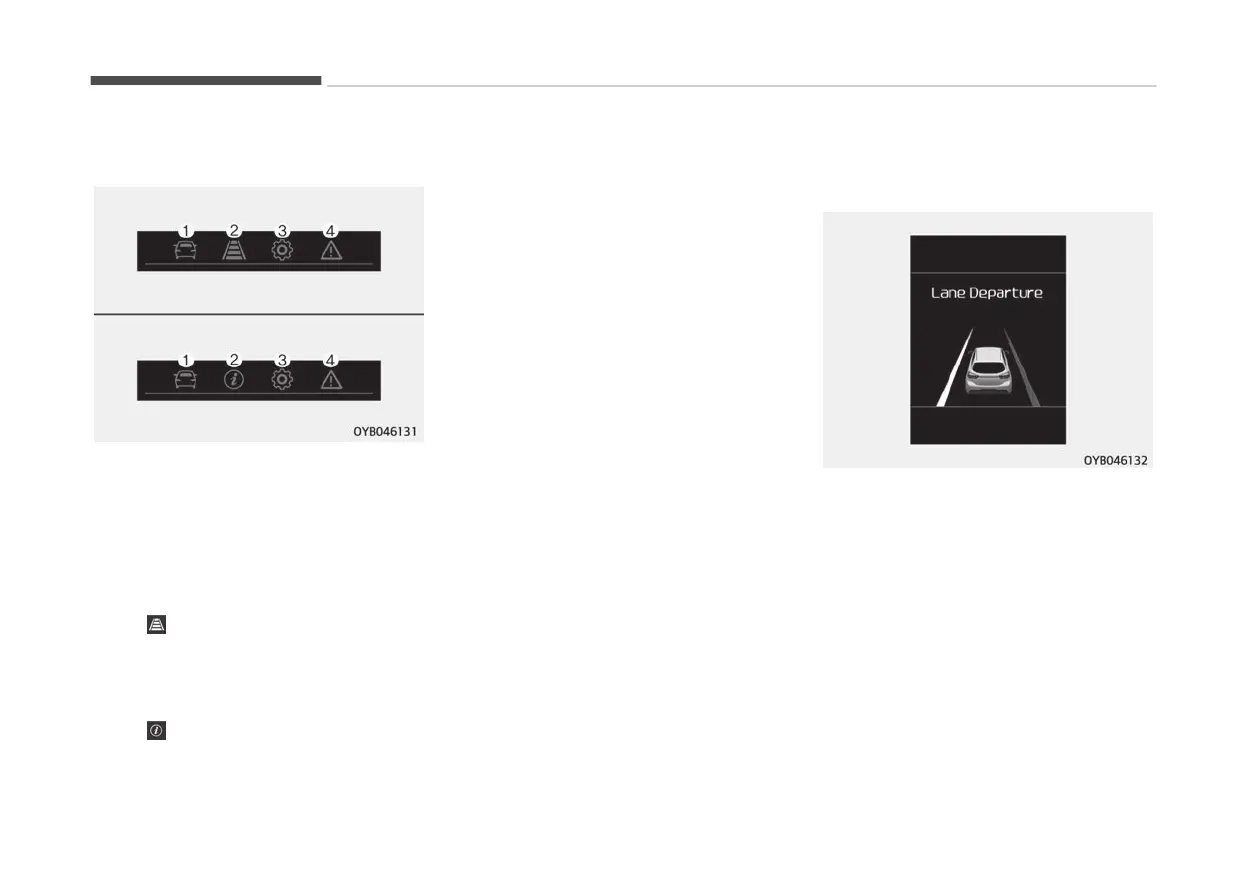
LCD Modes (for type B cluster)
1. Trip Computer mode
This
mode displays driving informa‐
tion like the tripmeter, fuel econo‐
my, and so on.
For more details, refer to “Trip
computer” on page 4-51.
2. Assist mode
-
: This mode displays the state
of
the Lane Departure Warning
(LDW) System, Driver Attention
Warning (DAW) and pressure
state of tire pressure.
-
: This mode displays the state
of tir
e pressure.
3. User Setting mode
On
this mode, you can change set‐
tings of the doors, lamps and so on.
4. Master warning mode
This mode informs of warning
messages related to TPMS fail, low
pressure or Low engine oil or For‐
ward Collision-Avoidance Assist
(FCA) System (if equipped) or
Blind-spot collision warning (BCW)
(if equipped) failure.
❈ For controlling the LCD modes, re‐
fer to “LCD window Control” on
page 4-46.
Lane Departure Warning (LDW)
System mode (if equipped)
This mode displays the state of the‐
Lane Departur
e Warning (LDW) System.
❈ For more information, refer to
“Lane Departure Warning (LDW)
System” on page 6-52.
Service Mode
Service in
It calculates and displays when you
need a scheduled maintenance service
(mileage or days).
Features of your vehicle
4-56



 To Next Page