REAR OCCUPANT ALERT (ROA) SYSTEM
5
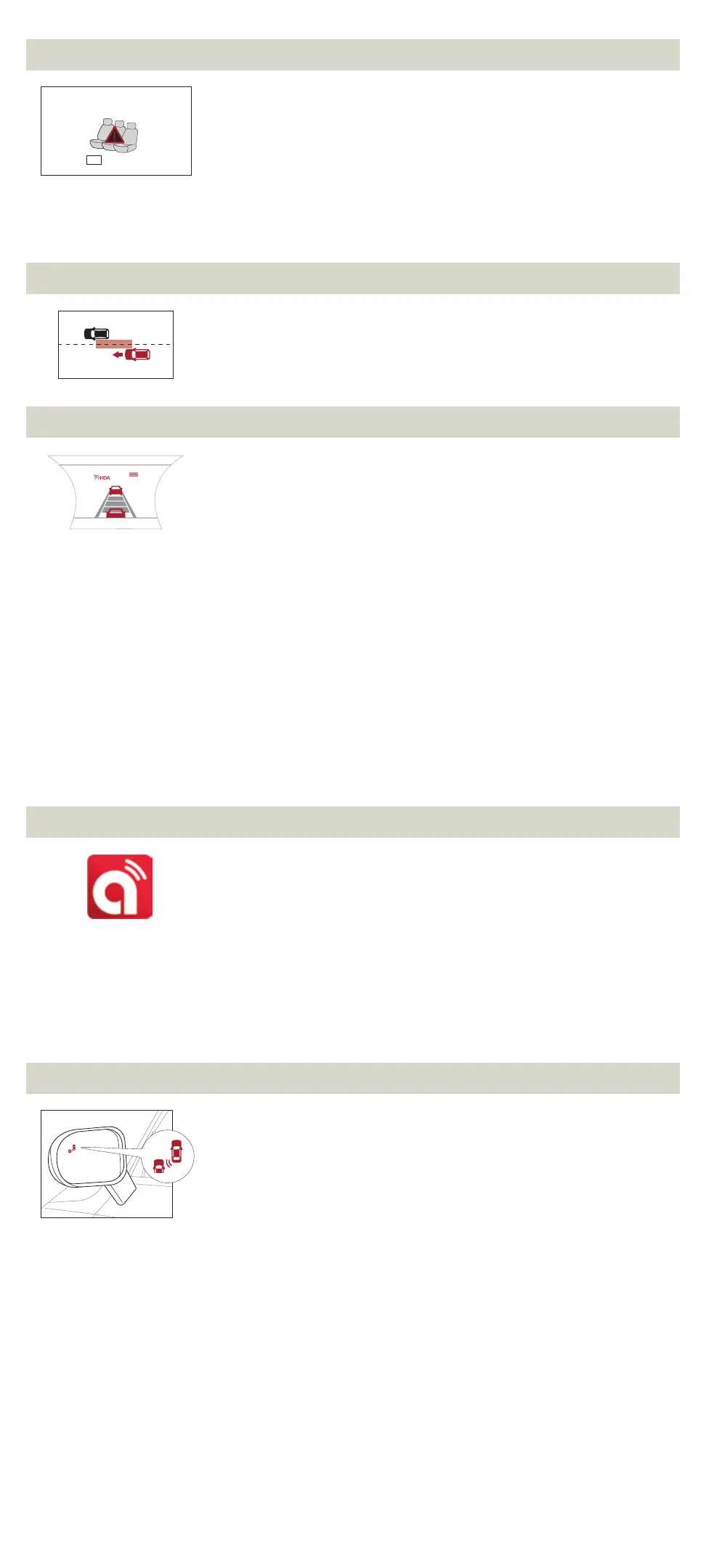
The ROA system can help alert the driver if the system detects a rear passenger has
been left in the vehicle. The 1st alert will be a message on the Instrument Cluster. After
the 1st alert, when the doors are locked and there is movement detected in the rear
seats, the horn will sound for about 25 seconds.
If you have installed the Kia Access with UVO link app on your smartphone, and logged
in and activated the ROA system notification, a third alert (notification) will be sent
to your phone.
To turn the system ON or OFF, go to User Settings, select Convenience, then ROA system.
Alerts will only occur if rear doors were opened and closed prior to locking vehicle.
If rear doors were never opened, system will not be enabled.
SAFE EXIT ASSIST (SEA) SYSTEM
6
The SEA system can help prevent passengers from opening their door after your vehicle
has stopped when it detects a vehicle approaching from behind by displaying a warning
message on the Instrument Cluster and sounding an audible warning.
To turn on the SEA system, go to User Settings menu, select Driver Assistance, then
Blind-Spot,
7
and select Safe Exit Assist.
HIGHWAY DRIVING ASSIST (HDA) SYSTEM*
8
The HDA system is designed to automatically adjust the speed of the vehicle to changing
speed limits when driving on federal highways based on available highway speed information.
To turn the HDA system on, go to User Settings in the Instrument Cluster. Go to Drive
Assistance > Driving Assist > Highway Driving Assist and press the OK button on the
Steering Wheel.
The HDA system will operate only when these conditions are met:
• The vehicle is traveling slower than 95 mph.
• When driving on federal highways.
• When the Smart Cruise Control (SCC)
7
is on and operating.
• When the SCC speed is set to current federal highway speed.
When the HDA system is activated and the conditions are met, the Instrument Cluster
indicator light will illuminate green. If the conditions are not met, the HDA system will
be in standby mode and the indicator light will illuminate white.
When in operation, and if both lanes are recognized, a display will show the lanes
illuminated white and the steering wheel indicator illuminated green.
If HDA is activated, conditions are met and the SCC speed is set by the driver (at the posted
highway speed limit or slower), the HDA system will enter the automatic speed setting
mode. The set speed and AUTO will be displayed in green and an audible alert will sound.
Reminders:
• If the driver changes the speed while in automatic speed setting mode, it
deactivates and enters a manual mode.
• When the ignition is cycled, the system returns to its previous state, on or off.
KIA OWNER’S APP WITH UVO LINK*
9
• Your cellphone and your vehicle have to be connected to a cellular network with a
good wireless signal strength in order to use UVO. If these conditions are not met,
remote commands will fail or will take a long time to execute.
• To use Remote Start or Remote Start with Climate Control feature, all doors, hood
and trunk/lift-gate must be closed and locked. Remote Start or Remote Start with
Climate Control feature will operate for about 10 minutes.
• The quickest way to obtain accurate vehicle status is by pressing a refresh button
on your app or customer web portal.
• Activate Remote Start or Remote Start with Climate Control feature at least 10
minutes before you plan to get into the vehicle. This will allow vehicle interior to
reach a desired temperature.
• In order to preserve vehicle battery, UVO will not work seven days after the ignition
was last turned on. You will need to re-start your vehicle with a key fob in order to
use UVO again.
BLIND-SPOT COLLISION AVOIDANCE-REAR (BCA-R)
7
The BCA-R system uses radar sensors in the rear bumper to help monitor and warn the
driver if it detects an approaching vehicle in the driver’s blind spot area. It activates when
the vehicle is traveling faster than 20 mph and will alert the driver if another vehicle is
detected by the radar sensor.
To activate the BCA-R system, go to User Settings by pressing the Mode button on
the Steering Wheel. Select Driver Assistance > Blind Spot Safety and then press the OK
button. Select Active Assist, Warning Only, or Off.
To set the initial warning activation time, go to User Settings > Driver Assistance >
Warning Time and press the OK button. Select the Normal or the Later option.
With the Engine Start/Stop button in the ON position, press the BCA-R button to turn the
system ON. The button light will illuminate. The outside rearview mirror warning lights
will also illuminate for 3 seconds.
1st-stage alert: When another vehicle is detected within the BCA-R system warning
boundary, a yellow indicator will illuminate on the outside rearview mirrors.
2nd-stage alert: When 1st stage alert is on and the driver activates a turn signal, a
flashing yellow indicator will illuminate on the outside rearview mirrors and the system
will sound an alert.
Quick Tip:
• The BCA-R system will activate when:
• The system is turned ON.
• The vehicle speed is above approximately 20 mph.
• Other vehicles are detected on the rear sides of the vehicle.
Reminders:
• The BCA-R system will not issue a warning if the vehicle speed is 6 mph or more
above the surrounding vehicles.
• When the BCA-R is ON and the ignition is cycled, the BCA-R system returns to its
previous state.
• The BCA-R system is a supplemental system. Do not solely rely on this system.
Always pay attention to the road and drive safely.
Check rear seats
:
Alarm Off
OK
60
mph



 To Next Page
 Loading...