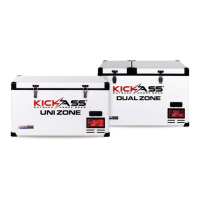
This document is an operation manual for a KickAss® Fridge / Freezer, model KAF-75DZ, version V2.5. It provides comprehensive instructions for setup, operation, maintenance, and troubleshooting of the device.
Function Description:
The KickAss® Fridge / Freezer is a portable refrigeration appliance designed for various applications, including camping, commercial hotels, motels, residential environments, catering, and staff kitchen areas. It functions as both a fridge and a freezer, offering dual-zone temperature control for its compartments. The device features a digital electronic thermostat with an LED display for temperature monitoring and control. A key feature is its Bluetooth connectivity, allowing users to remotely control and monitor the fridge using a smartphone application. The refrigeration system utilizes a reliable Secop compressor, known for its efficiency and low energy consumption. The fridge is equipped with a multi-voltage system, supporting both DC (12-24 Volt) and AC (100-240 Volt) power inputs, with an Anderson style power connection for DC. It also includes adjustable low voltage battery protection, reverse polarity protection, and high-temperature protection to safeguard the unit and connected power sources. For added convenience, a USB charging port is integrated for quick charging of mobile devices. The lids of the fridge are rotatable, allowing them to be opened from either side, enhancing flexibility in placement and access. An emergency override switch is provided for situations where the electronic control or display board fails, enabling the fridge to run at full cooling capacity in one bin.
Important Technical Specifications:
- Model: KAF-75DZ
- Power Input: Multi-voltage system (DC 12-24 Volt and AC 100-240 Volt)
- Compressor: Secop compressor
- Refrigerant Gas: R134a (fluorinated greenhouse gas)
- Leakage Rate: Less than 0.1% per year (for electrical switchgear)
- Battery Protection Settings: High, Medium, Low.
- 12V DC Source:
- Low Protection: Cut Out Voltage: 10.1V +/-0.3V, Cut In Voltage: 11.4V +/-0.3V
- Medium Protection: Cut Out Voltage: 11.4V +/-0.3V, Cut In Voltage: 12.2V +/-0.3V
- High Protection: Cut Out Voltage: 11.8V +/-0.3V, Cut In Voltage: 12.6V +/-0.3V
- 24V DC Source:
- Low Protection: Cut Out Voltage: 21.5V +/-0.3V, Cut In Voltage: 23.0V +/-0.3V
- Medium Protection: Cut Out Voltage: 24.1V +/-0.3V, Cut In Voltage: 25.3V +/-0.3V
- High Protection: Cut Out Voltage: 24.6V +/-0.3V, Cut In Voltage: 26.2V +/-0.3V
- Connectivity: Bluetooth for smartphone control
- Display: Digital electronic thermostat with LED temperature display
- USB Port: For charging mobile devices
- Power Connection: Anderson style for DC, standard AC plug for AC.
Usage Features:
- Power Connection: The fridge can be connected to AC power using the supplied AC plug or to DC power using the supplied 2.1m Anderson to Anderson style extension lead. If both AC and DC are connected, the system prioritizes AC power to prevent battery discharge.
- Control Panel: The front control panel includes a USB port, cooling speed light (red for quick, green for normal, blue for eco), Bluetooth connection light (blue when connected), compressor run light (red when power connected, green when compressor running), and battery protection setting lights (green for selected setting). It features an LED display for small and large bins, and buttons for low voltage protection settings, general settings, up/down temperature adjustment, and on/off control.
- Turning On/Off: Hold the power button for 3 seconds to turn the fridge on or off.
- Individual Compartment Control (Dual Zone Only): For dual-zone models, each bin can be individually isolated. To turn the small compartment on/off, press the settings button and the 'up' button simultaneously for 3 seconds until the small bin display shows OFF. To turn the large compartment on/off, press the settings button and the 'down' button simultaneously for 3 seconds until the large bin display shows OFF.
- Temperature Unit Selection: To switch between Fahrenheit and Celsius, press the settings button 3 times simultaneously until the unit (C or F) flashes. Use the 'up' and 'down' buttons to select, then wait for the LCD screen to stop flashing to save.
- Compressor Speed Adjustment: To change the compressor speed (quick, normal, eco), press the settings button 4 times simultaneously until both displays flash with the current selection. Use the 'up' and 'down' buttons to navigate options, then wait for the LCD screen to stop flashing to save.
- Voltage Protection Level Setting: Press and hold the low voltage protection settings button for 3 seconds or until the light indicator moves to the next setting.
- Battery Voltage Display: Press the 'up' button to view the connected battery's voltage. Note that if the compressor is running, the displayed voltage may be up to 0.5V lower than actual due to voltage drop.
- Bluetooth Code Display: Press the 'down' button to view the fridge's 4-digit Bluetooth code.
- Bluetooth App Control: The KickAss Products Main App (available on Google Play Store and Apple App Store) allows remote control and monitoring. Users can view current status, battery protection, cooling speed settings, and battery voltage. The app also provides a graphical display of 24-hour temperature for both bins and 24-hour battery voltage. To connect, find the device ID (KickAss00xxxx) on the app, which matches the fridge's device ID (found by pressing the 'down' button on the control board). The password is "00xxxx" where xxxx is the device ID.
- Lid Rotation: Lids can be rotated to open from either side. This involves unbolting hinges and latches, removing screws covering blank holes, lifting lids, rotating them, and then re-securing hinges and latches. If using a protective cover, its lid covers must also be rotated.
- Emergency Override Switch: Located on the unit, this switch should normally be in the OFF position. In case of electronic control or display board failure, slide it to ON to run the fridge at full cooling capacity in one bin.
Maintenance Features:
- Cleaning: Clean the appliance inside and out with a damp cloth after every use. For dirtier units, use sodium bicarbonate dissolved in lukewarm water.
- Important Cleaning Notes:
- Never use abrasive products, detergents, or soap.
- After washing, rinse with clean water and dry carefully.
- Do not leave the refrigerator off with food inside or lid closed.
- Never clean under running water.
- Avoid abrasive cleaning agents or hard objects that can damage the refrigerator.
- Authorized Service: The refrigerator should only be maintained by a KickAss Products authorized repair center. Improper or unauthorized maintenance may void the product's warranty.
- Disposal: The product contains fluorinated greenhouse gases (R134a) and should not be disposed of with general household waste. Refer to local regulations for correct disposal due to the flammable insulation blowing gas used. Use return and collection systems for recycling.
Safety Directives:
- Do not touch exposed cables.
- Ensure the supply cord is not trapped or damaged when positioning the appliance.
- Do not use or attempt to repair damaged power cords; they must be replaced by KickAss Products or an authorized service agent.
- Do not locate multiple portable socket-outlets or power supplies at the rear of the appliance.
- DC power system installations should be handled by a qualified professional.
- Do not place electrical devices inside the refrigerator due to moisture risk.
- Disconnect both DC and AC power supplies when cleaning or not in use.
- Do not store aerosols, flammable, or corrosive materials, or explosive substances with flammable propellants.
- Place the fridge in a dry place, away from water splash, rain, or excessive moisture. Do not immerse in water.
- This appliance is not intended for use by persons with reduced physical, sensory, or mental capabilities, or lack of experience/knowledge, unless supervised or instructed by a responsible person.
- Children should be supervised to ensure they do not play with the appliance.

 Need help?
 General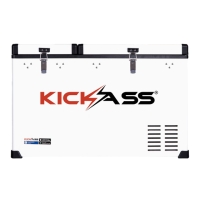

 To Next Page