5
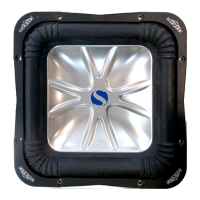
13. Remove the four screws securing the front
and rear wire protector and route the
subwoofer harness alongside the factory
harness securing with supplied wire ties.
Replace wire protectors. Fig. 14
Fig. 12
Trucks without Bose® audio system
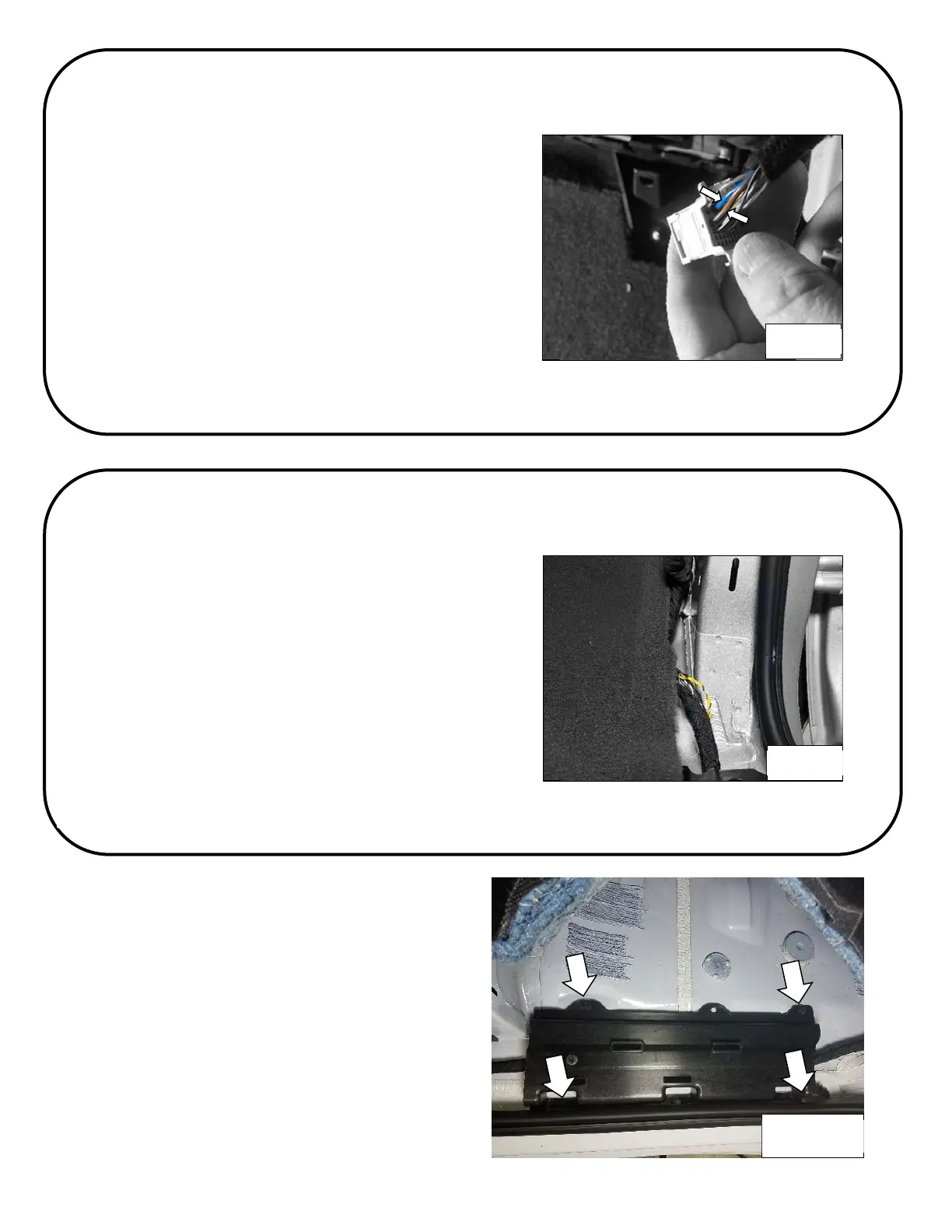
1. Locate the audio control module next to the
glove compartment and disconnect the two 28
pin connectors. Fig. 12
2. Find the connector with the solid blue and
brown/blue stripe wires and peal back the
cloth sheathing.
3. Connect the green wire of the adapter harness
to the blue wire and the brown wire of the
adapter harness to the brown/blue stripe wire -
See Splicing Technique Section.
4. Connect the adapter harness to the subwoofer
harness.
Fig. 13
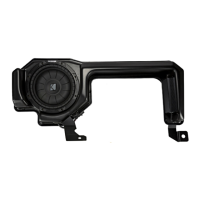
Trucks with Bose® audio system
1. Find the harness that runs from the kick panel
area toward the rear of the truck.
2. Using a seam ripper, carefully cut a slit in the
sheathing.
3. Find the twist pair of wires that are yellow and
yellow/black. Connect the green wire of the
adapter harness to the yellow wire and the
brown wire of the adapter harness to the
yellow/black wire. Fig. 13 - See Splicing
Technique Section
4. Connect the adapter harness to the subwoofer
harness.
Fig. 14


 To Next Page